Profile
This profile A collection of information that identifies and defines you in the solution. Your profile differs from your account, which is how you log in. is part of the opt-in features and replaces the previous profile feature. If your organization Official entities, such as public health authorities, healthcare agencies, and corporations. does not use the opt-in features A feature that is not enabled by default for a product. This feature may not be available because it is a premium feature or may not yet be publicly accessible., instead see Profile.
Your profile is a collection of information that identifies and defines you in the solution. Appearing near the top, in addition to your image and name is your account status Works with roles and permissions to determine the features you can access. indicator, your email address, the percentage of profile completion, and possibly, a note about items that need your attention.
Access the Profile page
To open your profile:
-
In the upper right corner of the application, click your profile picture.
-
In the menu that opens, click your name.
Your Profile page opens, where you can view and update your account Used to track and manage users. Accounts differ from your profile, which is used to modify personal settings for using the solution. information.
To open the Profile page, you must click your name from the Profile menu. The other menu options do not open the Profile page.
Account profiles have the following tabs by default: Basic Information, Consent, Personal Information, Contact Information, Membership, and Groups, that you or an administrator should complete.
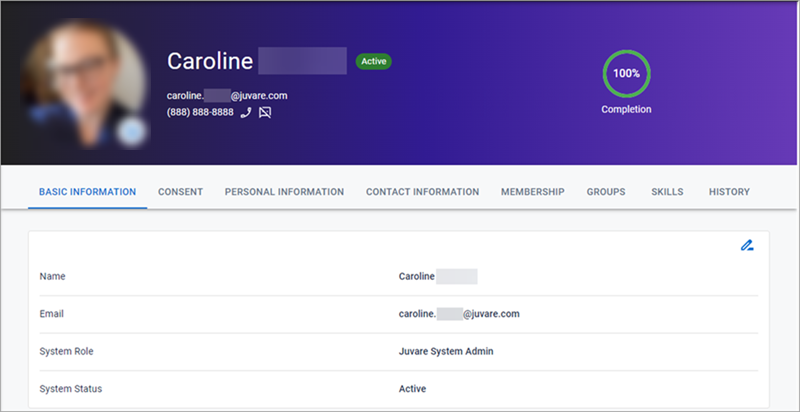
However, these sections and the questions contained within them can be configured to more accurately and effectively collect the information that your organization requires.