The Admin Reports page provides centralized access to administrative reports within eICS. These reports help administrators monitor incident activity and review system usage information across their organization Official entities, such as public health authorities, healthcare agencies, and corporations..
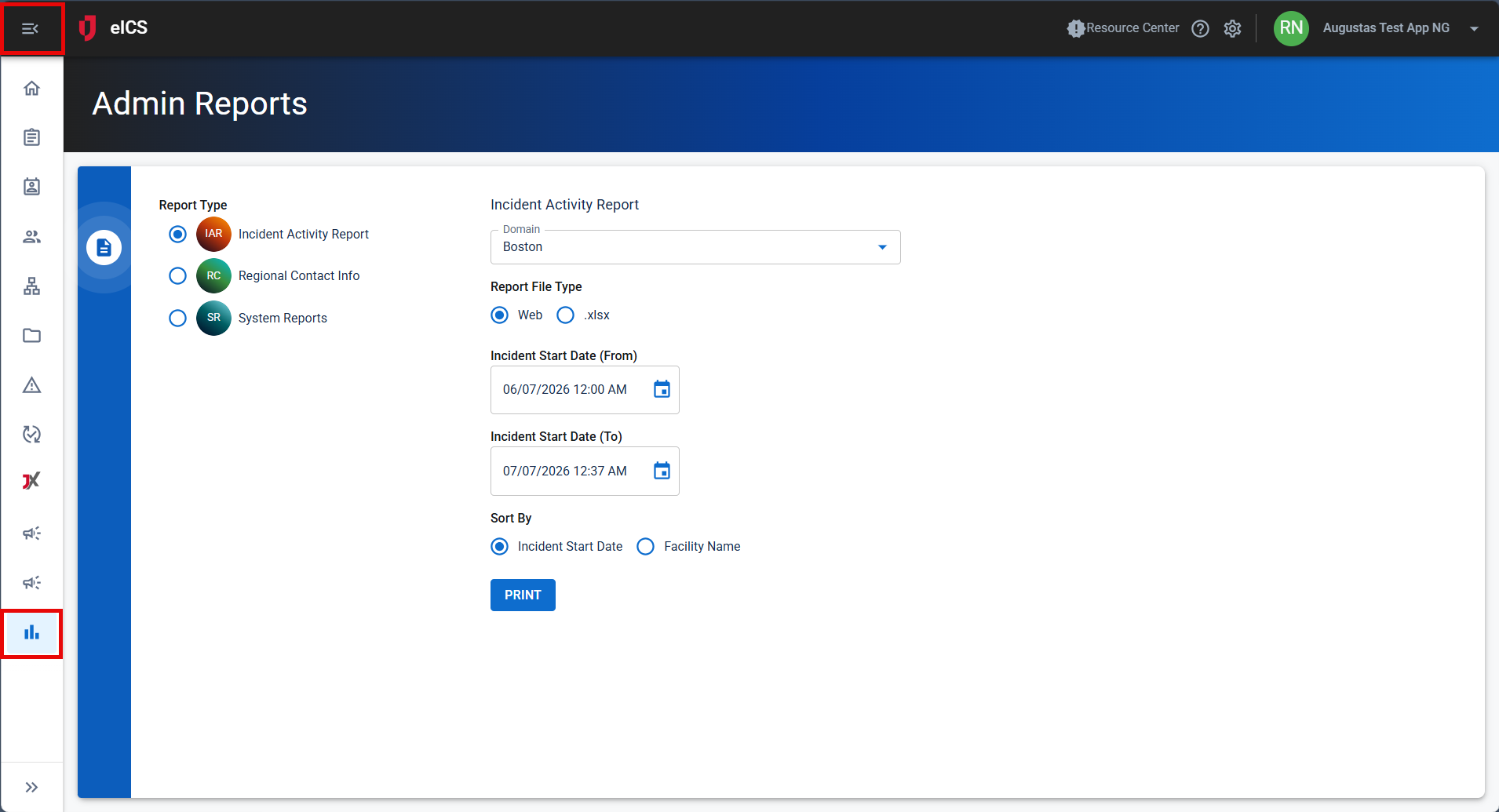
Depending on your role and organization configuration, the Admin Reports page provides access to the following reports:
-
Incident Activity Report
-
Regional Contact
The internal and external people that participate in, might be affected by, or need to be notified about an incident. Info -
System Reports
Administrators can use these reports to review operational activity, monitor notification An alert, update, advisory, information, drill, or test message that can be sent & received through delivery methods such as email, voice, text, fax, or inbox. usage, and obtain information that supports incident management and administrative oversight.
-
From the main menu, select Admin Reports.
-
Select the report you want to view.
The reports available on the page depend on your permissions and the features enabled for your organization.
Incident Activity Report
The Incident Activity Report provides information about incidents created within a selected domain and facility. Administrators can use this report to review incident activity, monitor incident trends, and obtain details about incidents occurring within their organization.
Generate an Incident Activity Report
-
Click the Admin Reports page.
-
Select Incident Activity Report.
-
Select the appropriate reporting criteria.
-
Generate the report.
The report displays incident activity that matches the selected criteria.
Regional Contact Info Report
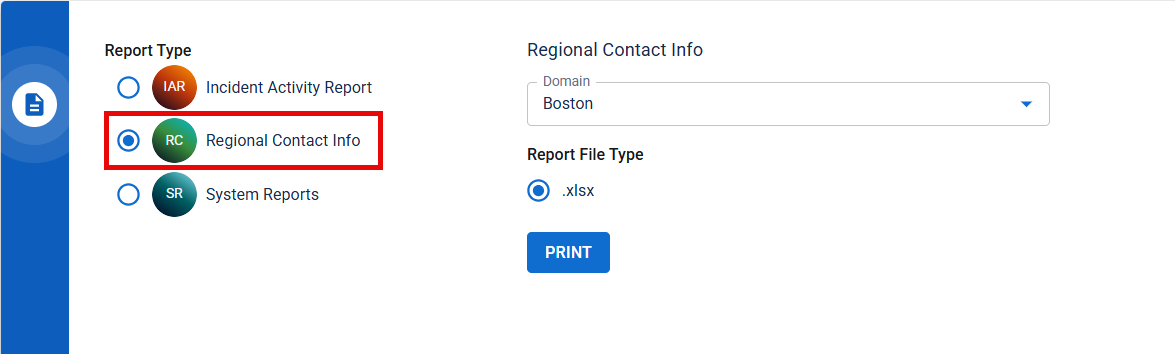
The Regional Contact Info report generates an Excel file that lists users who are designated as the primary contact for non-technical assistance in the selected domain. Use this report to review and manage contacts designated for non-technical assistance.
Generate a Regional Contact Info report
-
Select Regional Contact Info.
-
Select a domain.
-
Click Print.
System Administrators, Domain Administrators, and Facility Administrators can generate the Regional Contact Info report for a selected domain.
System Reports
The System Reports option provides access to reporting information for your organization.
To access System Reports
-
Select System Reports.
System Reports display notification usage information for the selected organization. Administrators can use this information to review notification activity and better understand how notifications are being used within their organization.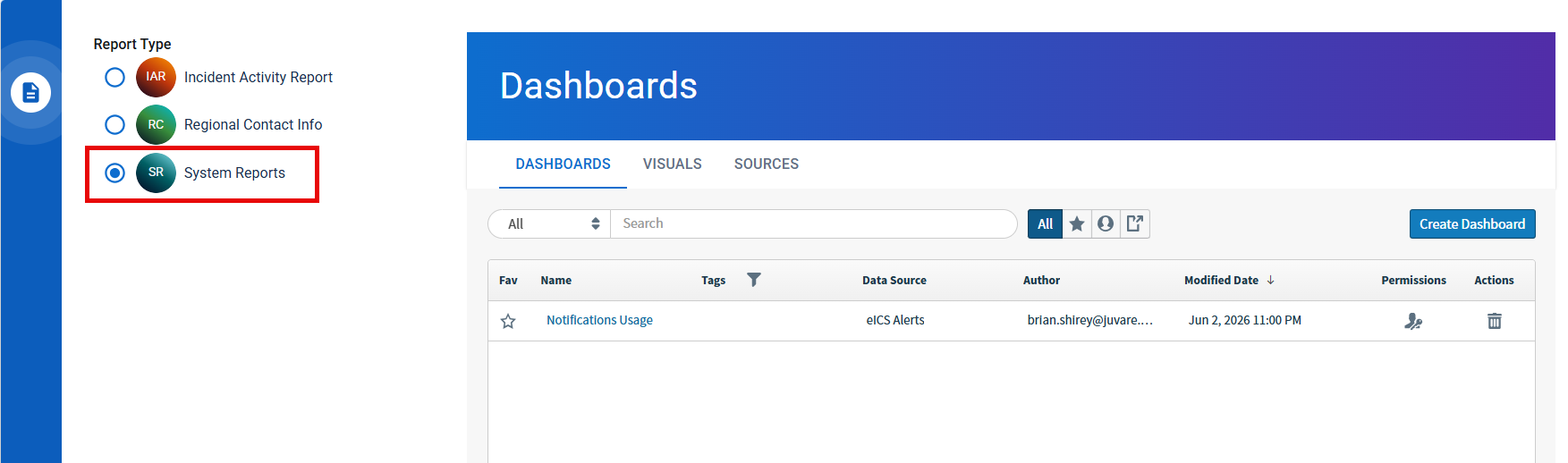
Access to System Reports is controlled by user role.
-
System Administrators can access Dashboards, Visuals, and Sources.
-
Domain Administrators can access Dashboards.
-
Facility Administrators can access Dashboards.
The availability of System Reports depends on whether reporting has been enabled for the organization.