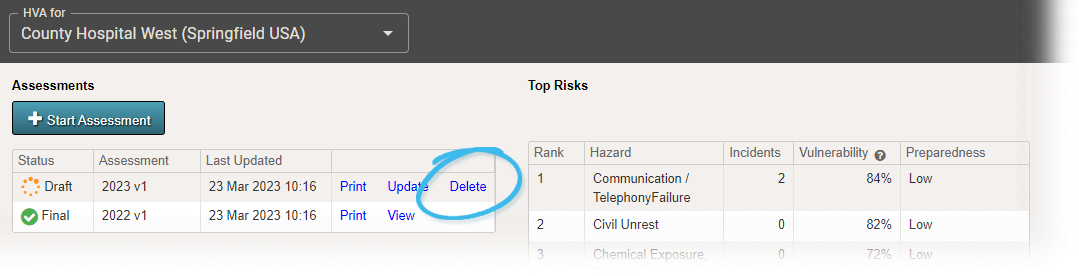
As an administrator, you can delete an HVA draft through the Planning menu. However, it is important to note that you cannot undo this action. Deleting an assessment will also remove the association from all incidents.
To delete an HVA draft
-
Point to Planning and in the list, click HVA. The Hazard Vulnerability Analysis page opens.
-
If it is not already selected, in the HVA for list, click the name of the facility, health system, facility group
 Comprised of accounts with certain shared characteristics, such as role or location, but not necesarily employer., or coalition you want to view.
 -
On the left, locate the draft assessment, click Delete. A window opens asking you to confirm the deletion.
-
Click Confirm.
Related Concepts