Objective templates can be edited to change the type of information you collect from incident participants when they update the objective status. However, changes appear on new objectives only and do not affect objectives that already exist on incidents.
To edit an objective template
-
Navigate to Settings icon and select eICS Settings.
-
Click Objective Templates. The Objective Templates page opens.
-
In the Objective templates for list, make sure the name of your facility is selected.
-
Select Edit from the More actions menu for the objective template that you want to modify.
The Edit Objective Template window opens.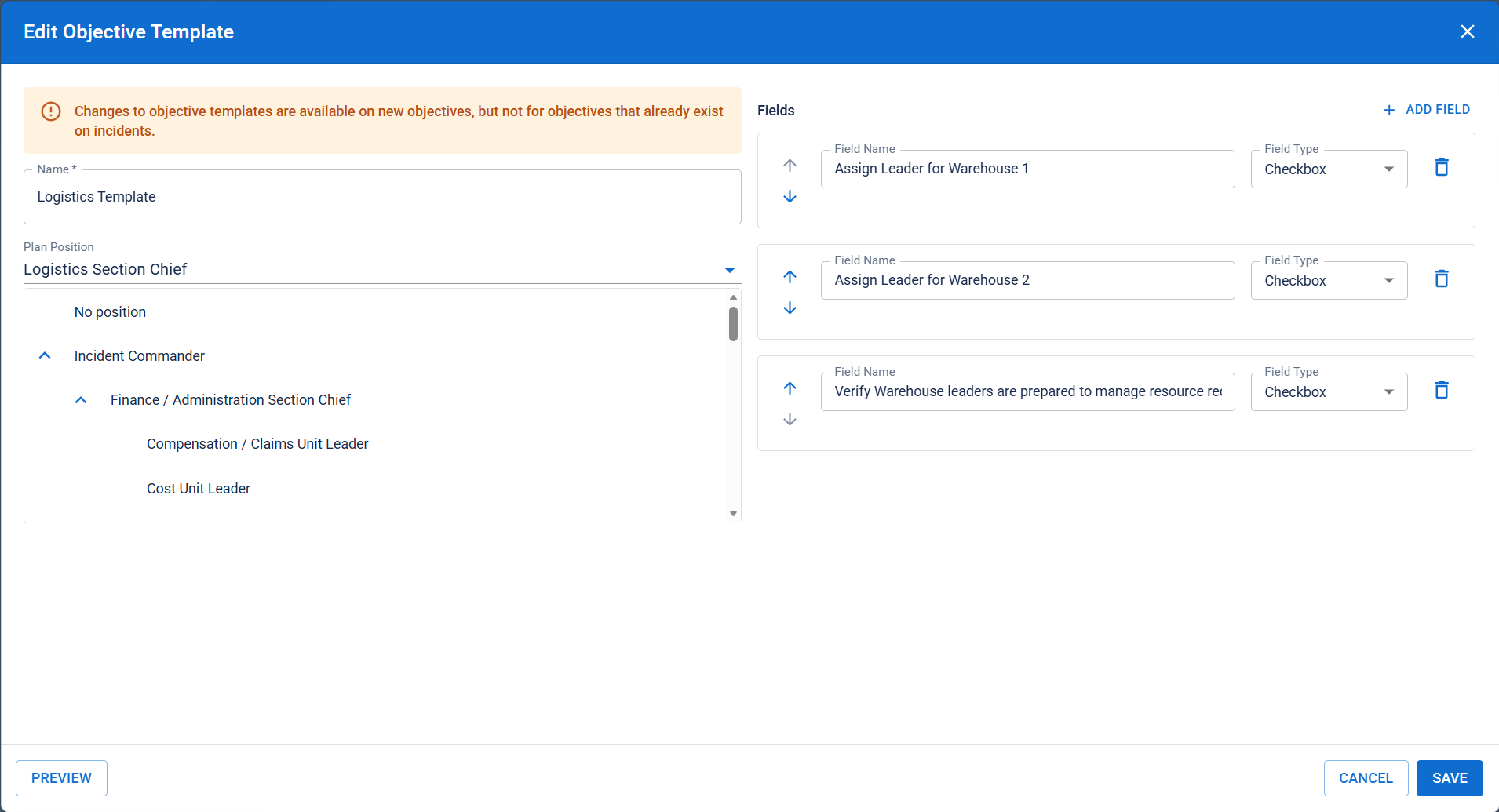
-
As appropriate, take any of these actions:
 Update the template name
Edit the Name field.
Change the assigned plan position
Select a different position from the Plan Position list.
Edit a field
Update the Field Name or select a different Field Type.
Add a field
-
Select Add Field. A field appears.
-
Enter a Field Name.
-
Select a Field Type:
-
Short Text
-
Long Text
-
Drop-down
-
Checkbox
-
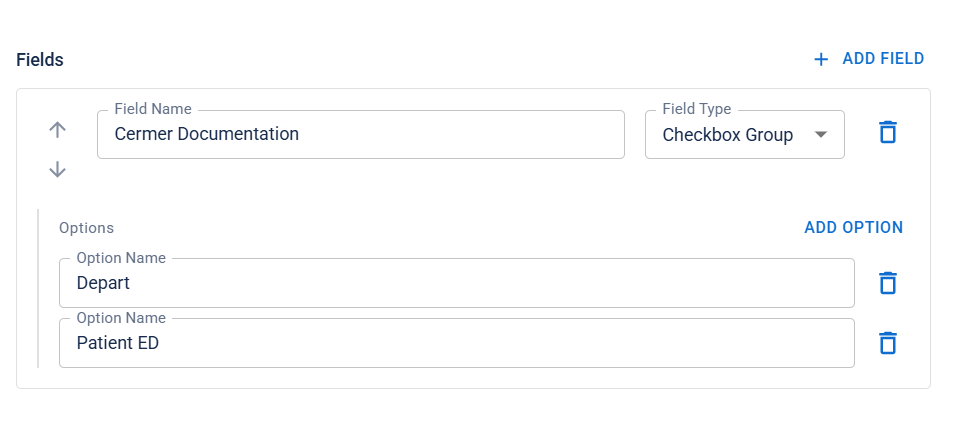
Checkbox group
Depending on your selection, additional fields may appear below
-
-
If you create a field with options, click Add Option.and enter an option name..
-
-
When you are done adding and ordering fields, click Preview. The template preview opens.
-
Verify that the template appears as you want it, and click Close.
-
When you are satisfied with the template, click Save.
Related Concepts