Manage Standard Status Types
EMResource provides access to numerous standard status types Custom fields that track information about resources. This is region-specific and are unique fields. that can be used to classify status types. You may be authorized to specify which standard status types are available to a region.
Only Juvare can assign a standard status type to a status type. However, if you are authorized to manage standard status types for a region, you can create a status type out of a standard status type. That new status type is then available for use in the region.
To manage standard status types
-
In the main menu, click Setup and, in the list, select Regions. The Regions List opens.
-
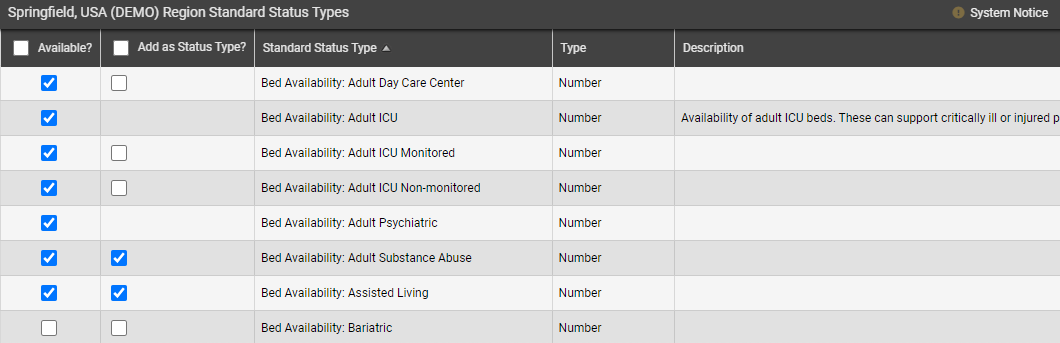
Locate the region and, on that row, click Std Status Types. The (region name) Region Standard Status Types page opens.
-
Take any of these actions.
-
To make a standard status type available to the region, in the Available? column, select the checkbox.
-
To create a status type based on the standard status type, in the Add as Status Type? column, select the checkbox.
-
-
Click Save.
Related Concepts