Search Immunization History
In EMTrack, you can search for and locate a patient’s immunization history to verify the make, date, and dosage of previous vaccinations.
To search a patient’s immunization history
-
Log in to EMTrack. The Dashboard opens.
-
Click the Patient tab. The Patient page opens.
-
In the list of forms, click the appropriate vaccination form.
-
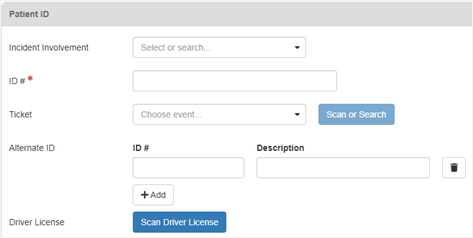
In the Incident Involvement list, select the incident.
-
For Ticket , click Scan or Search to enter the patient’s information.
-
Enter any additional information.
-
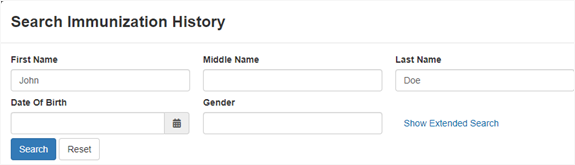
In the Immunization History section, click Search History. The Search Immunization History window opens.
-
If necessary, enter more information about the patient.
-
Click Search. If this is a new patient, the search will not return any information. If this is a returning patient, the search will return information about the patient’s previous vaccinations.
-
If the patient has an immunization history, click Save. The window closes and a link to this information appears next to the Search History.
-
Continue completing the form.
Related Concepts