Manage File Labels
When the File component is included on patient forms A set of questions that guide users through collecting and entering data to create records in EMTrack., users can assign labels Used to classify and locate specific types of patients. to the files they attach. These labels help distinguish and classify the files.
As an administrator, you need to create and manage the labels that are relevant for your region. Labels can not only indicate file contents but also be used for compliance and reporting purposes. For example, you may want to users to label images by their type, such as client signature, identification card, or medical record.
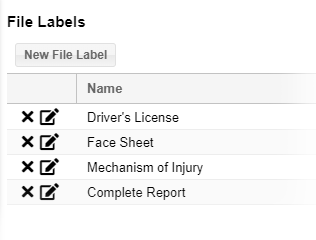
File labels are accessed through System Settings, and located in the Labels section by clicking File Labels. Labels can be added, edited, or deleted.
To add a file label
-
On the upper right, click System Settings.
-
On the left, under Labels, click File Labels. The File Labelspage opens.
-
Click New File Label. The New File Label window opens.
-
For Name, enter the label.
-
Click Save.
To edit a file label
-
On the upper right, click System Settings.
-
On the left, under Labels, click File Labels. The File Labels page opens.
-
Locate the label and, on that row, click the edit icon. The Edit File Label window opens.
-
Change the label Name.
-
Click Save.
To delete a file label
-
On the upper right, click System Settings.
-
On the left, under Labels, click File Labels. The File Labels page opens.
-
Locate the label and, on that row, click the delete icon. A confirmation window opens.
-
Click Yes.
Related Concepts