Edit a Summary View
You can edit summary views Summarizes patient information by incident, provider facility, mobile provider, and division label. and change your default view.
The Summary View Administrator page includes tables for incidents, facility providers, mobile providers A transporting agency, such as EMS organizations and fire departments., and labels Used to classify and locate specific types of patients.. Table columns are your triage categories.
To edit a view
-
On the upper right, click System Settings.
-
On the left, under Other Settings, click Summary View.
-
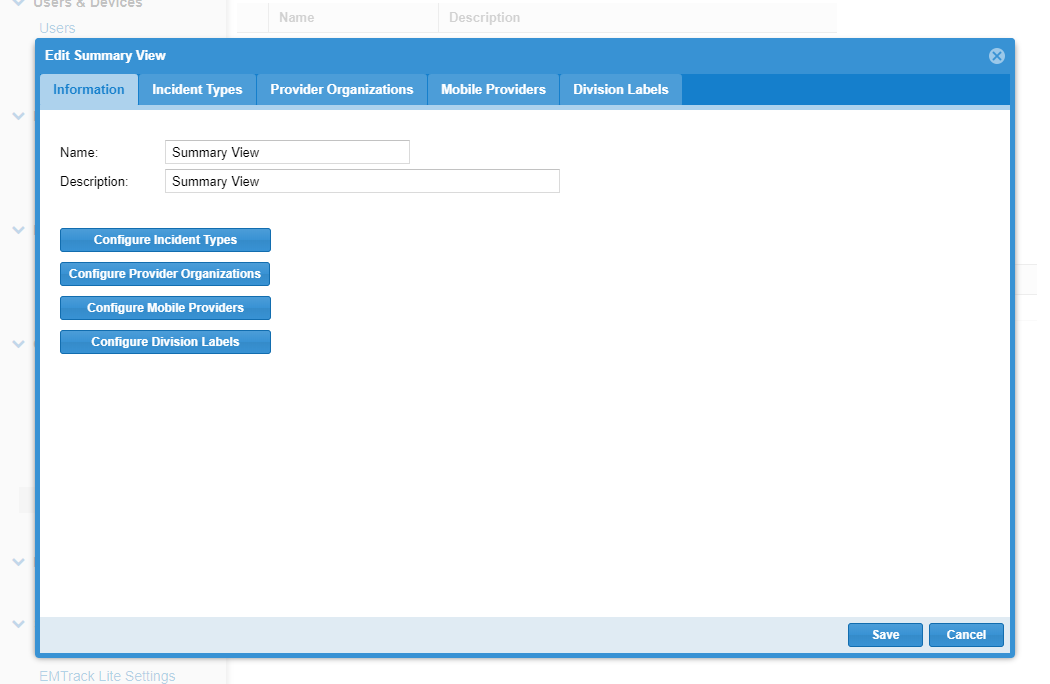
In the Available Summary Views section, locate the view and on that row, click the edit icon. The Edit Summary View page opens.
-
If appropriate, change the Name.
-
If appropriate, change the Description.
-
If appropriate, make changes to your selections on these tabs:
-
Incident Types
Incidents of the same type can share basic information.
-
Provider Organizations
-
Mobile Providers
-
Division Labels
-
-
Click Update.
Related Concepts