<foreignkey>
Use this tag to create a one-to-many relationship between tables.
This tag is used for child Input views only.
For example, the Resources board has two tables, Resources and Deployments. Resources is the parent table in the parent-child relationship. When setting up a parent-child relationship within Unified Command Platform, the Input view for the child table always has a <foreignkey> tag pointing back to the parent table; this causes Unified Command Platform to create a field in the child table that stores the ID of the parent record that each child record is related to. The Deployments Input view has a <foreignkey> tag that links many deployments to a single resource. The <foreignkey> tag must have a <table> attribute that specifies the name of the related table, in this case, Resources.
| Attribute | Allowed Values | Requirements | Description |
|---|---|---|---|
| table | %tablename | Required |
Name of the parent table. The table name specified in the table attribute must match the system name of the parent table. The name is case-sensitive. |
| type | (select) | Implied |
Type presents a dropdown list of parent records from the specified table. The user manually selects the related record from the list. The <eocfield> tag must include a name attribute. |
|
In this example, the child view is accessed when the user selects an option in the dropdown list.
|
|||
| viewlink | Implied |
If the Type attribute is omitted, the Input view is assumed to be accessed from a <viewlink> . This type automatically assigns the parent record based on the previous view from which the current view was accessed. This enables context-sensitive linking, especially in child display views. No <eocfield> child element is required. When using type="viewlink", ensure that:
|
|
|
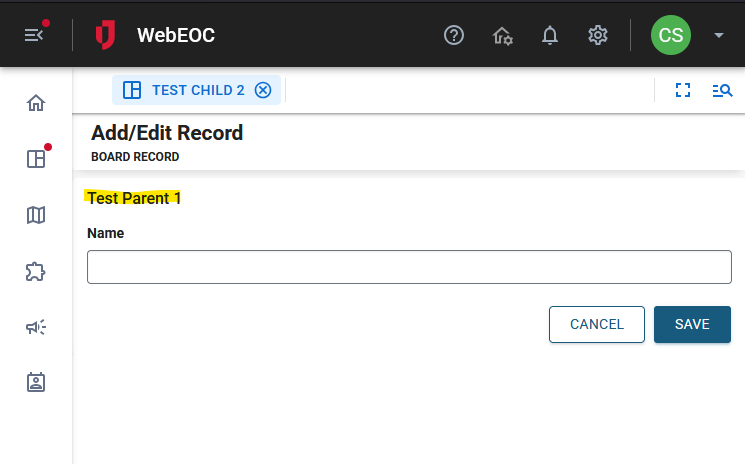
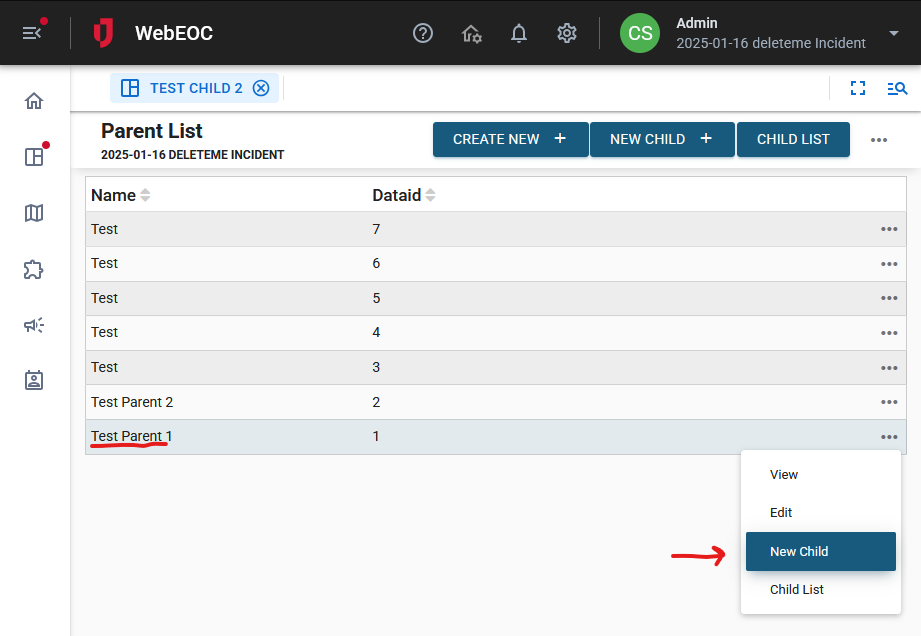
In this example, the Parent1 record is set up to use a viewlink to add the child record.
|
|||
| filter | SQL | Optional | SQL WHERE clause; used to filter a foreign key Select list. |
| sort | SQL | Optional | SQL ORDER BY clause. |
| id | text | Optional | HTML ID attribute. |
| title | text | Optional | HTML title attribute |
| class | text | Optional | HTML title attribute |
| style | text | Optional | HTML title attribute |
If you use "select" for type, include the <eocfield> tag to populate the drop-down.
<foreignkey table="Resource" type="select"> <eocfield name="resource_fk"
type="fk" table="Resource"/> </foreignkey>
This is an example of the type attribute using the viewlink value that will create a field like fk_table_2 (if the Resource table has an ID of 2), and automatically populate it with the dataid of the parent record.
<foreignkey table="Resource" type="viewlink"/>