
The Facility Status board provides a centralized method for tracking the operational condition of facilities such as sites, shelters, schools, hospitals, or government buildings. It helps corporations and emergency managers monitor availability, evacuations, and infrastructure status to maintain situational awareness and ensure continuity of operations.
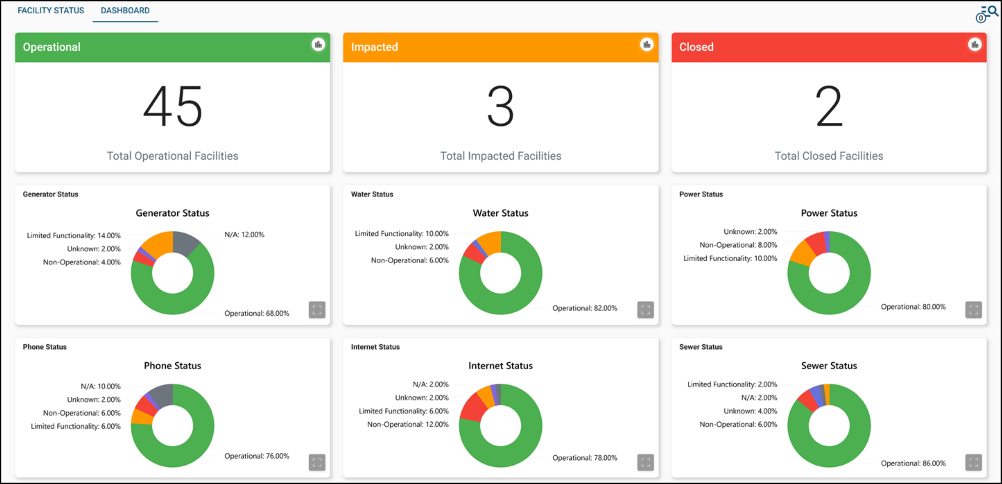
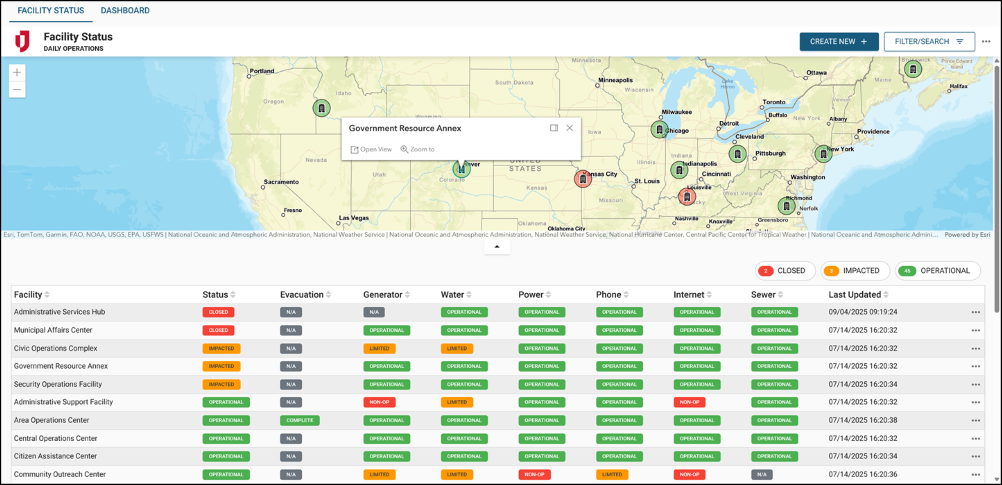
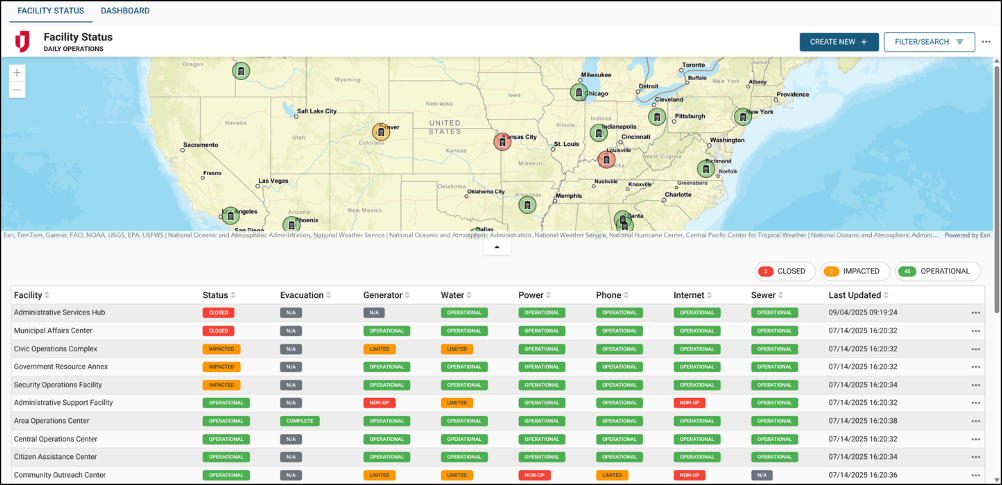
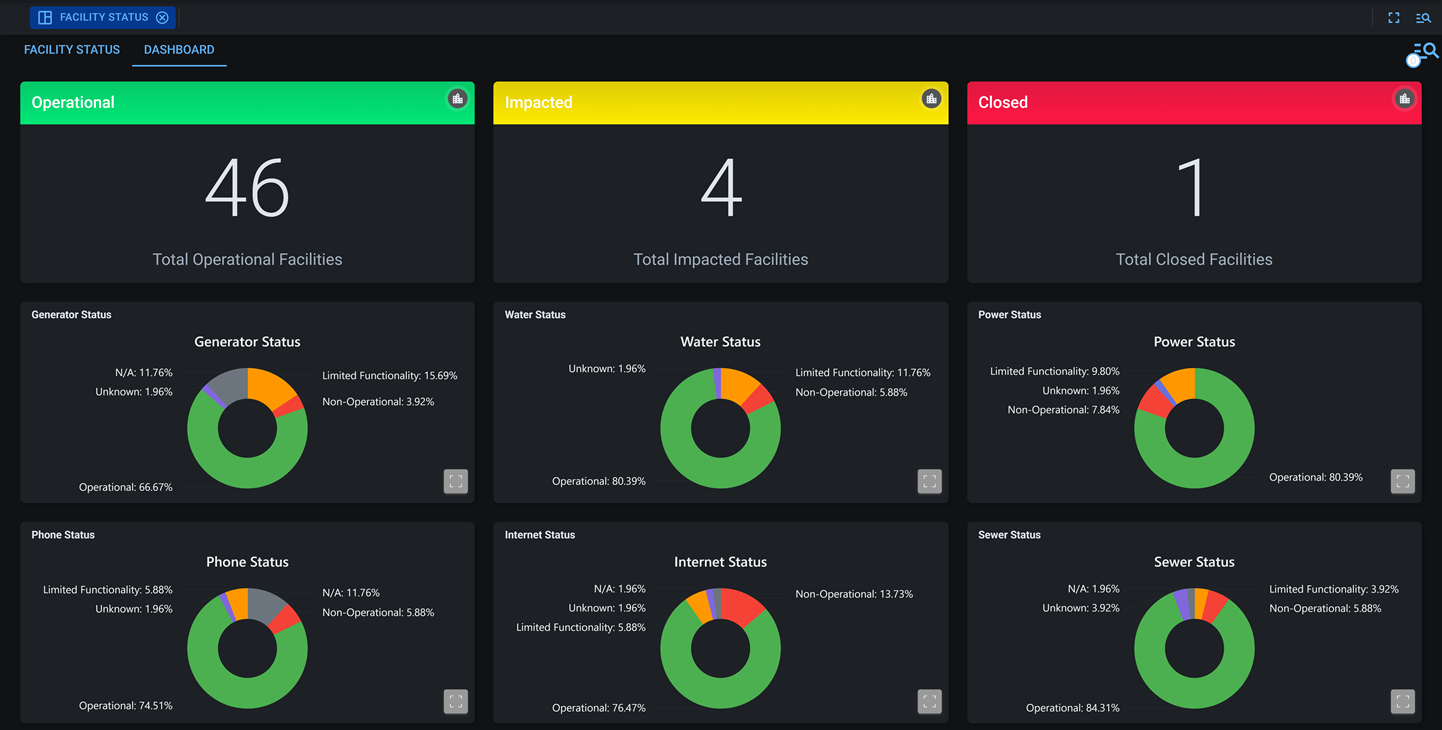
Each facility includes contact details, location, and current operational indicators such as operational status, power availability, and phone/internet/water status. The board also supports dashboard and map-based visualization, allowing users to quickly identify facility impacts across regions.
For more details about this board, watch the Facility Status Training Video  .
.
Your Juvare product login does not grant access to the Juvare Training Center. To view the training video, please create a separate account on the Juvare Training Center site.
The Facility Status DS version of this board can be customized in DesignStudio.
Key Capabilities
-
Facility management: Create and manage multiple facilities, including location, contact information, and key points of contact.
-
Track operational status: Track the statuses of each facility to provide situational awareness on key indicators, such as whether the facility is damaged, has power, and/or is operational.
-
Visualize on a map: Instantly identify critical infrastructure impacts during emergencies.
-
Set up alerts: Configure automated alerts for status changes and emergency response.
-
Facility reporting: Access historical facility status data for post-event analysis and improvement planning.
This board includes Comments and Share buttons, which can be enabled if you are using WebEOC Nexus 10.18 and later and version 1.2.1 and later of this board. For these buttons to display, use the Board Permission Tags Board Comments and Board Links Sharing when assigning feature groups access to the board. See Board Comments and Share Board Links for details about these features.
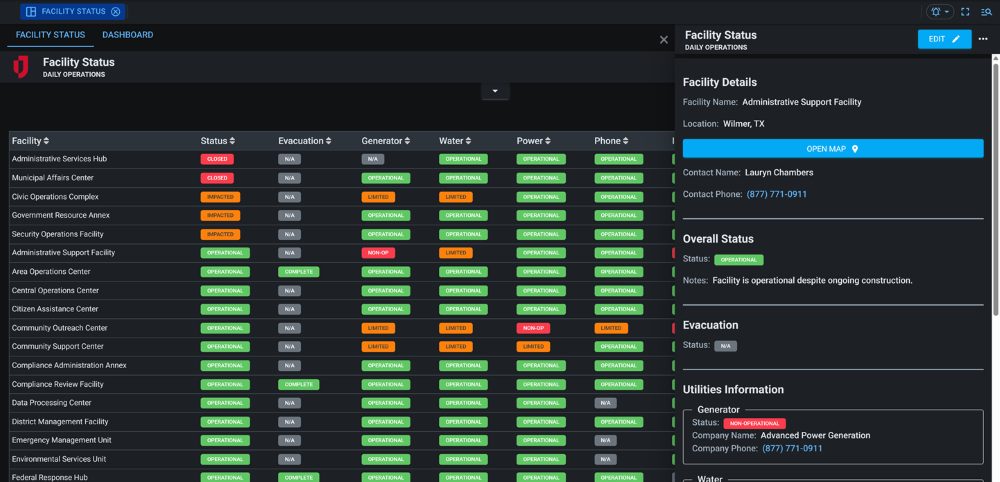
This board has dark mode capability.
Dark mode must be enabled for your instance so that users can turn it on. See Enable Dark Mode for details.
Related Concepts
Facility Status with WeatherOptics
Related Tasks