Print and Export Checklists
The My Checklists, Activated Checklists (All), and Checklist Templates tabs all allow you to print and export data.
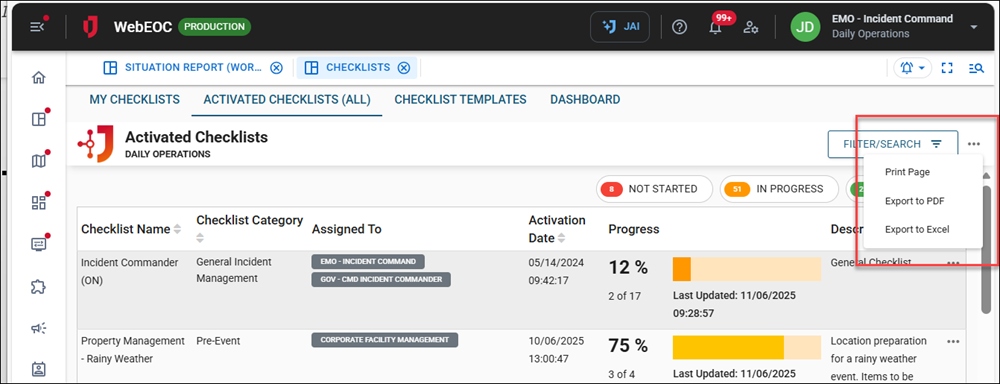
Click the ellipsis to the right of the Filter/Search button to view the print and export options.
-
Click Print Page to display a printer-friendly version of the current board, helpful in creating hard copies for offline reference or physical documentation.
-
Click Export to PDF to convert board data into a PDF file, ideal for sharing, archiving, or distributing to stakeholders.
-
Click Export to Excel to extract data into an Excel spreadsheet, which facilitates further analysis, filtering, and customized reporting.
These tools simplify the documentation process and ensure critical data is readily accessible for operational planning and emergency management.