View and Manage Network Invitations
On the Networks page, you can:
-
Toggle between viewing accepted and declined invitations
-
Review your network invite history
-
Search for specific network invites and filter results, making it faster to find and manage pending invitations
-
Manage invitations by accepting or declining them
If you decline an invitation, you still have the option to accept it later.
To view and manage network invitations
-
In the main menu, click the JX Networks icon
 . The Networks page opens.
 -
In the Side Nav, under the Pinned Topics section, click Pending Invites or on the Networks page click Pending Invites.
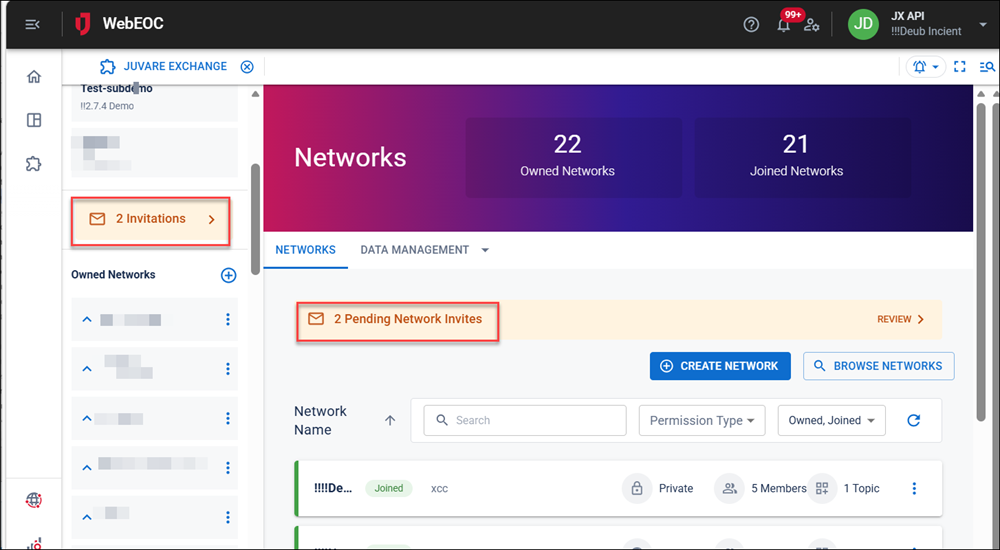
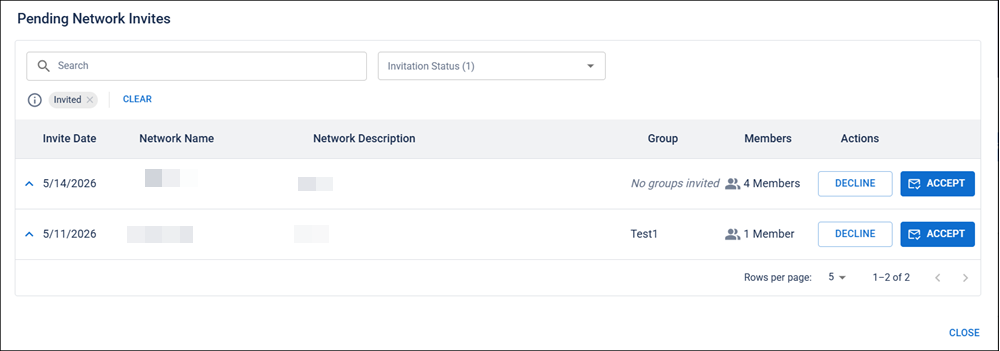
The Pending Network Invitations window opens. The pending network invitations (if any) are displayed.
-
Do any of the following:
-
To accept or decline an invitation, select Accept or Decline.
-
To view declined invitations, click the Invite Status filter and select Declined. The list refreshes to include declined invitations.
-
To accept a declined invitation, click Accept.
-