Types of Boards
WebEOC Nexus has the following board types.
Standard Boards
Standard boards allow you to track, display, and manage crisis information.
The boards you have access to are determined by your WebEOC Nexus administrator. You may also have FEMA and ICS forms available as boards. These forms are typically accessed from the Menus section.
A few of the most common boards are described in limited detail below.
The Board List contains a complete list of boards available with WebEOC Nexus.
After Action Review
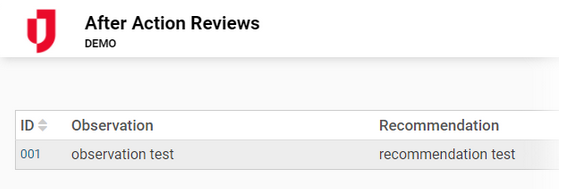
The After Action Review board allows you to document comments or recommendations after an incident and track the resolution of items.
Checklist
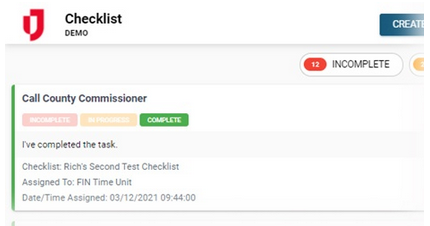
The Checklist board allows you to create, edit, and view a chronological list of specific items that must be completed during an incident.
Damage Assessment
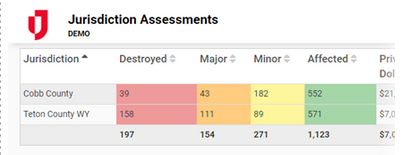
The Damage Assessment board allows you to assist with federal reimbursements, when applicable, by tracking detailed information on the individual and cumulative dollar loss as a result of damage to private and public property.
Event Reporting
The Event Reporting board allows you to document actions and major incidents taken by the personnel in the EOC. Event Reporting consists of the Activity Log and Significant Events views. Your administrator may have embedded the Significant Events map in the board.
Activity Log
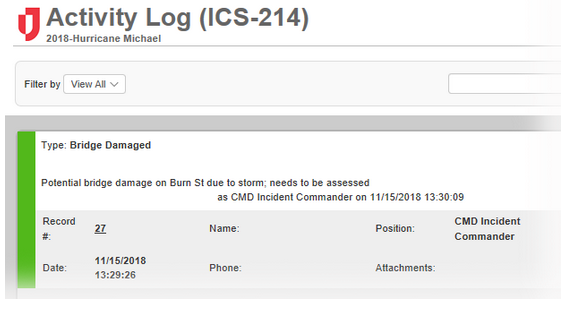
Activity Log allows you to document actions taken by personnel in your position during each shift. It allows users to track event types and details, statuses, contact information, position and name of those reporting, maps of the area, and more.
Significant Events
Significant Events is the equivalent of your major event log or incident journal. It is used to track events and activities and logs “who did what when.” This view provides real-time chronology of the actions taken during an event, from beginning to end, only showing major or significant log entries to help you maintain situational awareness and a clear operating picture. Entries in this board include: reporting authority, event type, date and time of the entry, location, priority level, and a narrative summarizing event information.
File Library
The File Library board allows you to upload, organize, and share documents and files across your organization. It also allows you to create private folders that can only be viewed by the position that created the folder.
Requests/Tasks
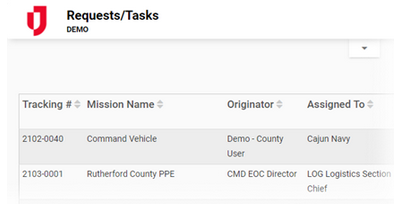
The Requests/Tasks board allows for resource requests and task assignments to be submitted in the field via mobile device or in the EOC. The received requests can then be routed to the appropriate position, allowing staff to manage all related activity and updates on the status. During daily operations, the board allows for the management of non-emergency tasks and requests.
Road Closures
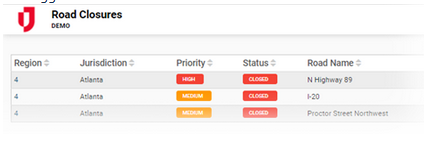
The Road Closures board allows you to document and track specific details on road closures, including a closure's status, location, damage, and suggested detours.
Schedule
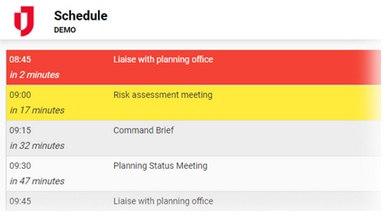
The Schedule board allows you to enter pertinent events and view visual cues as they progress through their cycle. It is also referred to as the Battle-Rhythm.
Shelters
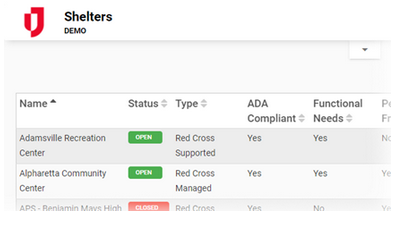
The Shelters board allows you to track shelter information and statuses. The standard list view displays the shelter’s name, status, occupancy, and more. It also indicates whether a shelter houses the general population, accommodates special needs, or is pet friendly.
Sign In/Out
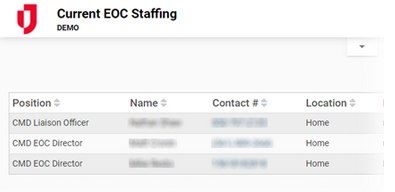
The Sign In/Out board allows you to track who is currently on shift during an incident or day-to-day operations. The board also tracks hours worked by agency personnel.
Situation Report
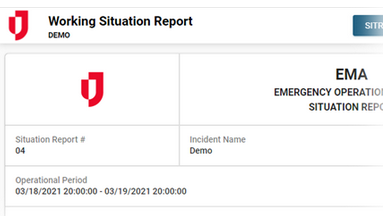
The Situation Report board allows agencies to collect reports from contributing entities to develop a published report. SITREPs (SITuation REPorts) are typically published at least once every 24 hours during an emergency. WebEOC Nexus provides a flexible format that can be used to support any organization structure, such as Incident Command System (ICS) and Emergency Support Functions (ESF).
Functional areas within the emergency response organization update their portion of the SITREP, which then populates a master SITREP. The master SITREP can be viewed online and approved before release.
Subscription Boards
Subscription boards are those that are shared among several WebEOC Nexus instances over the WebEOC Fusion network. A subscription board is published to the WebEOC Fusion server and offered for use to the other WebEOC Nexus instances connected to the WebEOC Fusion server. Depending on their level of permission, WebEOC Nexus users that subscribe to the board can read, read/write, or read/write/delete information on the board.
A record is added to a subscribing (local) WebEOC Nexus instance. The record moves from the local copy of the board to the WebEOC Fusion server and is then added to each of the other participating WebEOC Nexus instances.
On the Board landing page, subscription boards are located with local boards. WebEOC Fusion boards are distinguished from regular boards by a lightning bolt icon. If the board is connected, the icon is gray. If offline, the icon is red. Point to the icon to see a tooltip with that board's Fusion Server Name, Regional Incident, and Status.
The arrangement of boards in this list is determined by settings configured by your WebEOC Nexus administrator.
Subscription boards are used in the same way as any standard board. Users can add/update, view, sort, and filter data as determined by the permissions allowed by the board owner (publisher) and group permissions on the subscribing (local) WebEOC Nexus server.
Remote Boards
The Remote Boards feature allows users on one instance of WebEOC Nexus to access boards hosted on a different WebEOC Nexus system, such as an instance in a neighboring county.
The use of remote boards allows all WebEOC Nexus instances to view the same set of data from the same board. Everyone has all the information available to them so a common operational picture is maintained.