Subscribe to a Shared Board
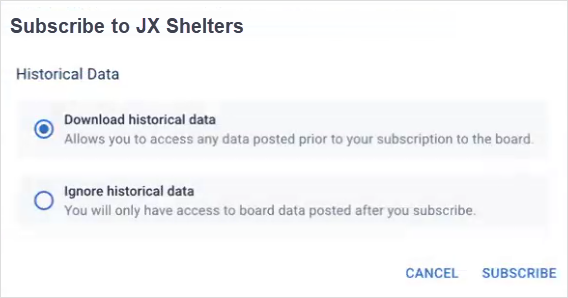
If you belong to a JX network where another organization has shared boards with you, you must subscribe to the boards to access them. When subscribing, you can choose to either download historical data or ignore it. Downloading historical data gives you access to all past contributions, while ignoring it starts your board fresh, without access to any previous data.
After subscribing, you need to assign access to it through groups, in the same way as you would do with any other board.
To subscribe to a shared board
-
In the main menu, click JX Networks. The Networks page opens.
-
Locate the network, and click Go to Network. The network page opens.
-
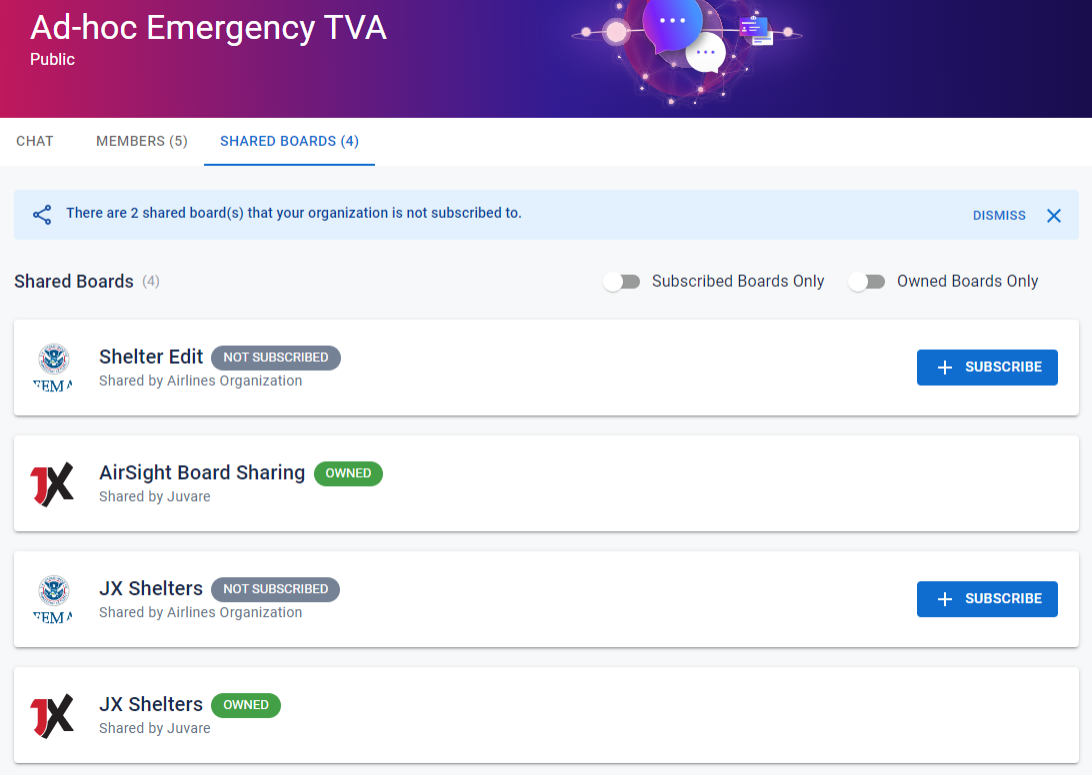
Click the Shared Boards tab. The list of shared boards opens with filter and subscribe options.
-
On the board you want to subscribe to, click Subscribe. The Subscribe to [Board Name] dialog opens.
-
Select either Download historical data or Ignore historical data, and then click Subscribe. A message is displayed to confirm that you are now subscribed to the board.
-
Click Close.