In Planning > Contacts, you can print information about a single contact The internal and external people that participate in, might be affected by, or need to be notified about an incident., including the contact's address, email, phone numbers, facility access, and ICS positions.
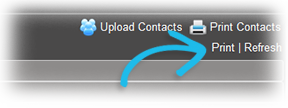
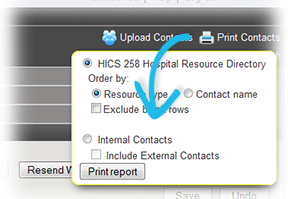
Alternatively, you can print a directory of contacts. The directory option allows you to print any of the following:
-
The Hospital Resource Directory (HICS
Hospital Incident Command System, an incident management framework for healthcare organizations. 258 Hospital Resource Directory). -
Internal Contacts, including their names, phone numbers, emails, pagers, and ICS positions.
-
Internal and External Contacts.
For more information about using the Contact Template to update and upload contacts, go to Contact Template and Report.
To print a single contact
-
Point to Planning and click Contacts. The Contacts for (facility/domain) page opens.
-
In the Contacts for list, select the domain or facility.
-
On the left, locate and select the contact. The contact's details appear on the right.
-
On the right, click Print. The contact's information opens in a new browser window from which you can select the print options prior to printing.
To print a directory of contacts
-
Point to Planning and click Contacts. The Contacts for (facility/domain) page opens.
-
In the Contacts for list, select the domain or facility.
-
On the right, click Print Contacts. A window opens.
-
Select the relevant options to limit the list of contacts.
-
Click Print Report. The information opens in a new browser window from which you can select the print options prior to printing.
Related Concepts