During planning, administrators determine which incident response guides A predefined guide containing objectives, tasks, files, and resources for a specific incident. (IRGs) are associated with ICS Chart positions to ensure that, when an incident occurs, the appropriate positions are activated and contacts The internal and external people that participate in, might be affected by, or need to be notified about an incident. notified.
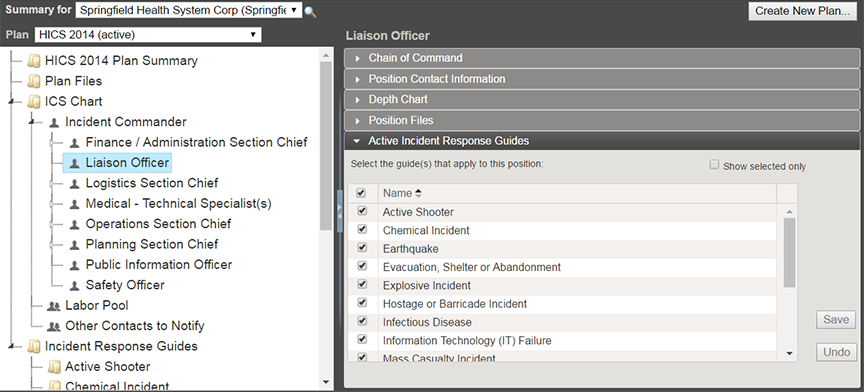
To manage the IRGs associated with a position
-
Point to Planning and click Plan Summary.
-
In Summary for, select the appropriate domain or facility.
-
In Plan, select the appropriate plan.
-
On the left, select the position. Information about the position is shown on the right.
-
Click the Active Incident Response Guides drawer.
-
Take one of these actions.
Active IRG actions If you want to... Then... Associate an IRG with the position, Select the checkbox for that IRG. Remove association of an IRG with the position, Clear the checkbox for that IRG. -
Click Save.
Related Concepts