Once an incident has been closed and no longer requires any action, you should change the incident status to archived for storage.
To archive an incident
-
Point to Response and click Incidents.
-
On the left, locate the incident and on that row, click View. The Incident Dashboard opens.
-
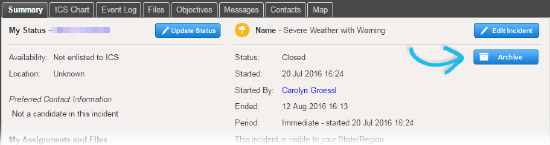
On the right of the Summary tab, click Archive. The Archive Incident window opens.
-
Click Yes.
To unarchive an incident
-
Point to Response and click Incidents.
-
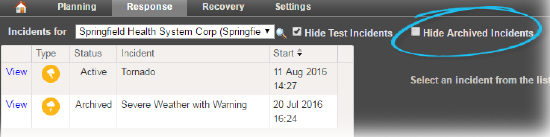
Clear the Hide Archived Incidents checkbox.
-
On the left, locate the archived incident and on that row, click View. The Incident Dashboard opens.
-
On the right, click Unarchive. The Incident Dashboard refreshes to show the closed incident.