These notes describe updates in the eICS 5.12 release scheduled for Monday, November 24, 2025. More information is available in this help center or by contacting The internal and external people that participate in, might be affected by, or need to be notified about an incident. the Juvare Support Center at +1 (877) 771-0911 or support@juvare.com.
New Features
Incident Page
When you select an Active Incident on the Home page, you now have the option to click Try the New Look, which opens the redesigned Incident Dashboard page. The following three tabs have been updated:
-
Summary
-
Event Log
-
Reports
A toggle button allows users to switch between the old and new UI versions, and the browser now remembers each user’s preference for future sessions.

Summary Tab
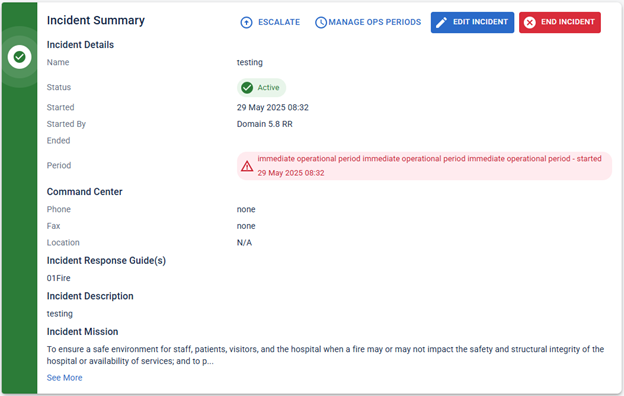
The new user interface (UI) introduces a modernized Incident Summary page with added functionality.
Event Log Tab
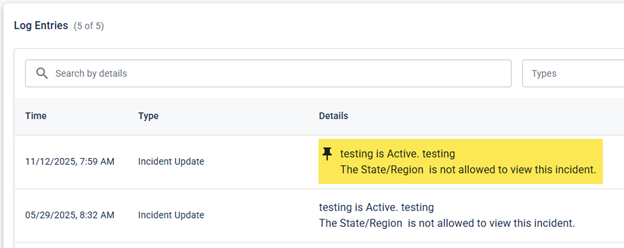
Users can now pin log entries to keep them visible at the top of the Event Log. Pinned entries remain above all others until unpinned, regardless of the date or time. Pins are visible to all users in the same incident and are supported in both the classic and new interfaces.
This feature was added in response to client feedback received through Juvare Ideas.
Reports Tab
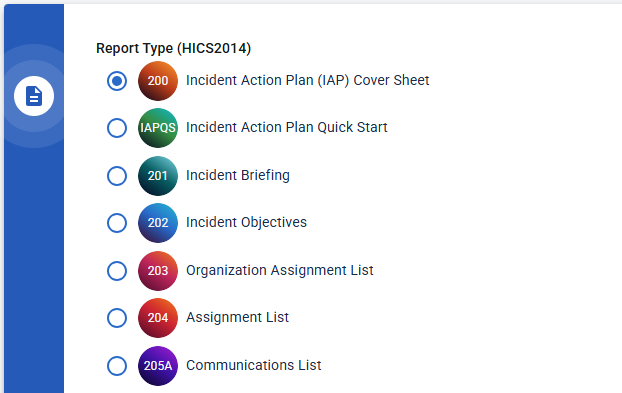
The new interface introduces a Reports tab, maintaining the same structure and output as the previous version.
Incident Switcher
A new Incident Switcher drop-down provides quick navigation between active incidents. It displays up to ten of the most recent real incidents or exercises A simulated incident used to train personnel and evaluate emergency plans. (excluding system tests A non-production incident used to verify system functionality or configuration.) and keeps the current browser tab open when switching.

This feature was added in response to client feedback received through Juvare Ideas.
Resource Center
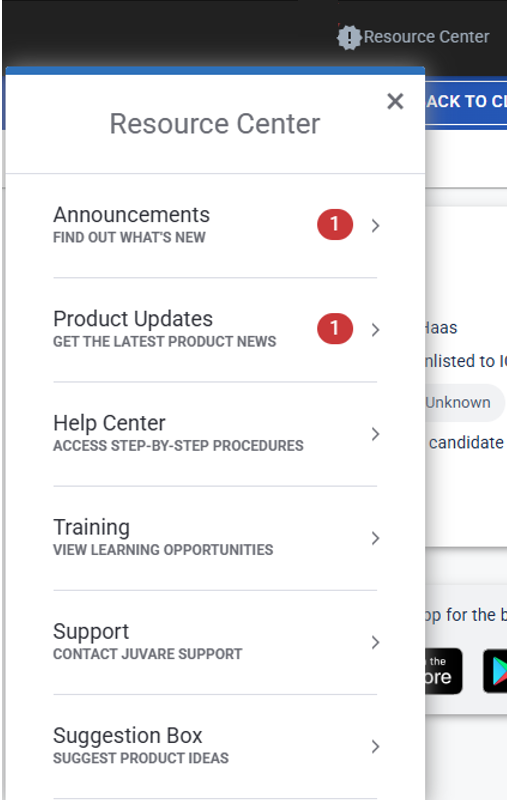
The What’s New button has been renamed Resource Center. It now provides quick access to announcements A message displayed in the application to share general information or updates with users., product updates, the Help Center, Training Center, Ideas Portal, and Juvare Support contact information.
Enhancements
Message Responses
The message response feature now limits the ability to respond to a message to the message creator or direct recipients. Other users can still see the message in the Message Log, but they can’t respond to the thread.
This enhancement was made in response to client feedback received through Juvare Ideas.
Operational Periods
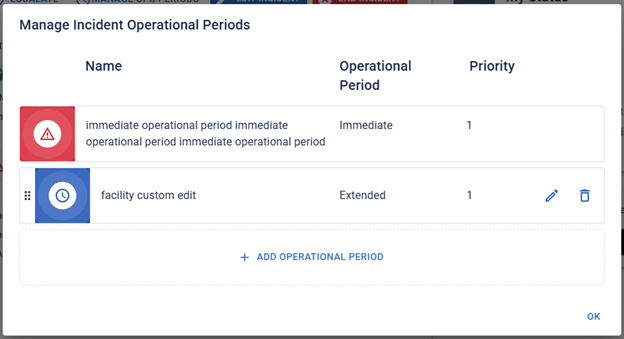
Users with the roles of Facility Admin, Domain Admin, or Incident Commander can now create custom operational periods A defined time frame for executing incident objectives and assignments. after an incident begins. The Custom Operational Periods feature is now located under Manage Operational Periods on the Incident Summary page.
Each new incident begins with four default options—Immediate, Intermediate, Extended, and Recovery. Authorized users can create, reorder, or edit additional periods based on the current phase of the incident. Existing incidents continue to function with their prior configurations.
 \
\
This enhancement was made in response to client feedback received through Juvare Ideas.
Notifications
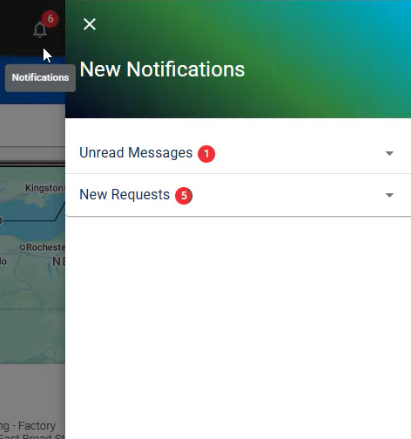
A bell icon with an alerts An alert, update, advisory, information, drill, or test message that can be sent & received through delivery methods such as email, voice, text, fax, or inbox. badge has been added to the top menu to indicate when a user has new notifications An alert, update, advisory, information, drill, or test message that can be sent & received through delivery methods such as email, voice, text, fax, or inbox.. When the icon is clicked, a panel slides out from the right side of the page to display the latest updates.
Recent Events
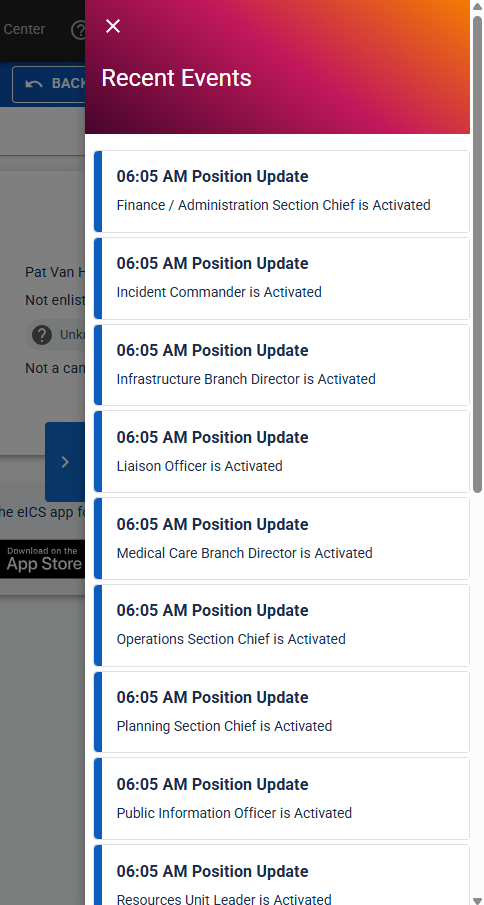
The Recent Events carousel at the bottom of the Incident Dashboard page has been replaced with a slide-out panel in the new UI. To view recent events, simply click the blue arrow on the right side of the page.

Resolution
-
Fixed an issue causing users to be logged out of eICS unexpectedly.
Previous Versions
Release notes for previous versions are available here.