These notes describe updates in the eICS 5.9 release scheduled for Wednesday, May 28, 2025. More information is available in this help center or by contacting The internal and external people that participate in, might be affected by, or need to be notified about an incident. the Juvare Support Center at +1 (877) 771-0911 or support@juvare.com.
New Features
After Action Report Updates
We made the following enhancements to the Complete the After Action Report:
-
The report now has optional Scope and Analysis text fields.
-
Critical functions are now organized
Official entities, such as public health authorities, healthcare agencies, and corporations. separately from capabilities on the Select Capabilities window, Objectives drawer, and After Action Report A report that documents incident outcomes, lessons learned, and improvement opportunities.. -
The Capability Ratings drawer now has labels distinguishing between capabilities and critical functions.
- The report now uses the term "event" instead of "exercise A simulated incident used to train personnel and evaluate emergency plans.."
What's New Pop-Up Window
The eICS homepage now displays a pop-up window with information about the latest release and a link to the release notes. This window appears automatically the first time you log in after a new release.
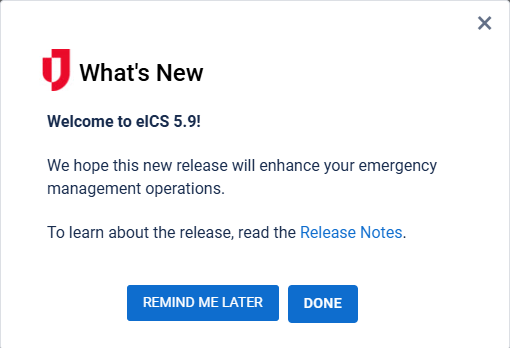
If you dismiss the window by clicking Done or the close icon  , it will stop appearing automatically until the next release. If you click Remind Me Later, the window reappears automatically the next time you log in after 24 hours. You can also manually open this window by clicking the What's New icon
  in the header.
The What's New icon is currently visible in eICS 5.8, but the What's New window will not appear until the eICS 5.9 release on Wednesday, May 28.
Enhancements
-
Event Log Entry Types: Previously, when you used voice notifications
An alert, update, advisory, information, drill, or test message that can be sent & received through delivery methods such as email, voice, text, fax, or inbox. to enlist a contact for an incident and they did not respond, eICS created an event log entry with the Notification type. Now, eICS instead logs this event under the new System Notification type. This reduces clutter when filtering by the Notification type.
Previous Versions
Release notes for previous versions are available here.