Phone Notifications Report
The Phone Notifications report Provides specific information about statuses and details, notifications, forms, templates, snapshots, and roles/rights in EMResource. offers insight into how many phone calls were made and acknowledged in relation to an event. Because this information is tied to the event, it is generated from the Event Status view, and details about the notification are provided.
There are three criteria that must be met prior to initiating the event for which you want to run this report
-
Phone notifications is a premium add-on that must be enabled for the region.
-
On the event template
Predefine settings for specific types of events. and user notification preferences Options you choose in EMResource to determine what kind of information you receive and how you receive it., Voice must be selected as a notification method. -
On the user account, at least one verified phone number must be provided.
To generate the Phone Notifications report
-
In the main menu, click Event, then click Event List. The Event List page opens.
-
Locate and click on the name of the event. The Event Status page opens.
-
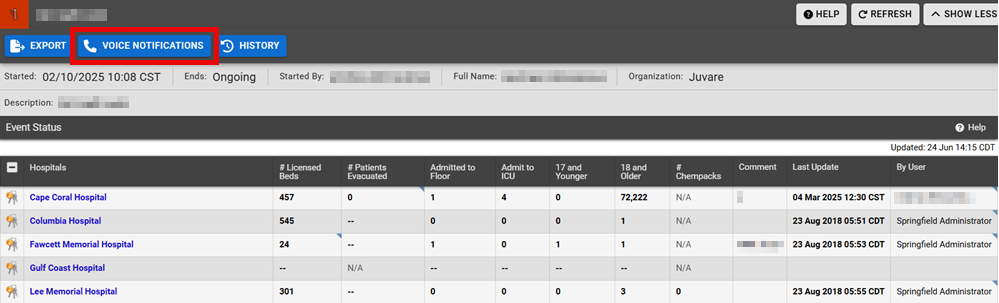
In the event banner, click Voice Notifications. The phone notifications sent for this event are listed.
The Phone Notifications report displays the subject of the notification, the name of the user who received the notification, their status, their phone number, and the date and time the notification was received.
Related Concepts