Status Snapshot Report
The Status Snapshot report Provides specific information about statuses and details, notifications, forms, templates, snapshots, and roles/rights in EMResource. displays the resource view of the region for a specific date and time.
This is only a snapshot of a specific point in time and not a report spanning a time period.
To generate a Status Snapshot report
This report uses the 24-hour time format.
- In the main menu, click Report, then click Status Snapshot. The Status Snapshot Report page opens.
-
In Report Date, enter the date.
-
In Hour, select the hour and minute.
-
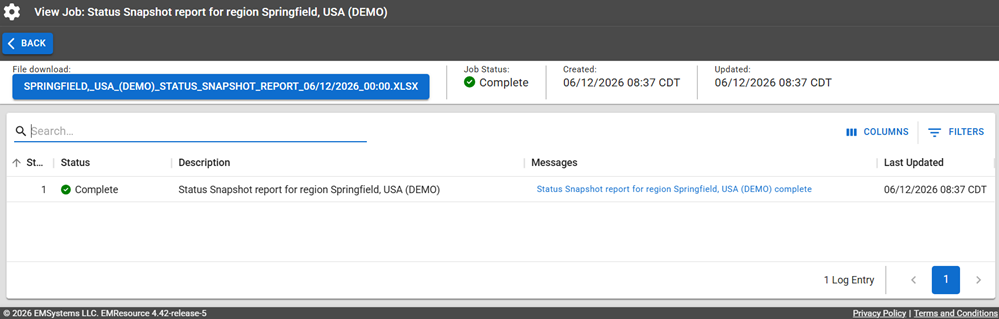
Click Run Report. The Jobs page opens.
The report is available for seven days on the Jobs List.
-
Click the report name in the blue box to download the XLSX file.
Be aware that for Excel, EMResource generates .xlsx files and does not support the older .xls format.
Report Fields
The report will generate the following fields in the output file.
| Report Field | Description |
|---|---|
| Status Snapshot | |
| Resource Type | The name of the resource type, for example, Hospital. |
| Resource | The name of the resource, for example, Bravo Hospital. |
| Status Type | The name of the status type, for example, ED Status. |
| Status | The value of the status; this could be status text (Fully Operational) or it could be a numeric value. |
| Last Update | The date and time of the last update. |
| Comments | Comments associated with the last update. |