Reactivate a Resource Type
Authorized administrators can re-activate a resource and or sub-resource type Categories used to divide and distinguish sub-resources. Sub-resource types belong to resource types.. Once the status has been changed to active, all associated resources and sub-resources Secondary resources that are considered attributes of resources. These are often objects, services, or functions that belong to resources. are also re-activated. The resource type Categories used to divide and distinguish resources. can once again be added to views and assigned to users.
To re-activate a resource or sub-resource type
-
In the main menu, click Setup then click Resource Types. The Resource Types page opens.
-
Locate the resource or sub-resource type and on that row, click the (resource or sub-resource type) name. The View Resource or Sub-Resource Type: (resource or sub-resource type) page opens.
-
Click Edit. The Edit Resource or Sub-Resource Type: (resource or sub-resource type) page opens.
-
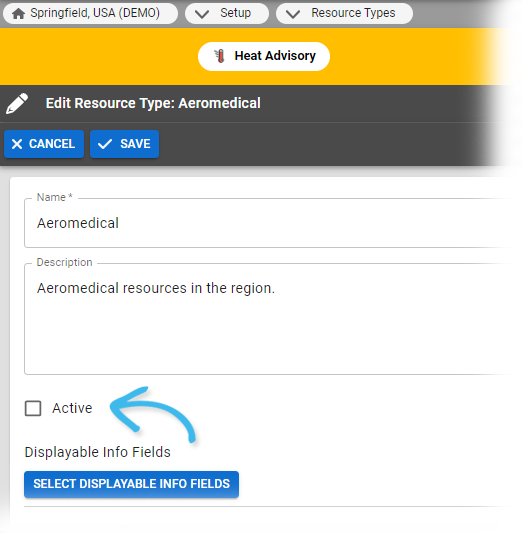
Select the Active checkbox.
-
Click Save.
Related Concepts