Set a Primary Sub-Resource
For each sub-resource type Categories used to divide and distinguish sub-resources. Sub-resource types belong to resource types. associated with a resource, a primary sub-resource Secondary resources that are considered attributes of resources. These are often objects, services, or functions that belong to resources. must be identified. The primary sub-resource and its statuses can be included in views.
To set a sub-resource as primary
-
In the main menu, click Setup then click Resources. The Resource List opens.
-
Locate the resource and, on that row, click Sub-Resources. The Sub-Resource List for (resource) page opens.
-
Locate the sub-resource and, on that row, click the sub-resource name. The View Sub-Resource: (name) page opens.
-
On the left, click Edit. The Edit Sub-Resource: (name) page opens.
-
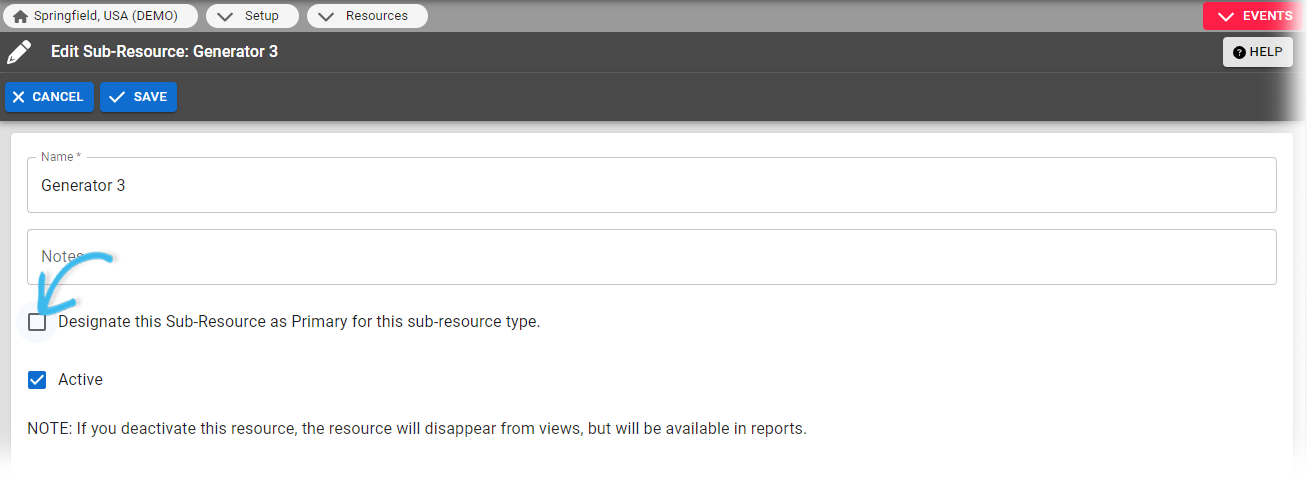
Select the Designate this Sub-Resource as Primary for this sub-resource type checkbox.
-
Click Save.
Related Concepts