Patient Import Status
On the Import tab, you can monitor the status of all patient imports. Patient imports are processed in the background, allowing you to navigate to other pages while the import is being generated.
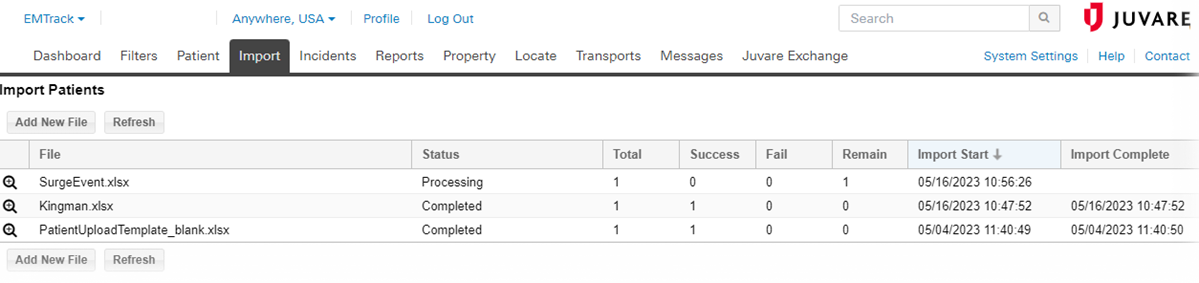
 To view the status of a patient import file
-
Navigate to the Import tab.
-
Locate the patient import file, and click the view icon. The Import Patients - (file name) window opens.
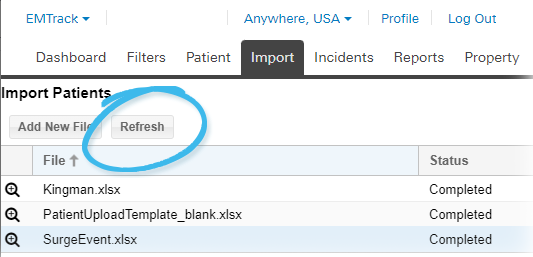
To refresh the status of a patient import file
-
Navigate to the Import tab.
-
Click Refresh. The Import Patients page refreshes.
To view a failed status patient import file
-
Navigate to the Import tab.
-
Locate the patient import file, and click the view icon. The Import Patients - (file name) window opens.
-
Click Download error file. The file is automatically downloaded according to your browser settings.
To delete a patient import file
-
Navigate to the Import tab.
-
Locate the patient import file, and click the view icon. The Import Patients - (file name) window opens.
-
Click Delete. A window opens asking you to confirm the deletion.
Patients that were already imported will not be deleted.
-
Click Yes. The window closes and the import is deleted.
Related Concepts