Add Admin Preferred Providers
On the Preferred Providers page, admins can add a preferred providers list Used to filter specific menus so the listed providers appear at the top of the menu. for everyone in the region or division.
When you create an admin list for a region, that region-level list becomes the default for each division in the region. If you create an admin list for a division within that region, this division-level list becomes active instead of the region-level list.
This list must include at least one provider facility A standing facility, which can be a hospital, long-term care facility, or shelter. and mobile provider A transporting agency, such as EMS organizations and fire departments..
To add a list
-
On the header, in the upper right, click System Settings.
-
On the left, under Providers, click Preferred Providers. The Preferred Providers page opens.
-
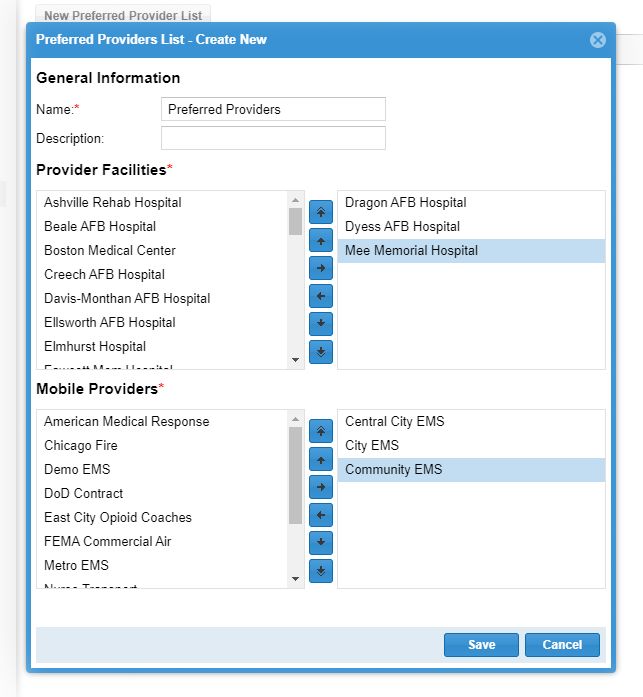
Click New Preferred Provider List. The Preferred Providers List - Create New window opens.
-
Enter the Name.
-
For Description, you can enter information about this list.
-
Drag and drop or click the arrow icons to move providers to and from the list of preferred providers on the right.
The order of preferred providers on this page does not matter. Preferred providers will be sorted alphabetically in other menus.
-
Click Save.
Related Concepts