Update Login Email
If you need to update your login email address, follow the steps below. In some cases, only administrators will be able to update your login email.
 To edit your own login email address
Users can edit their own login email through the main menu by selecting Preferences > User Info or by clicking their name in the upper right and selecting My Profile.
If you are unable to access your account (for example, if a password reset email is going to a previous email account), you will need to contact your admin so that they can create a new account for you.
Users can edit their own login email through their Profile page by clicking Change Login Email, then saving their new login email address.
Administrators can edit login email addresses for their sites if the Contact Manager feature and other appropriate settings have been enabled for your solution.
Users cannot update their email address using any method. You must contact your ProductName administrator, who can update the user name (Primary Email) in the Accounts detail page.
Login email addresses (user ID) cannot be edited by anyone. If you need a new account login email (user ID), a new account will need to be created for you by an administrator.
To edit a user's login email address as an administrator
In our ongoing efforts to stay aligned with industry best practices around authentication, Regional Administrators can no longer edit login email addresses for user accounts. Instead, users are responsible for updating and maintaining the information on their account.
Users can edit their own login email through the main menu by selecting Preferences > User Info or by clicking their name in the upper right and selecting My Profile.
If users cannot access their account and you need to create a new account for them, follow the instructions for using the copy feature when creating new accounts.
As an administrator, you can edit login email addresses for your sites if the Contact Manager feature has been enabled for your solution, and if the appropriate settings have been set up. If you need this feature enabled, email support@juvare.com.
Alternatively, you can create a new account for your user, if necessary.
As a ProductName administrator, when you receive a request to update the user name, navigate to the Accounts detail page, click on the Users tab, and edit the Primary Email.
Once these settings have been enabled, you can edit a user's login email by locating the user within the User Directory and selecting Change Login Email from within the profile menu.
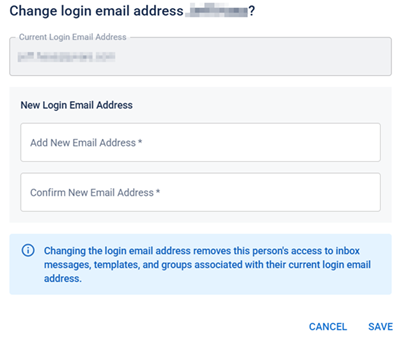
Alternatively, you can navigate to their profile and edit the contact email address within Personal Info. Enter a new email address then click Save.
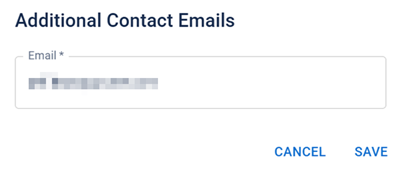
Even as an administrator, you cannot edit another user's email address (user ID). If a user needs a new email address, a new account must be created for them.
Refer to Activate or Deactivate a User Account for additional information.
Contact Juvare Support Center by emailing support@juvare.com if you need assistance.