Press Releases DS 
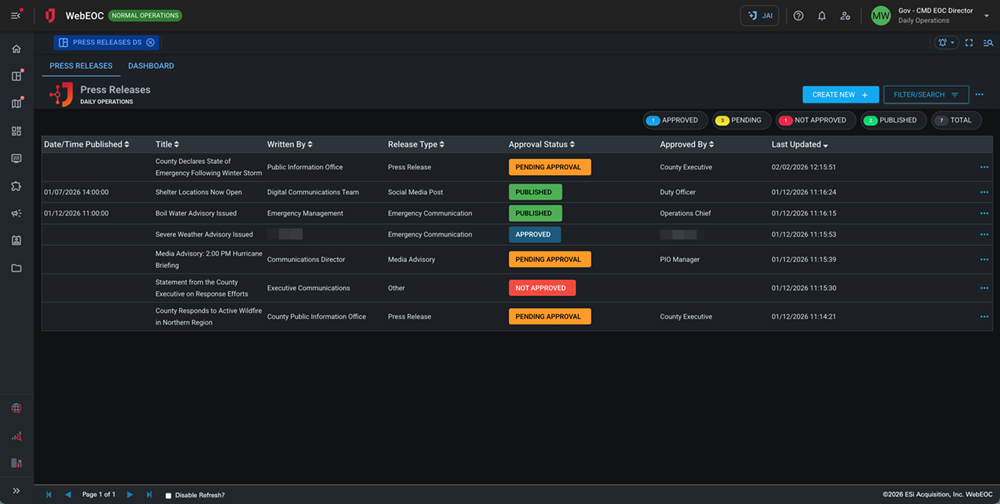
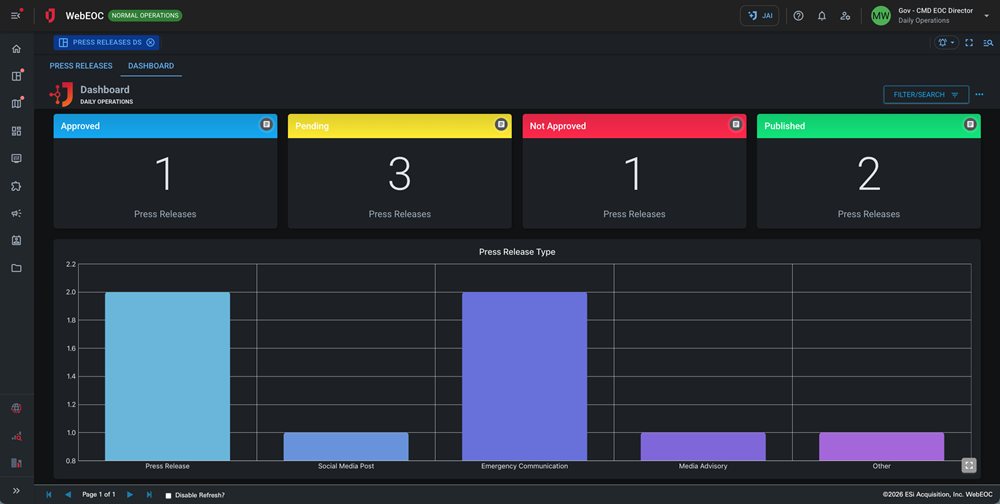
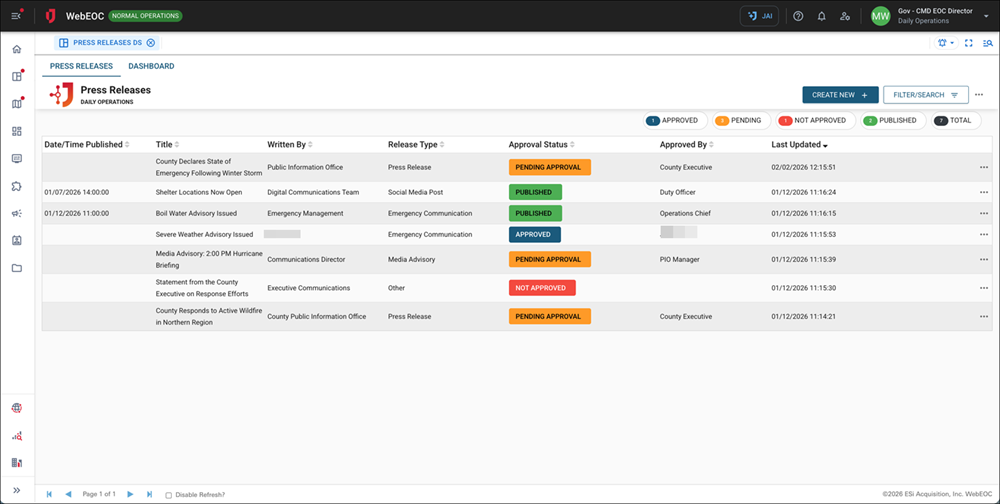
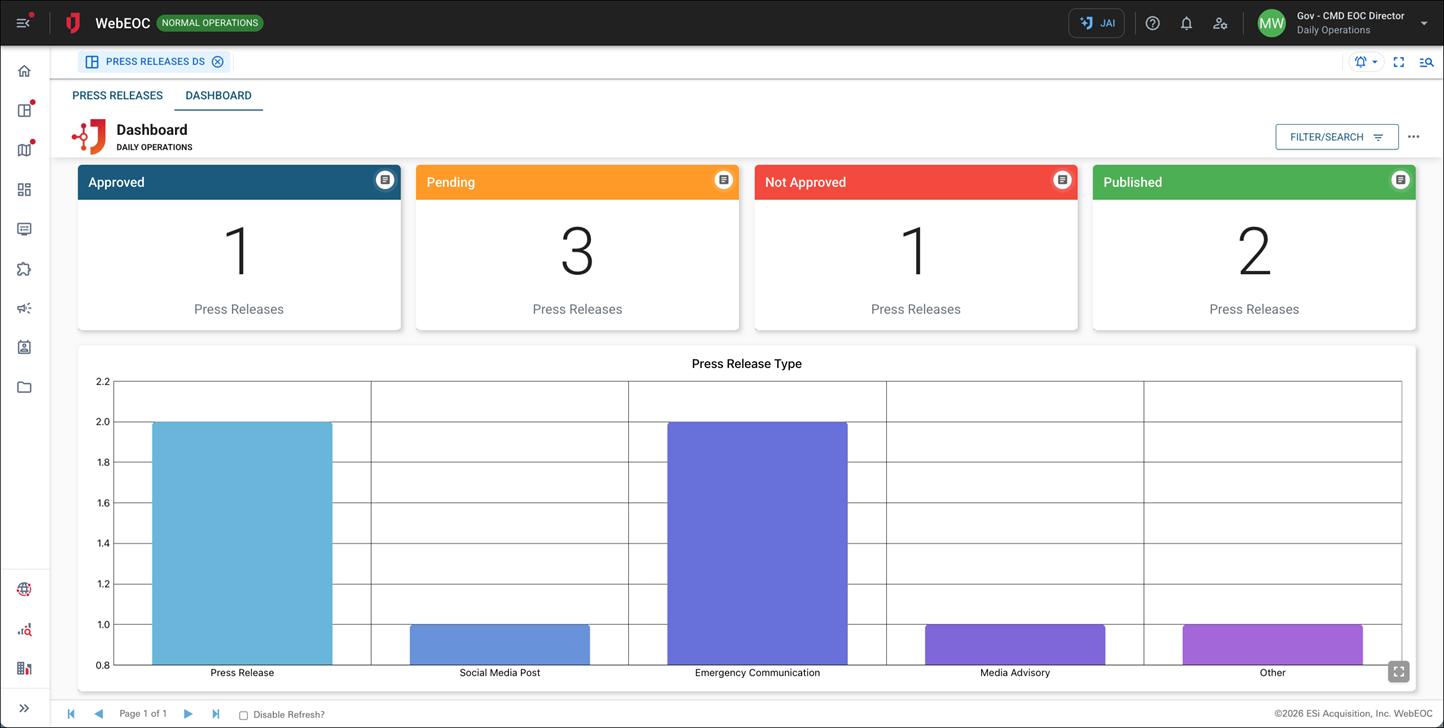
The Press Releases DS Board is designed to streamline the creation, review, approval, and publication of official communications. Built for fast-moving operational environments, it gives public information teams and leadership a single place to draft press releases, manage approval workflows, and maintain a clean record of what was published and when.
With structured fields for release content, attachments, approval status, and publication timing, the Press Releases DS board supports consistent messaging and audit-ready documentation from first draft to final release.
For more details about this board, watch the Press Releases DS Training Video  .
.
Your Juvare product login does not grant access to the Juvare Training Center. To view the training video, please create a separate account on the Juvare Training Center site.
The Press Releases DS board can be customized in DesignStudio.
Key Capabilities
-
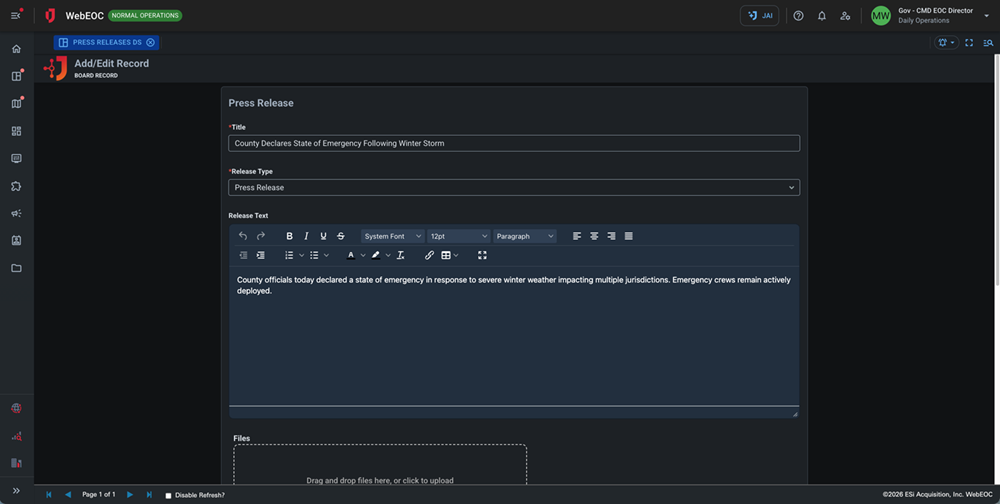
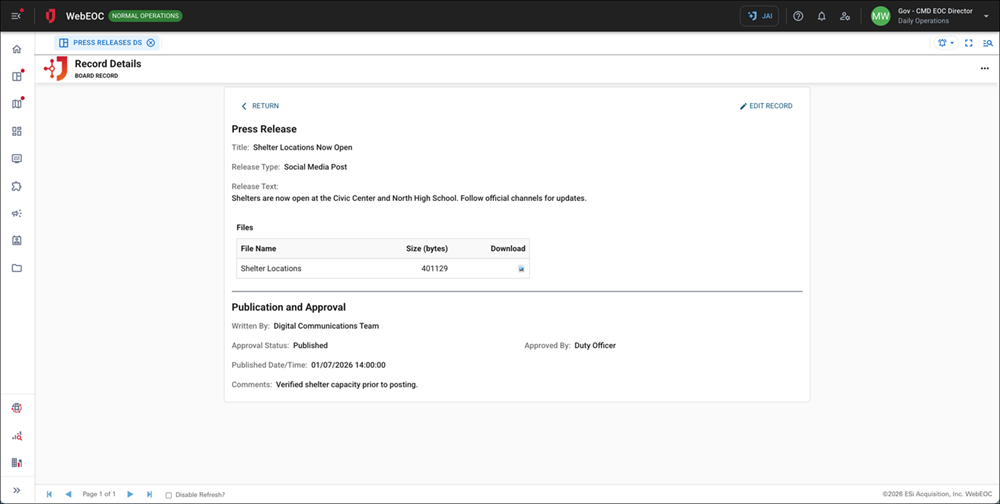
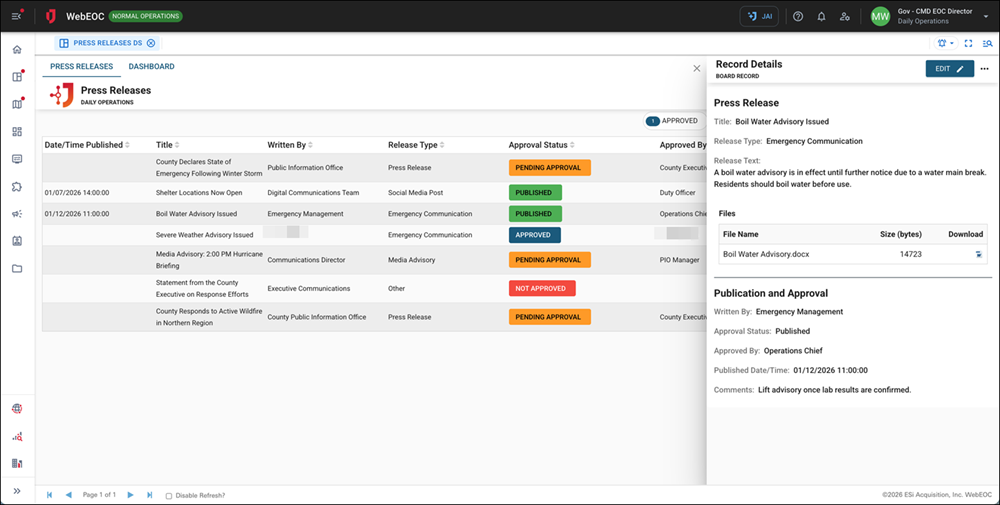
Press Release Drafting: Capture a clear Title, select a Release Type, and compose the Release Text (HTML-enabled) in a single, structured entry form.
-
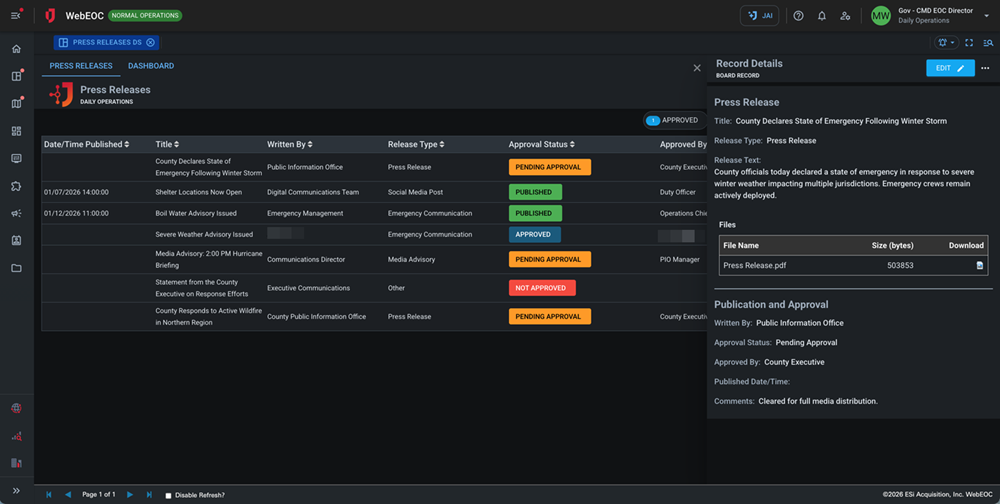
Attachments Support: Upload and associate supporting files (documents, media, references, or prepared assets) directly to each press release record.
-
Authoring Details: Record who the release was Written By to preserve authorship and streamline follow-up or edits.
-
Approval Workflow: Track Approval Status via dropdown selection and document who Approved By, supporting consistent sign-off and internal controls.
-
Publication Tracking: Set and record Published Date/Time to establish an authoritative timeline of release activity.
-
Comments & Notes: Capture internal Comments for context, edits requested, or approval notes without cluttering the public-facing release text.
-
DesignStudio Ready: Fully customizable in DesignStudio with a responsive layout for desktop and mobile use.
This board has dark mode capability.
Dark mode must be enabled for your instance so that users can turn it on. See Enable Dark Mode for details.