Quick Actions
In WebEOC Nexus, the Quick Actions A clickable card or button on the homepage that provides one-click access to a board, map, external URL, or alert. widget appears on a user's homepage The page displayed at login containing company messages, Quick Actions, and essential boards., below the System-Wide Message Configurable message displayed below every homepage banner containing text and links, with expandable Show More/Less controls. (if applicable). This widget provides users with shortcuts that allow quick access to boards, pinned notifications, external URLs, and maps. You can add up to 24 items to the Quick Action widget and arrange them in your preferred order by dragging and dropping.
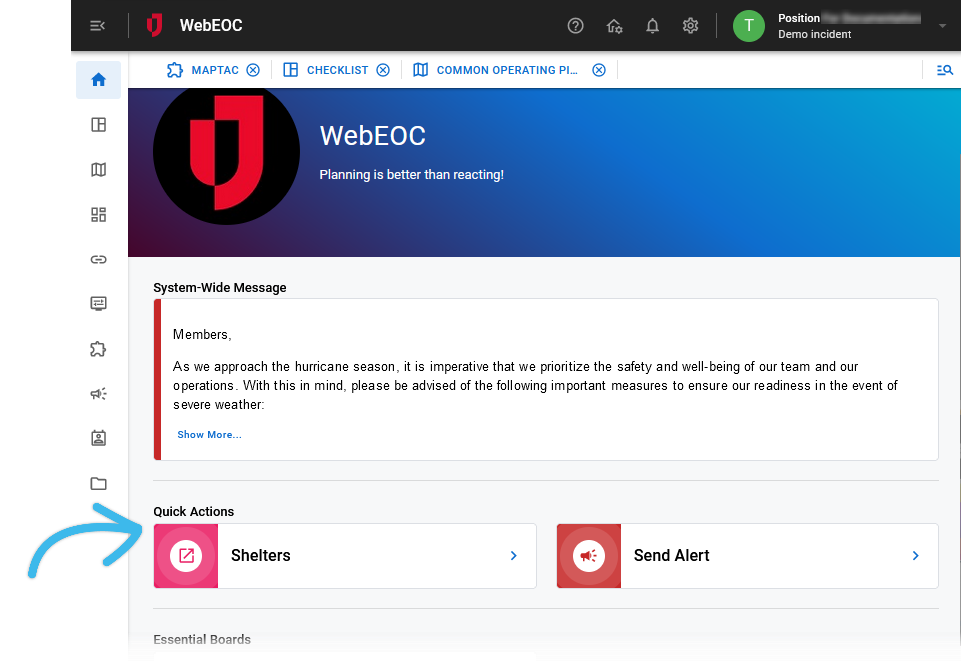
As an administrator, you control if Quick Actions are visible on a user's homepage and which Quick Actions are available. See Create and Edit Quick Actions.
The admin homepage, available in the Admin View, has three pre-configured Quick Actions that cannot be changed.