Configure Topic Quick Prompts
Topic quick prompts are short, predefined phrases that serve as shortcuts to more complex or commonly used queries within a specific topic. They help you engage with JAI Juvare's AI Assistant An intelligent, natural-language interface designed to streamline information retrieval within WebEOC Nexus, providing concise, data-driven responses sourced directly from board views, while enforcing existing administrative controls and data permissions. more efficiently by simplifying frequent tasks and guiding conversations in a way that aligns with the topic’s content.
You can configure up to 10 quick prompts per topic.
To configure topic quick prompts
-
Click the Topics tab. The Topics List displays.
-
Search for the Topic by name using the search box.
-
Click anywhere within the row of the topic where you want to add, modify, or delete quick prompts.

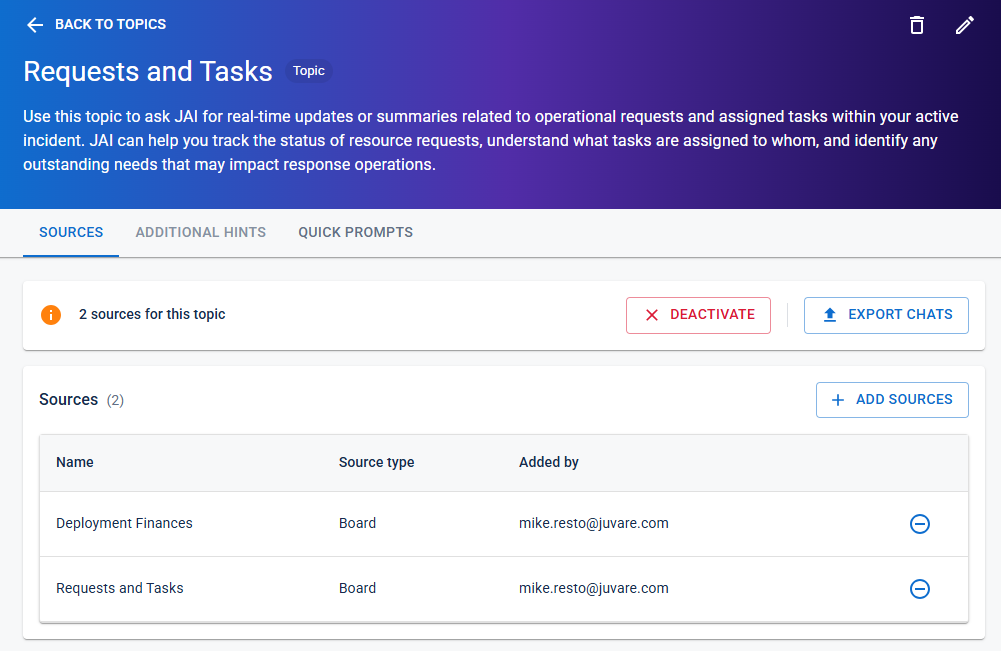
The Topic page opens.
-
Click the Quick Prompts tab, and then do any of the following:
-
To add a quick prompt:
-
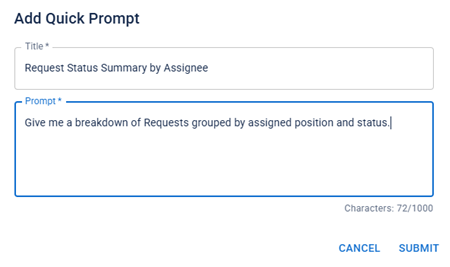
Click the Add Quick Prompt button. The Add Quick Prompt dialog opens.
-
Enter a Title and a Prompt.
Example
-
Click Submit. The quick prompt is added to the topic’s list of quick prompts.
-
-
To edit a quick prompt:
-
Click the quick prompt's edit icon
 on the right. The Edit Quick Prompt dialog opens.
 -
Edit the Title and/or Prompt as needed, and then click Submit.
-
-
To delete a quick prompt, click the
 icon on the right, and then, in the delete confirmation dialog, click Delete.
 -
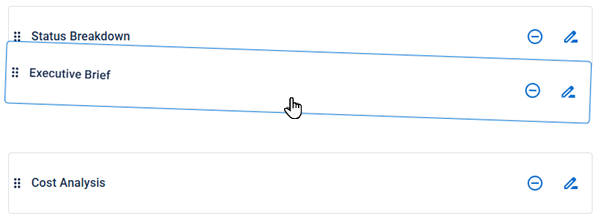
To reorder the quick prompts, click and drag the rows into the order that you want.
-