Customize JAI Settings
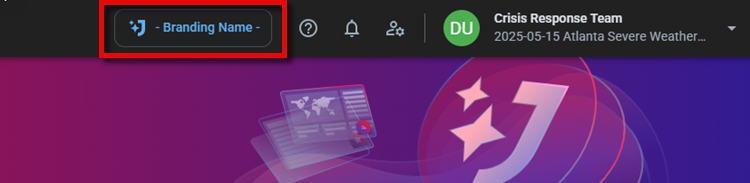
You can customize JAI Juvare's AI Assistant An intelligent, natural-language interface designed to streamline information retrieval within WebEOC Nexus, providing concise, data-driven responses sourced directly from board views, while enforcing existing administrative controls and data permissions.’s branding (that is, its name as it appears in the WebEOC Nexus top toolbar) along with the conversation greeting and tone.
To customize JAI settings
-
Click the Settings tab. The General Settings are displayed.
-
Click Edit.
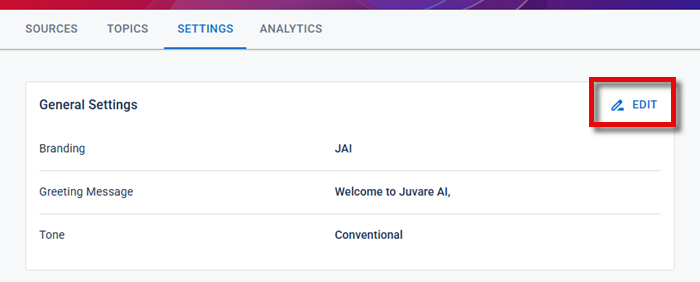
The General Settings dialog opens.
-
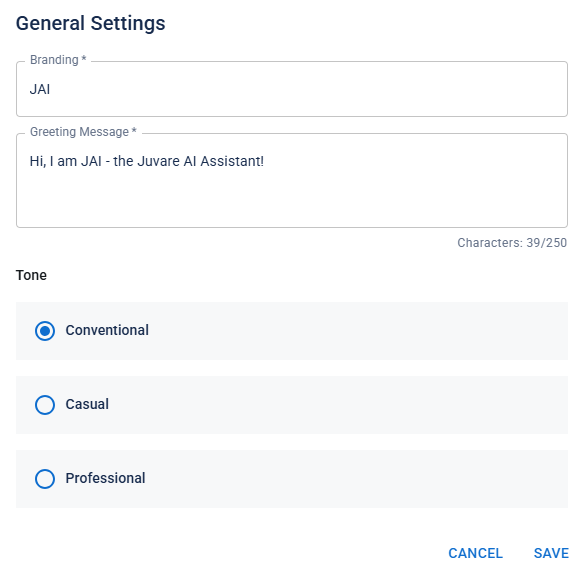
Perform any of the following actions as needed:
-
Edit the Branding name. The branding name is displayed on the top toolbar.
-
Edit the conversation Greeting Message.
-
Select a different conversation Tone style.
-
Conventional: Neutral, polite, and professional. It emphasizes clarity, helpfulness, and emotional balance. The goal is to provide information or assistance in a respectful and approachable manner.
-
Casual: Friendly, relaxed, and conversational. It uses everyday language to create a more approachable, human-like feel. The goal is to make interactions feel natural and easygoing while still being helpful.
-
Professional: Clear, respectful, and objective. It avoids slang or overly casual language, focusing on accuracy and efficiency. The goal is to communicate information reliably and with a sense of authority.
-
-
-
When you are done, click Save.