Edit a Data Source's Board Settings
You can edit a data source's name, board, and board view settings.
To edit a data source's board settings
-
Click the Sources tab (if it is not already open). The list of boards currently being used as data sources is displayed.
-
Use the Search box to find the source that you want to modify and click its settings icon
 on the right.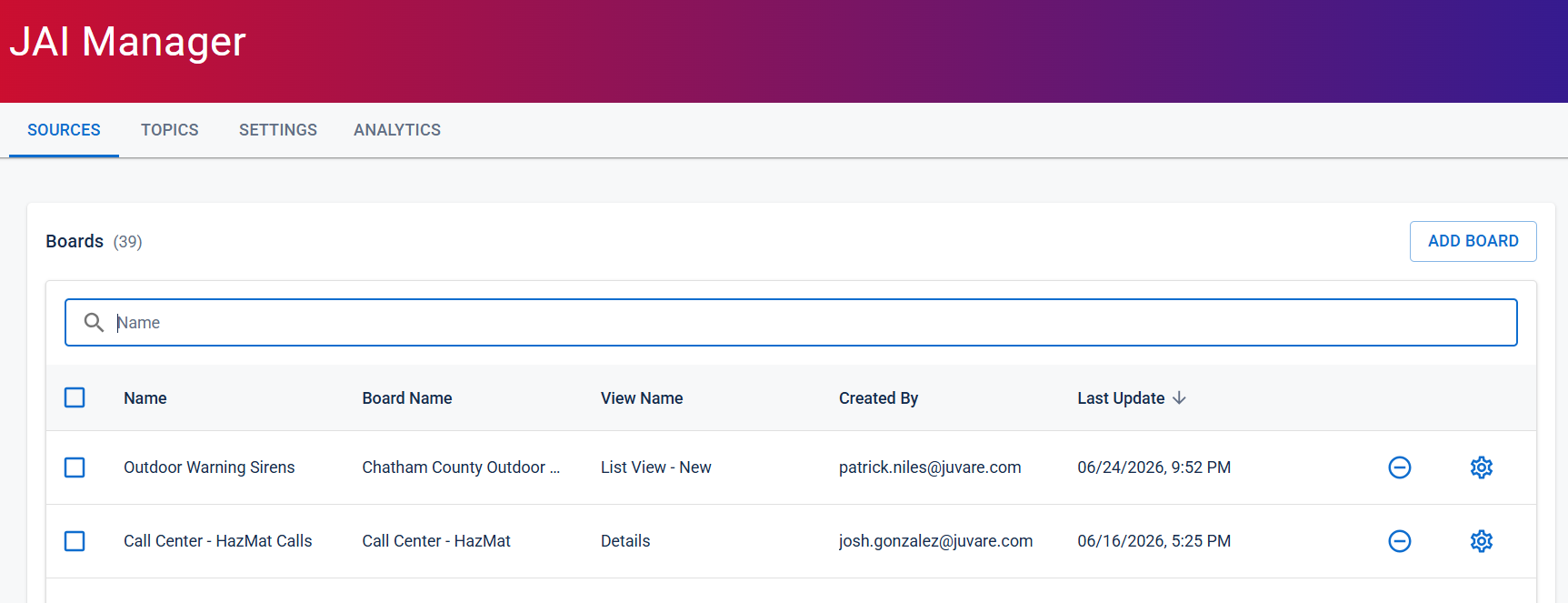
The Set Configuration page opens.
-
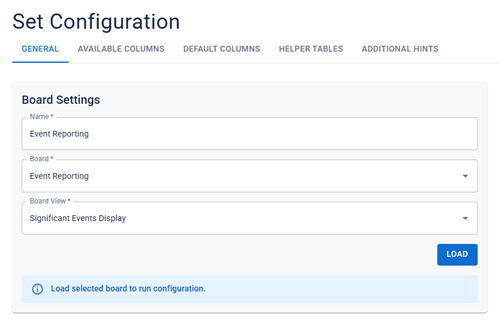
Click the General tab if it is not already open. The Board Settings display.
-
To modify the board settings, perform any of the following actions:
-
In the Name field, enter a different name for the data source.
-
From the Board dropdown menu, select a different board.
If you update the board setting, you must also update the board view setting.
-
From the Board View dropdown, select a different board view.
-
-
When you are finished updating the settings, click Load, and then, in the bottom-right corner of the page, click Save. You are redirected to the Sources tab on the JAI Manager page.