View an Organization's Profile Information
Users can view details about an organization, including points of contact, location, user groups, and more.
To view an organization profile
-
In the main menu, click the JX Directory icon
 . The Directory page opens.
Details about your organization display at the top of the page.
-
Use the search and filter features to locate the organization to view its details.
-
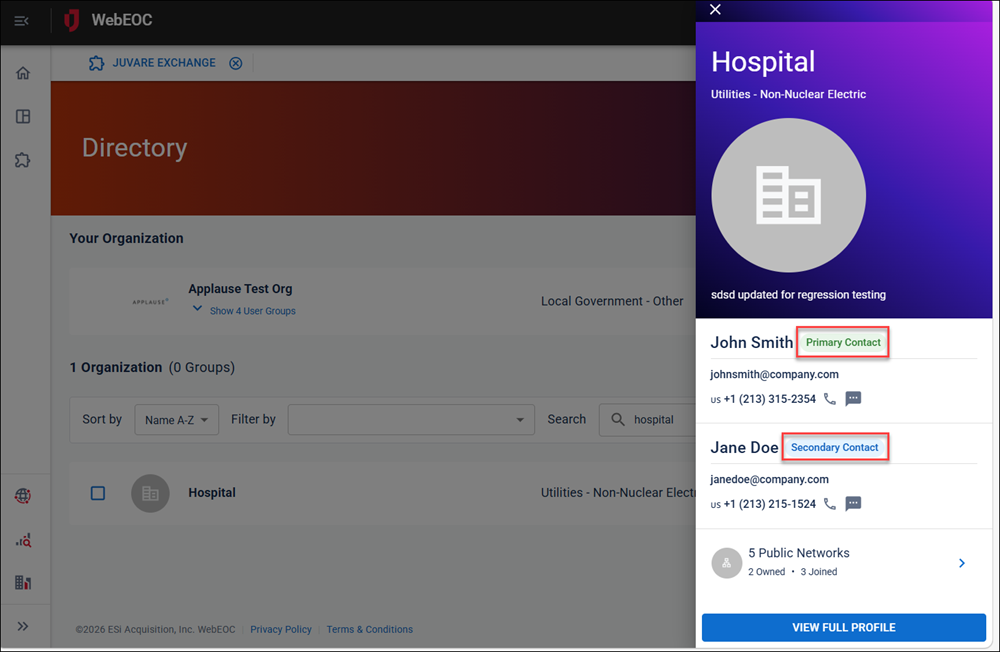
Click the arrow on the right of the organization’s row. The organization profile slide-out panel displays.
The primary and secondary contact information displays.
-
Click View Full Profile.
Details about the organization display on the tabs.
Related Concepts