Simulator Templates Builder
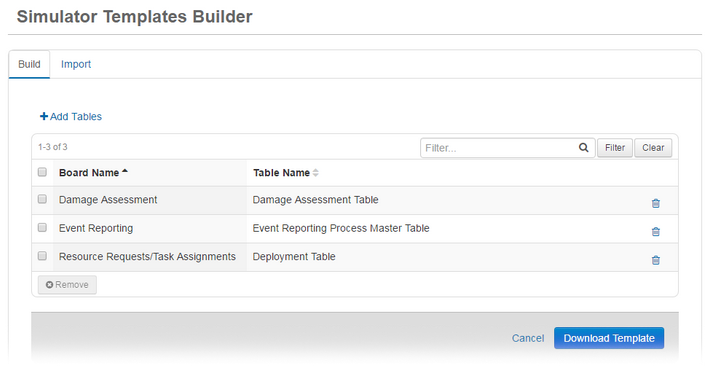
Simulator A tool for constructing scenarios used for training, drills, and exercises. Templates Builder provides you with tools to easily create simulation scenarios that can be added to and used by the WebEOC Nexus Simulator Manager tool. Instead of creating simulation records one at a time, Simulator Templates Builder exports board table information into a Microsoft® Excel workbook. Field names, drop-down lists, and other information are included in the export to minimize simulation development time and ensure consistency. You can copy and paste this information using the spreadsheet tools to complete all of the simulation field records in one workbook.
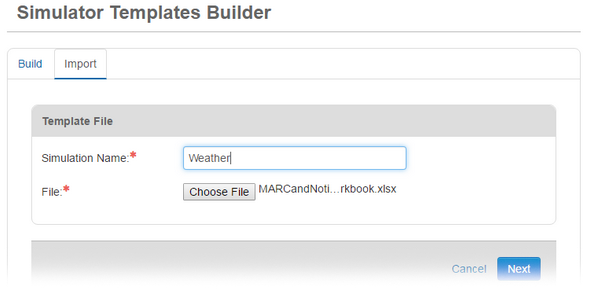
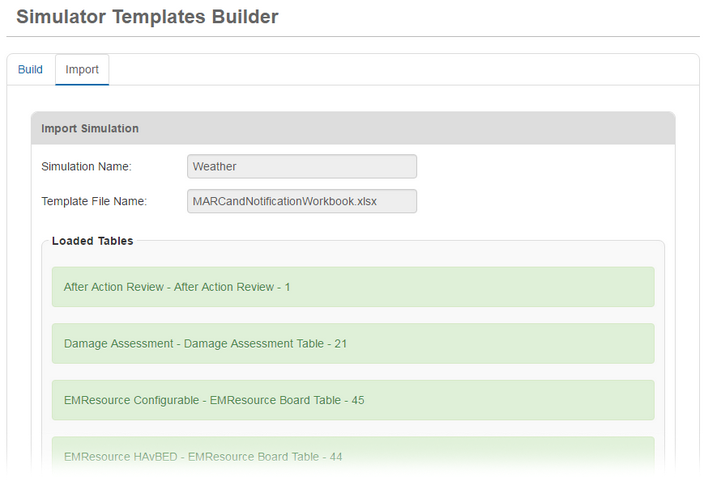
Simulator Templates Builder imports the completed scenario workbook into the Simulations list. From there, you can select it for use by the Simulator Manager.
Key Features
-
Select one or more tables to be used in a simulation.
-
Export board fields and lists into a Microsoft Excel workbook in XLSX format.
-
Select spreadsheet tabs to view each board table.
-
Set up the timing of injects using ETime fields.
-
Import the completed spreadsheet into the Simulations list.
-
Update simulations in Microsoft Excel and re-import them as needed.
Compatibility
This free add-on is available for WebEOC Nexus.
This add-on has been developed in English (US) and has not been internationalized. For more information, contact your Client Success Manager (CSM).
Screenshots