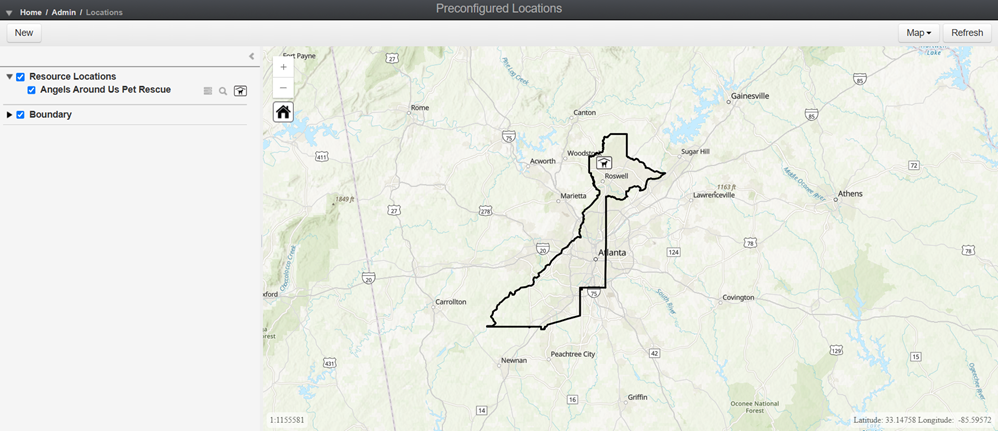
Preconfigured Locations Module
The Preconfigured Locations module is a strategic feature that supports proactive preparedness by enabling the structured creation and management of known and reusable locations critical to incident Crisis Track allows you to track damage for several events through the Incidents feature. You can create a new incident, edit incidents, and deactivate or delete old incidents. Each incident keeps the data separate. Information such as equipment, employees, and structures are listed across all incidents. response and recovery operations.
This module is particularly valuable in the pre-incident planning phase, where accurate, vetted data can streamline decision-making and resource deployment during real-world emergencies.
Purpose and Strategic Benefits
The module's primary function is to allow emergency management administrators to define and store location profiles A collection of information that identifies and defines you in the solution. Your profile differs from your account, which is how you log in. that are expected to be used repeatedly across multiple incidents. These are typically fixed, community-critical assets such as:
-
Permanent Shelters
-
Distribution Hubs
-
Alternate Care Sites
-
Points of Distribution / Dispensing
-
Incident Command Posts / Emergency Operation Center
To access the Preconfigured Locations module
-
Log in to the Crisis Track Console.
-
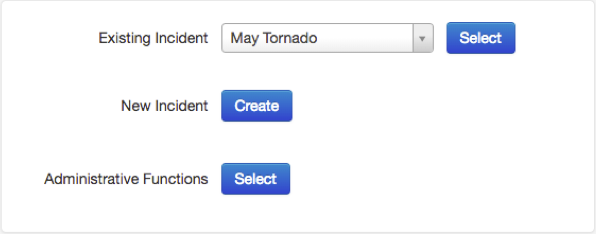
On the home screen, next to Administrative Functions, click Select.
-
Click the Locations icon.
From here, you can see a map of the preconfigured locations already created.