Edit Equipment Records
In the Equipment Records module, you can edit any equipment record that has been added to the module. You can edit records to modify hours, add time records, amend rates, or modify employee information.
To edit one record
-
In either the Chart or Table view of the Equipment Records module, click the Edit button next to the equipment's name.
To find an equipment record, search for a specific record in the search box at the top of the page or scroll down to find the appropriate record.
-
Edit the resource fields on the left, as needed.
For information on the resource fields, refer to Add Equipment.
-
To add or edit an equipment record, do one of the following:
-
To add a record, click Add. The Add Record pop-up appears.
-
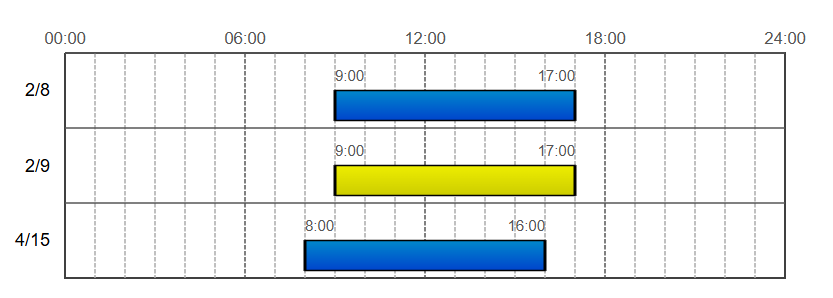
To edit an existing record, click the time span for the date you want to edit, shown to the right of the resource fields. The selected date will be highlighted in yellow. Click Edit. The Edit Record pop-up appears.
-
-
Add or edit the record as described in the table below.
Record fields (single record) Field Description Date Modify the date of the shift when equipment was used. Start Modify the start time of the shift. End Modify the end time of the shift. Hours Enter the number of hours used.
This field is dynamic and will automatically populate with the number of hours, given the start and end time.
Category Select the category for the work performed from one of FEMA's Public Assistance categories. For more information, see FEMA's documentation on their website: https://www.fema.gov/fact-sheet/fema-public-assistance-0
Operator Select an operator from the personnel records list. -
Click Save.
-
When you have finished editing the equipment record, click Save to return to the main module page.
To edit multiple records
-
In either the Chart or Table view of the Equipment Records module, click the Edit button in the upper right.
-
Edit the fields as described in the table below.
Search for specific records in the search box at the top of the page or scroll down to find the appropriate records. Use the horizontal scroll to find the appropriate record date.
Record fields (multiple records) Field Description Hours Enter the number of hours for that date. Miles Enter the number of miles for that date. CAT Select a Category (CAT) code for the time worked from one of FEMA's Public Assistance categories. For more information, see FEMA's documentation on their website: https://www.fema.gov/fact-sheet/fema-public-assistance-0
-
A (Debris Removal)
-
B (Protective Measures)
-
C (Roads and Bridges)
-
D (Water Control Facilities)
-
E (Buildings and Equipment)
-
F (Utilities)
-
G (Parks, Recreation, and Other)
-
PNP (Private Non-Profit)
-
IA (Residential)
-
IAC (Commercial)
-
Z (Administration)
OP Adds the operator for the equipment used on that date. Add Date Adds a specified date to the record list. You cannot add time to this new date. This must be done by editing the individual equipment record. -
-
Click Save.
Related Concepts