
The Signature component inserts a signature field on the form. Users can use their mouse to enter their signature on a PC, or they can use their finger on a touch screen. Users can click Clear in the top right to clear the signature, if needed.
The board signature component is not used by forms. If you create a form from a board that uses a board signature component, you must add a form signature component to capture signatures on the form.
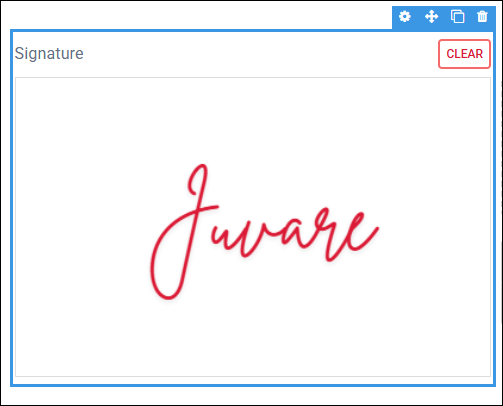
The Signature component is supported in the Input and Details views and is found in the Advanced section of the Components tray.
See Add Board Components for details about adding components to a view.
Settings
If you use the Classic Styling, these settings are set in a dialog that opens after you drop the component on the canvas. If you are using the Nexus Component Styling, these settings are set on the Properties tab after you drop the component on the canvas.
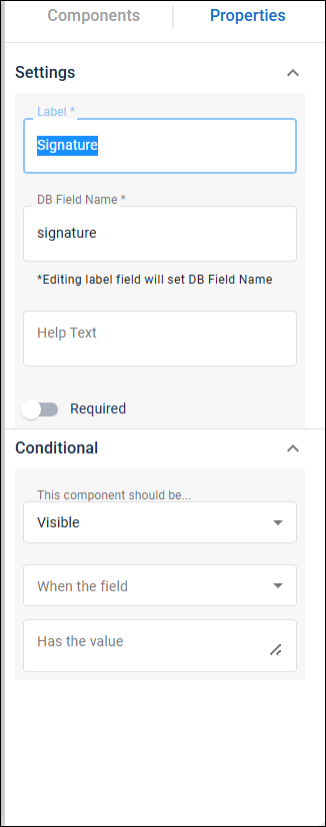
The following settings are available.
| Field | Description | Procedure |
|---|---|---|
|
Label |
A unique identifier that briefly describes the component in the user interface. |
Enter between 2 - 50 alphanumeric characters, excluding special characters. |
| DB Field Name | A unique identifier that briefly describes the component in the database table. The text in this field becomes the database field name. | Enter between 2 - 50 alphanumeric characters, excluding special characters. |
| Help Text | The tooltip that appears when the pointer is over the field. | Enter between 2 - 50 alphanumeric characters, excluding special characters. |
| Required | Indicates that the component is a required field. The user sees an error message if the field is not completed. | Select the checkbox to enable the option. |
Conditional
The following Conditional settings are available.
|
Field |
Description |
Procedure |
|---|---|---|
|
Conditional Settings |
The component only appears when certain conditions in relation to another component are met. |
Actions Toolbar
The following actions are available when you select any component on the canvas in the Board Workspace when working with Classic Styling.
| Icon | Name | Description | Procedure |
|---|---|---|---|

|
Settings |
Opens the Settings dialog. You can modify the component’s settings, such as label, database field name, help text, style, and conditional settings. |
|

|
Move |
|
This icon is not used. To move the component, click and drag it to its new location. |

|
Clone |
Copies the current component and its settings, then pastes it after the current component. |
|

|
Delete |
Deletes the selected component. |
|
Actions Toolbar
The following actions are available when you select any component on the canvas in the Board Workspace when working with Nexus Component Styling.
| Icon | Name | Description | Procedure |
|---|---|---|---|
|
|
Settings |
Opens the Properties tab next to the Components Tray. You can modify the component’s settings, such as label, database field name, help text, style, and conditional settings. |
|
|
|
Move |
|
This icon is not used. To move the component, click and drag it to its new location. |
|
|
Clone |
Copies the current component and its settings, then pastes it after the current component. |
|
|
|
Delete |
Deletes the selected component. |
|