These notes describe updates in the eICS 5.11 release scheduled for Wednesday, August 13, 2025. More information is available in this help center or by contacting The internal and external people that participate in, might be affected by, or need to be notified about an incident. the Juvare Support Center at +1 (877) 771-0911 or support@juvare.com.
Enhancements
-
After Action Report
A report that documents incident outcomes, lessons learned, and improvement opportunities.: TheComplete the After Action Report has received the following enhancements:-
The report now includes an Analysis of Critical Functions table, which summarizes observations about an incident's critical functions.
-
The Analysis field and section have been renamed to "Executive Summary" and moved earlier in the report.
-
The order of the Core Capabilities and Critical Functions sections is corrected on the After Action Report and Incident Reports page.
-
-
Check Out a File: When you Check Out and Edit a File in the Library or Files tabs, the file now downloads to your computer instead of attempting to open in the associated Microsoft Office app. This ensures you can easily access the file because your computer may block eICS from opening Microsoft Office apps.
Resolutions
-
Event Log: Resolved an issue that prevented messages from appearing in the Incident Dashboard Event Log if they were sent to All Positions or All Candidates.
Opt-In Features
Clients can opt in to enable new features for managing contacts, sharing files, and sending notifications An alert, update, advisory, information, drill, or test message that can be sent & received through delivery methods such as email, voice, text, fax, or inbox.. If you have not opted in, these features are not enabled and do not affect you yet. You may request to opt in at any time as we continue to update these features. For more information, see Opt-In Features.
This release includes the following enhancement to the opt-in features A feature that is not enabled by default for a product. This feature may not be available because it is a premium feature or may not yet be publicly accessible.:
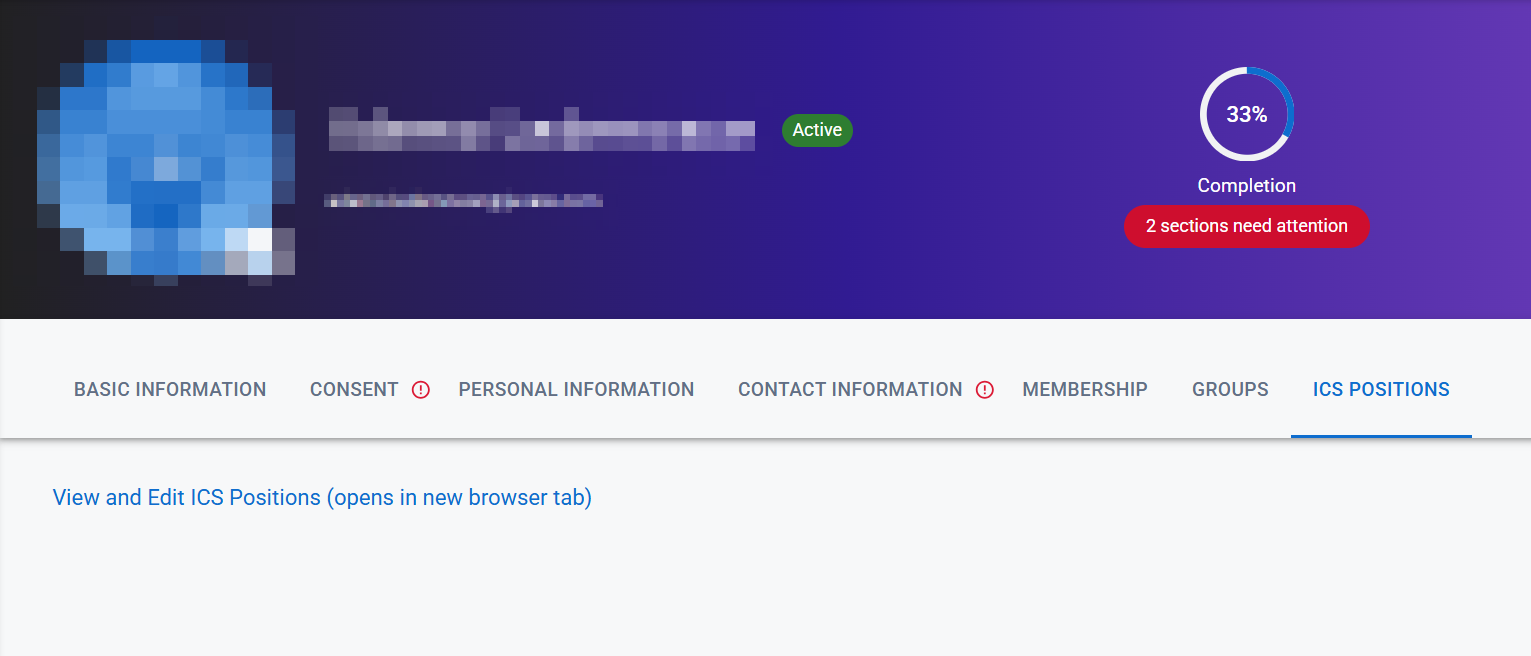
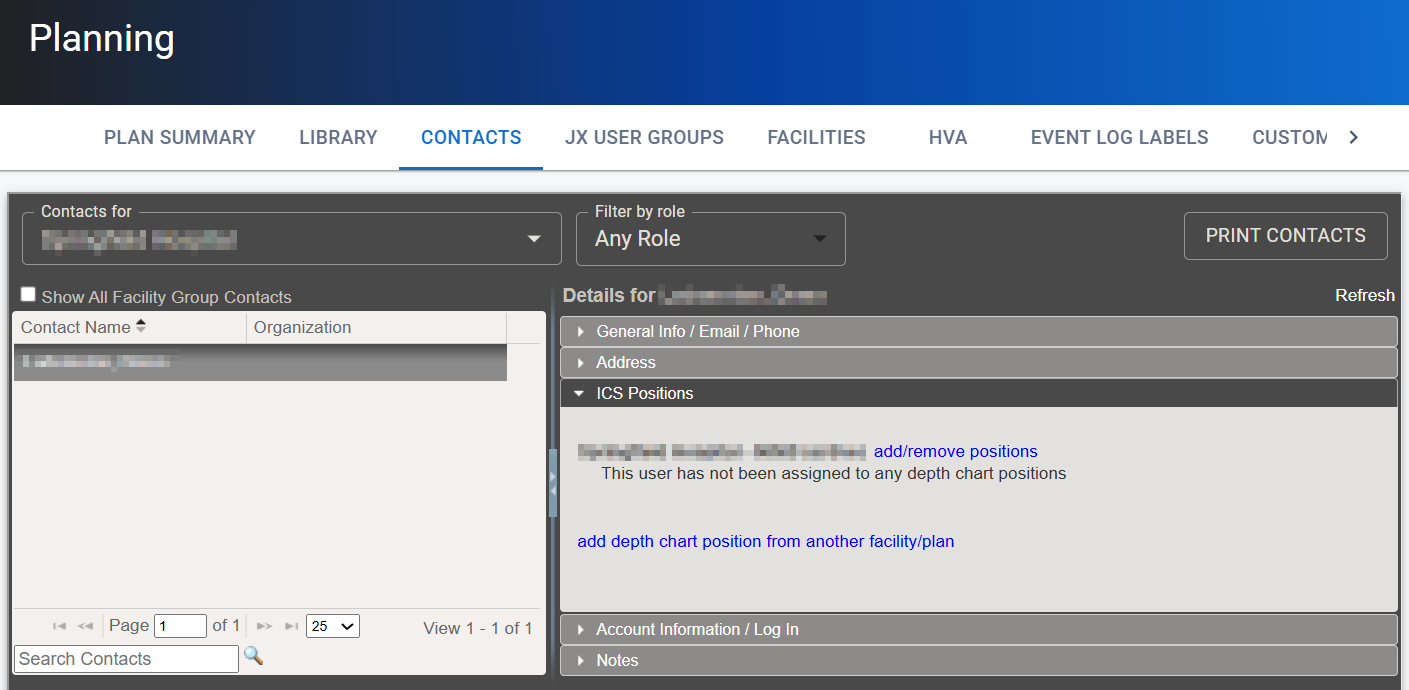
Accounts Used to track and manage users. Accounts differ from your profile, which is used to modify personal settings for using the solution.: When viewing an account, the new ICS Positions tab is now displayed. This tab includes a link to the ICS Positions drawer of the Contacts page, where you can view and edit the ICS positions for that account. This helps you easily navigate between an account and its ICS positions.
Help Updates
The following help center pages have been added to collect and summarize important information:
If you use the opt-in features, instead see these pages:
Previous Versions
Release notes for previous versions are available here.