Edit an Event
If you have appropriate permissions, you can edit events through the Event Management page. Existing events are listed, along with details about the event. The options you see in the Action column depend on your rights in relation to the event and the status of the event, such as ongoing or ended.
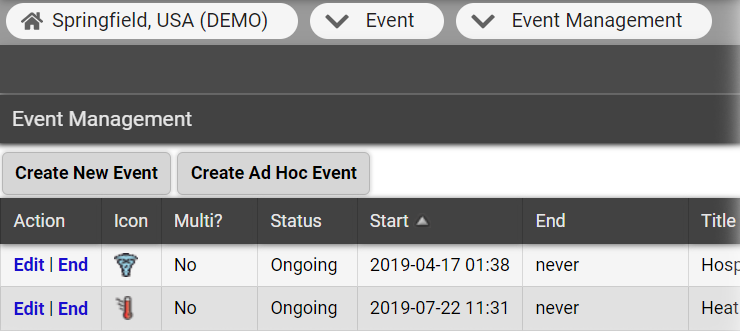
EMResource automatically sends notifications to appropriate users when events are created and, for some, when they are ended. Some events end automatically after a period. In addition, adding a resource to an active event and changing the regions associated with an active multi-region event also generate automated notifications.
An authorized user can manually end an event prior to the indicated end time.
If you are authorized to work with ad hoc events, you can create, edit, and end them. Editing an active event generally includes updating the event details. For multi-region events, this can include adding and removing regions.
To edit an event
-
In the main menu, click Event then click Event Management. The Event Management page opens.
-
Locate the event and, on that row, click Edit. The Edit Event page opens.
-
Update the event as needed.
-
Click Save Changes.
To edit an ad hoc event
-
In the main menu, click Event then click Event Management. The Event Management page opens.
-
Locate the event and, on that row, click Edit. The Edit Ad Hoc Event page.
-
Update the event as needed.
-
Click Next. The Select Resources page opens.
-
If appropriate, add resources to the event.
-
Click Next. The Select Status Types page opens.
If you did not add resources on the Select Resources page, you cannot make changes to this page.
-
If appropriate, add Status Types to the event.
-
Click Next. The Ad Hoc Event Confirmation page opens, showing various high-level details.
-
Click Yes.
Related Concepts