Region Views
Views other than your Region Default, Map, and Custom views are Region Views Views other than your Region Default, Map, and Custom Views. These are set by the Regional Administrator.. Your Regional Administrator determines the content of each of these pages, and specifies the users who have access to each. They can be organized by geographic location, resource type Categories used to divide and distinguish resources., a healthcare system, or any other grouping that meets your region's needs.
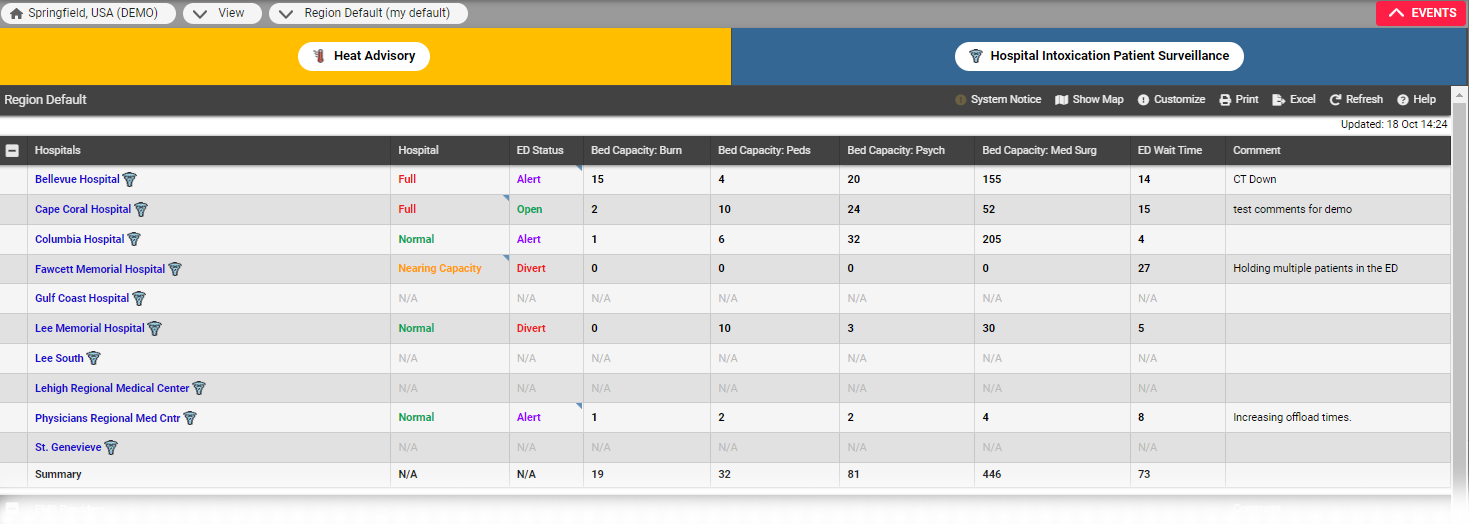
Open the Views menu to see your available options. In the example image below, the user has opened their region's Region Default view, which is also their personal default view. Examples of region views include, geographic location, healthcare system, or resource type such as EMS, helicopter, or hospital.