Clone an Inventory Item
You can also import multiple inventory items simultaneously or add individual inventory items manually.
If you have the correct permissions, you can clone an inventory item. This feature is useful when entering multiple similar inventory items with similar information.
To clone an inventory item
-
On the Inventory tab, click the ellipsis icon on the right of the record to clone.
-
Select Clone Inventory.
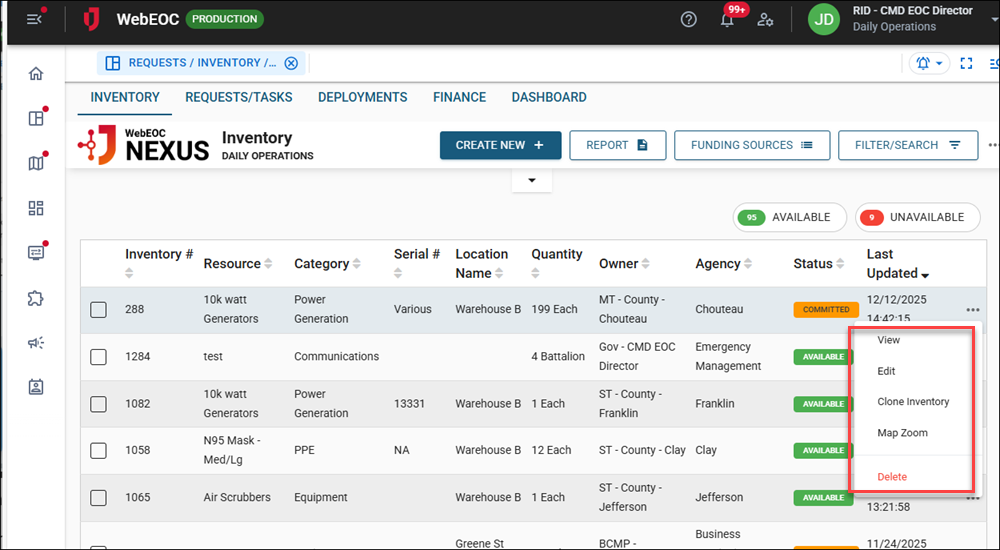
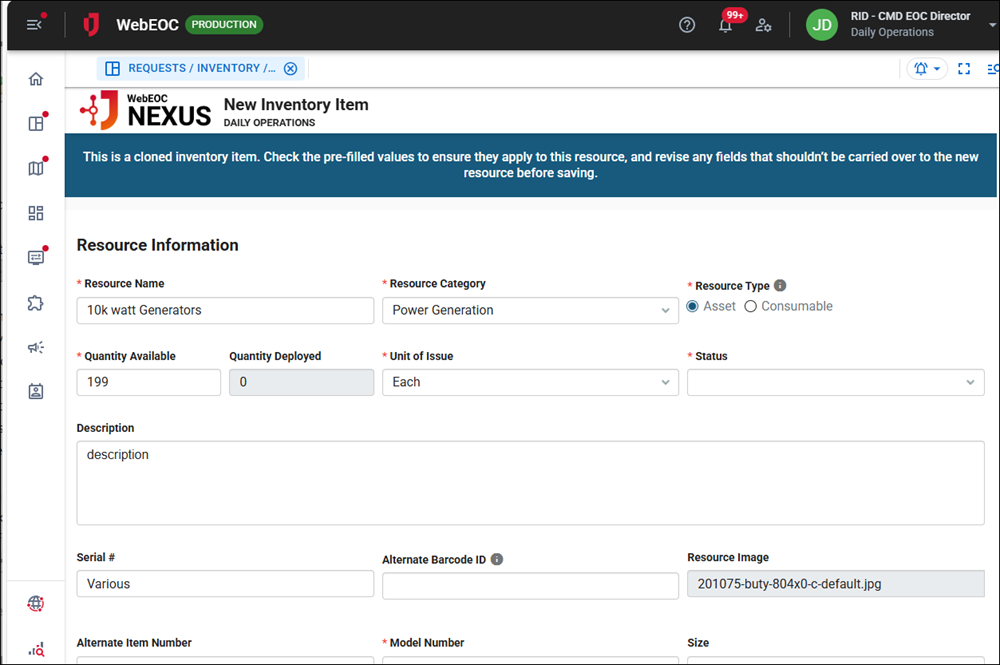
The New Inventory Item page opens.
-
Update the values in the cloned item as needed.
-
Click Save in the bottom right.