Create Checklist
You can also create a checklist by copying an existing one.
To create a checklist
-
Click the Checklist Templates tab.
-
Click the Create Checklist button in the upper right.
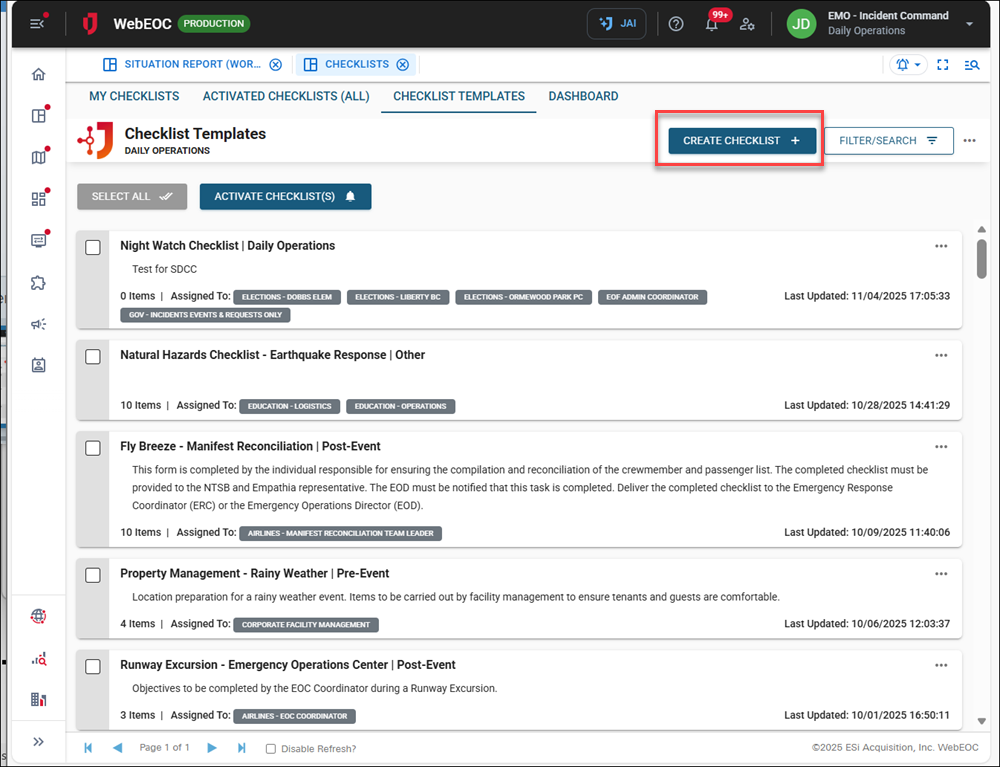
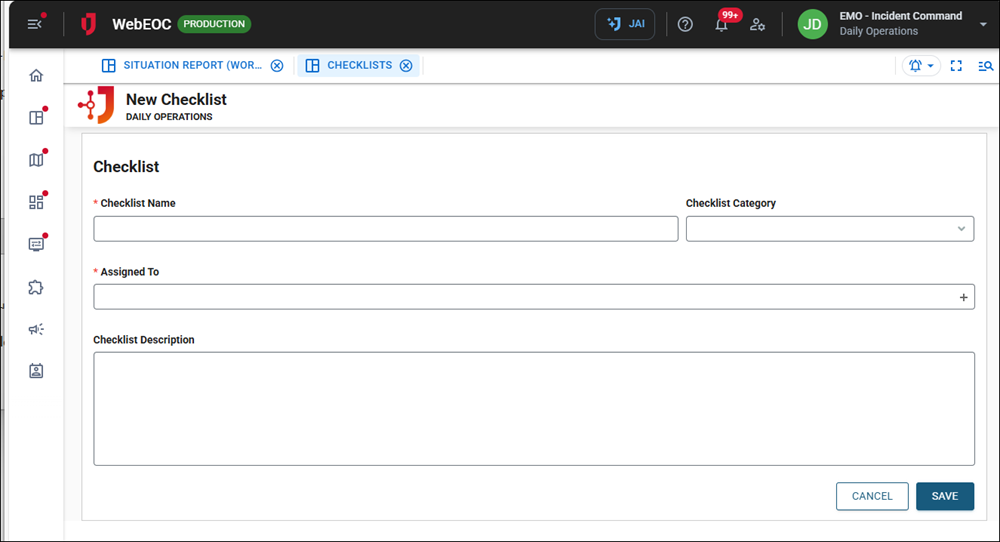
The New Checklist page opens.
-
In the Checklist Name field, enter a unique and descriptive name for your checklist.
-
In the Checklist Category dropdown, select the relevant category for your checklist.
You can add custom categories. See Configure Checklist Categories for details.
-
In the Assigned to dropdown, select the position(s) responsible for completing the checklist.
-
In the Checklist Description field, enter a concise summary of the checklist's purpose and scope.
-
Click Save in the bottom right. The new checklist displays in your List view.
After creating a checklist, you must add items to it and then activate it.