Add Topics
When you start a new JAI Juvare's AI Assistant An intelligent, natural-language interface designed to streamline information retrieval within WebEOC Nexus, providing concise, data-driven responses sourced directly from board views, while enforcing existing administrative controls and data permissions. chat, you must first select a topic, which is a predefined subject that guides the conversation and ensures relevant responses. Each topic is linked to one or more boards, which act as data sources and supply the information needed to answer questions.
At least one topic must be set up before users can begin using JAI.
To add a topic
-
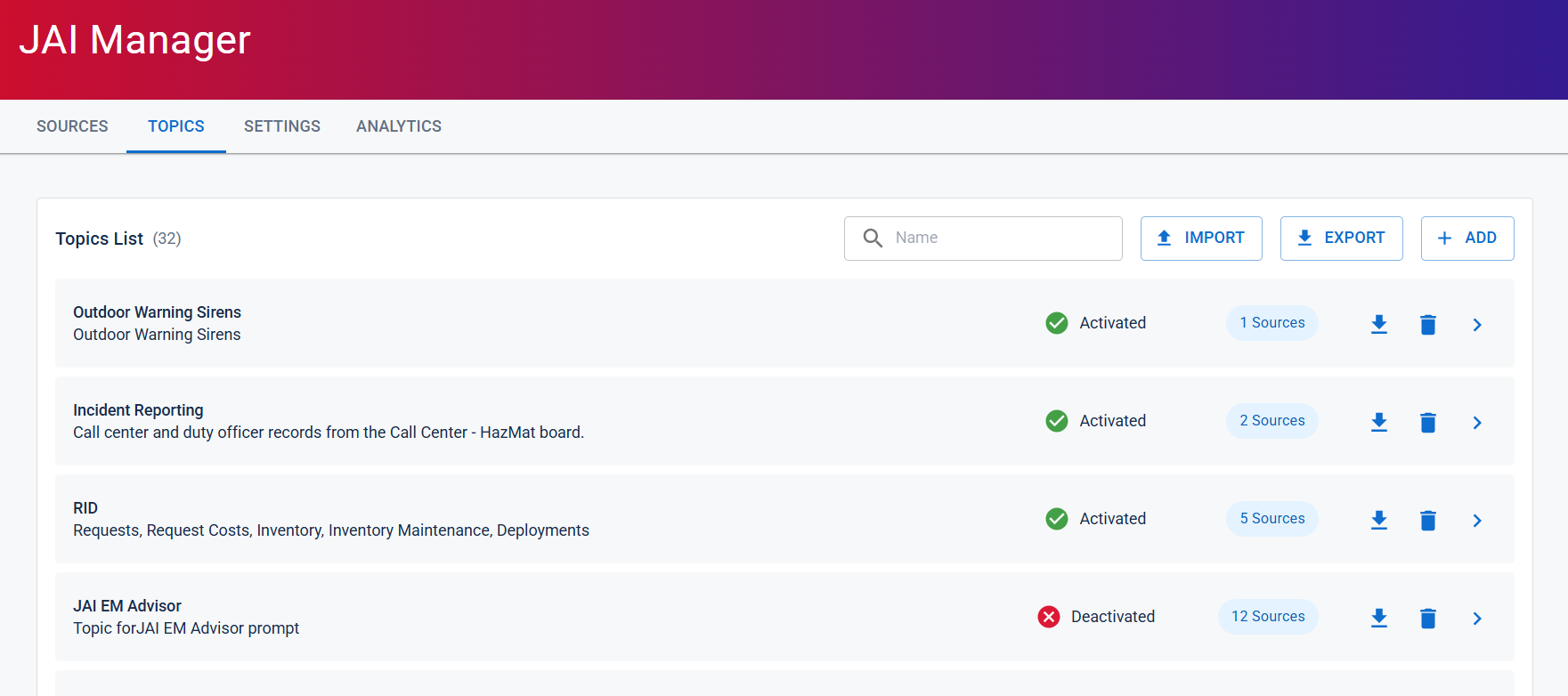
Click the Topics tab, and then click the + Add button.
-
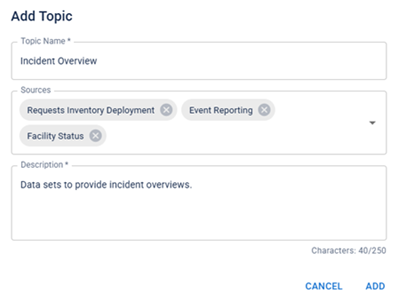
In the Add Topic dialog, do the following:
-
Enter a Topic Name.
-
From the Sources dropdown menu, select the boards you want to assign as data sources for the topic.
-
Enter a Description of the topic.
-
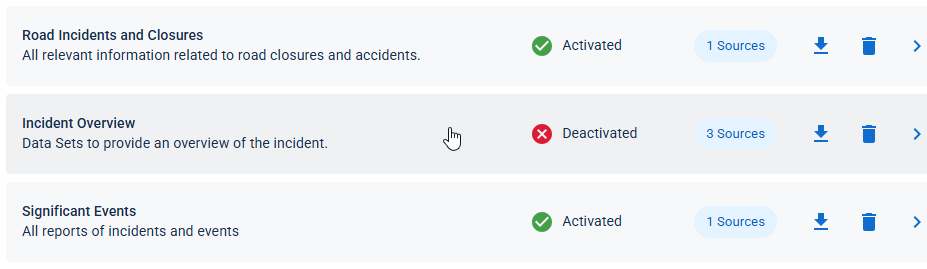
Click Add. The new topic is added to the Topics List. To begin using the new topic, you must activate it first.
-
-
Click anywhere inside the row of the new topic to open the Topic page.
-
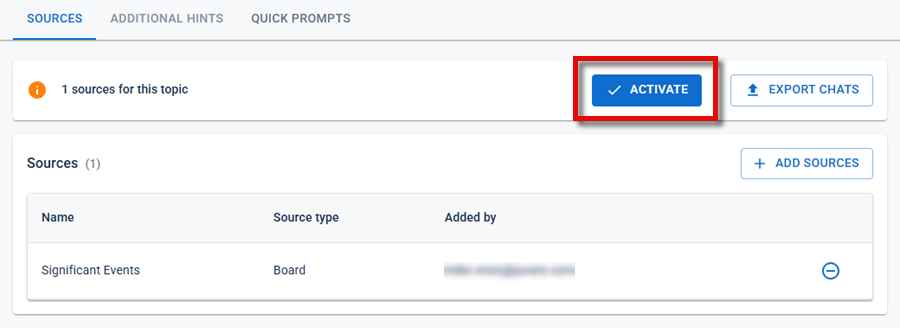
In the Topics tab, click the Activate button, and then click Save. The topic is now activated and available for use.
To Import a Topic.
Use the Import button to import one or more topics from a JSON file.
-
Click Import.
-
Browse to and select the JSON file containing the topics.
-
Click Import to upload the file.
When the import is complete, the imported topics appear in the Topics List.
To Export a Topic
Use the Export button to download existing topics as a JSON file.
-
Click Export.
-
Save the downloaded JSON file to your preferred location.
You can use the exported JSON file to back up topics or import them into another JAI Manager environment.
For additional information on working with topics, see Manage Topics.
-