Share an Incident
If you share an incident-dependent board, you must also share the associated incident for the organization to be able to access the board's data.
To share an incident
-
In the main menu, click the incidents icon
 . The Incidents page opens.
 -
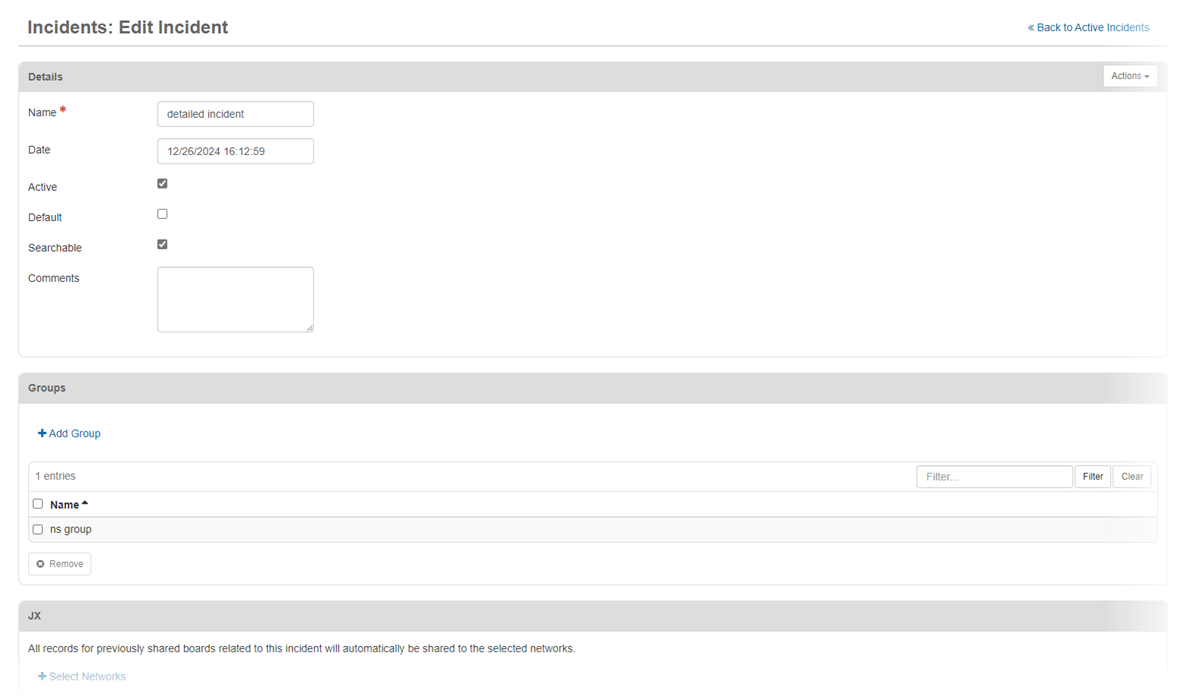
Click the name of the incident that you want to share. The Edit Incident page opens.
-
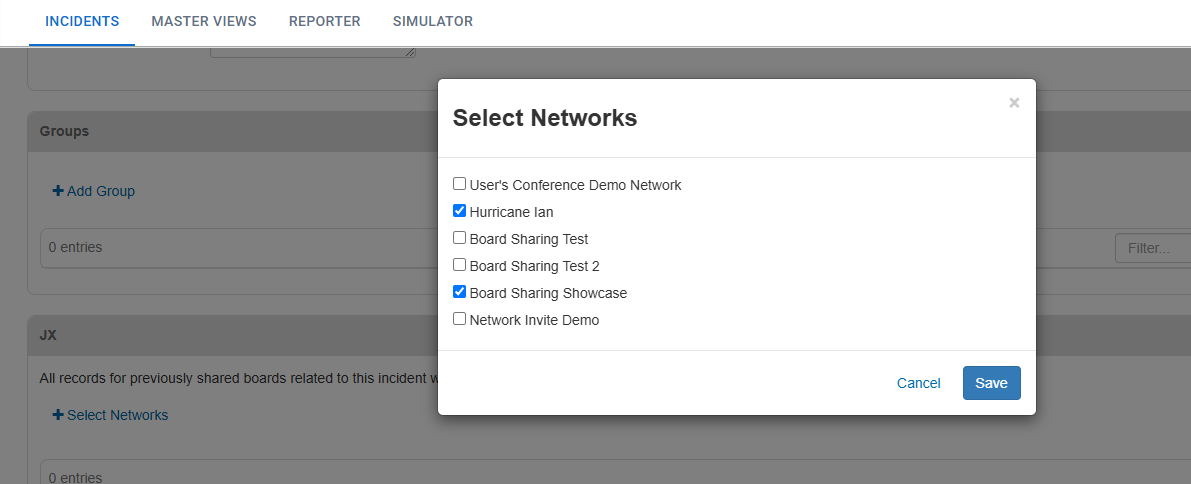
In the JX area, click Select Networks. The Select Networks dialog opens.
-
Select the networks that you want to share the incident with, and then click Save.
-
On the lower-right side of the Edit Incident page, click Save.
For information on subscribing to an incident that has been shared with you, refer to Subscribe to a Shared Incident in the WebEOC Nexus User Help Center.