Copy a Homepage
Administrators can duplicate an existing homepage to use as the basis for a new one.
When an administrator copies a homepage:
-
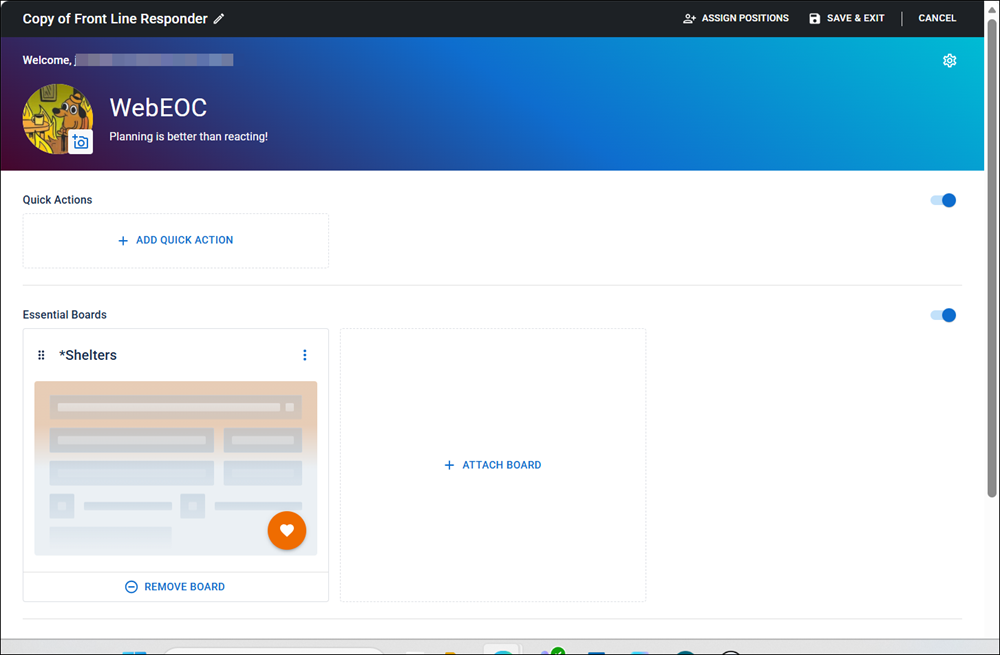
The copy is created as a new homepage with the default name Copy of [Original Name].
-
The copy is editable immediately after creation but it is not saved by default. Administrators must save the homepage for it to display for users.
-
Changes to the original homepage do not affect the copy, and vice versa.
-
The copy is not assigned to any positions by default. Administrators must assign it.
Copying a homepage is only available to Full Admins, not Partial or Sub-administrators.
To copy a homepage
-
In the main menu, click the homepage builder icon
 . The Homepage Builder page opens.
 -
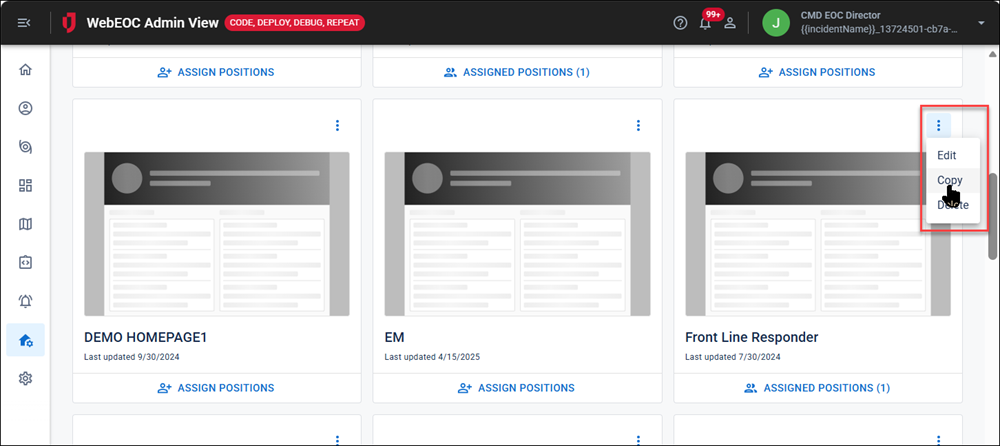
Click the more icon and select Copy.
The Copy of [Homepage Original Name] page opens.
-
Configure the homepage following the steps in Create a Homepage.
-
Assign positions to the homepage following the steps in Assign Positions to a Homepage.