These notes describe the updates introduced in the Juvare Exchange (JX) 2.7.6 release scheduled for August 19, 2026. More information is available through your solution or by contacting the Juvare Support Center at +1 (877) 771-0911 or support@juvare.com.
Enhancements
Shared View Names Display on Data Management Tab
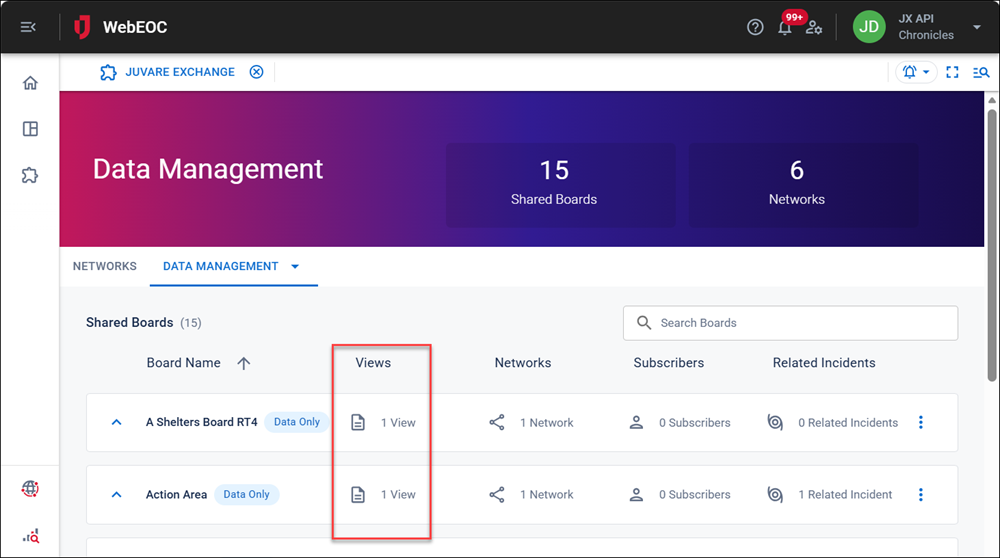
On the Data Management tab, in the View column, the name of the shared view(s) associated with each published board now displays.
-
If the Whole Board is shared, the names of the shared views associated with the published/shared board display in the View column.
-
If Data Only is shared, the name of the view where the data/fields are stored displays in the View column.
Use Error Logs to Troubleshoot Board and Data Sharing Issues
Administrators can now view board and data-sharing errors directly from the Error Log tab on the Data Management page. The Error Log provides a centralized view of inbound and outbound errors on published boards, including issues that could result in data loss.
Inbound mapping and validation errors are logged as they occur, allowing administrators to quickly identify issues. Each entry provides details such as the date and time of the error, severity, error message, and affected network. Errors may originate from your WebEOC Nexus instance or a subscriber’s instance.
With this information, administrators can diagnose issues, monitor the health of shared boards, and potentially resolve problems without contacting the Juvare Support Center. If additional assistance is needed, the Error Log can also provide useful information when working with Support.
Error logs are automatically cleared after two weeks.
See Use Error Logs for more information.
New View Members Option on Side Nav Network Context Menu
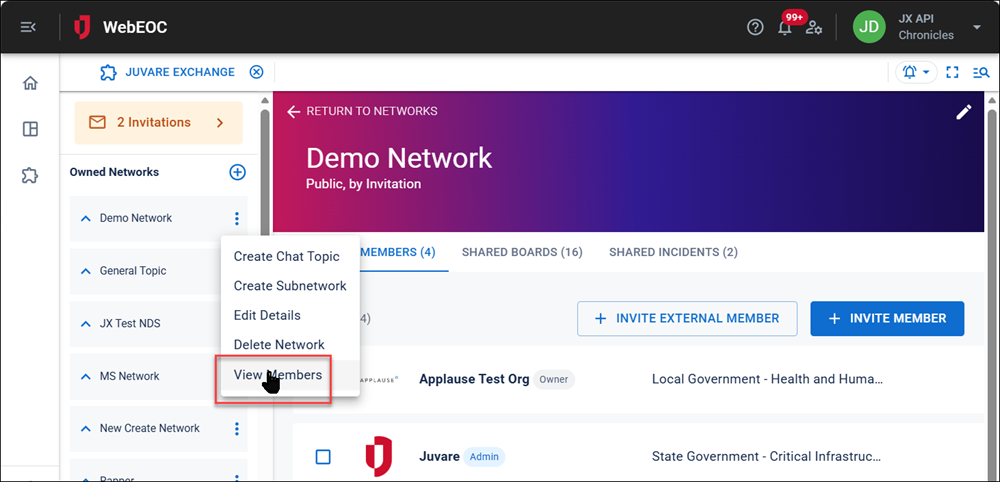
You can now quickly access the Members tab for a network by clicking the more icon next to a network on the Side Nav, then selecting View Members.
Admin Roles and Assigning Network Permissions
Networks now support two organization roles Permissions that define your access to organization information, including members, groups, and files, and how you interact with that information., Admin and Member, as assigned by the network owner.
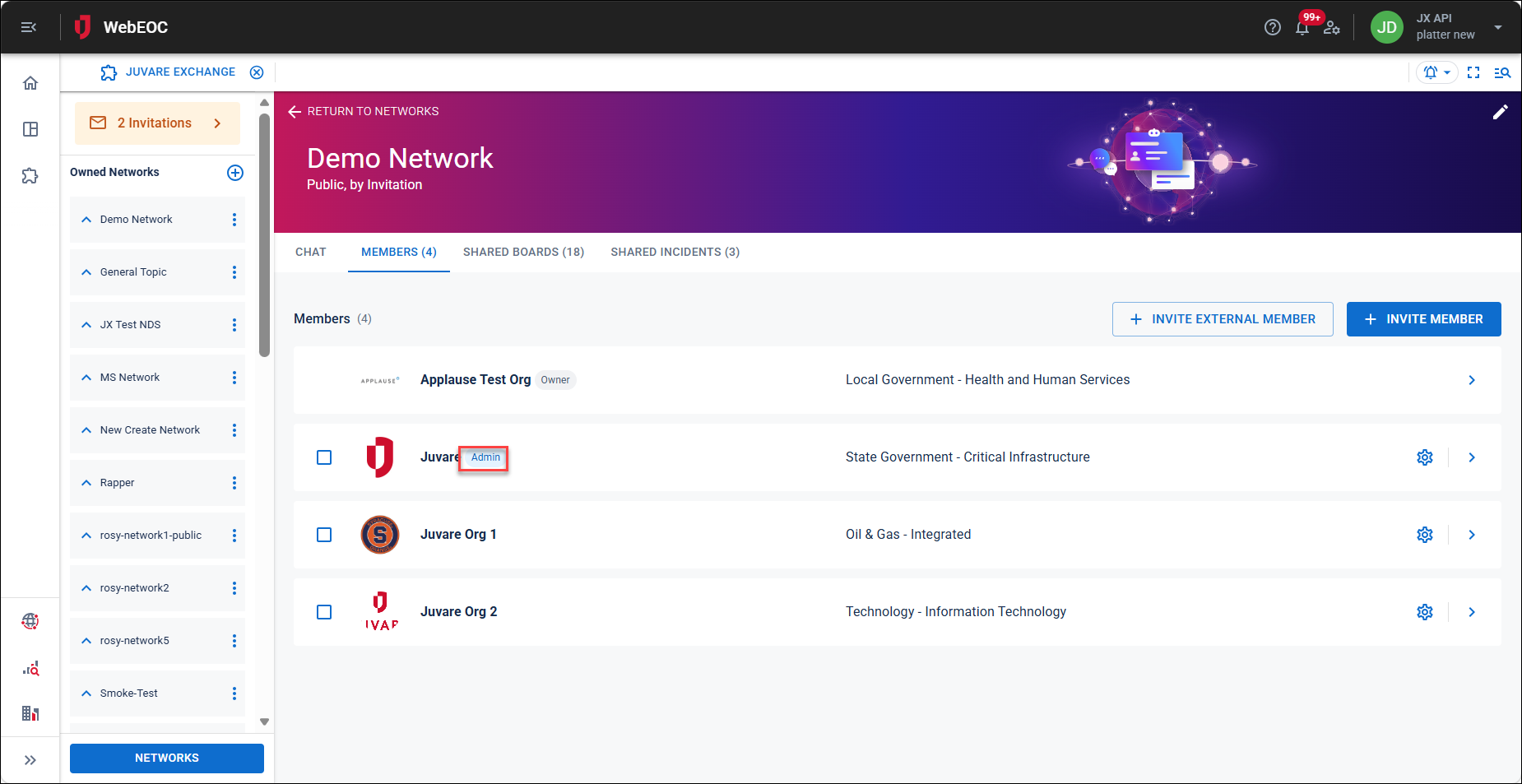
Organizations with the Admin role for a network display with an Admin chip:
The organizations can perform the following network tasks:
-
Create and delete topics
-
Add or remove member organizations from the network
-
Manage subnetworks
Organizations with the Admin role cannot:
-
Rename or delete the network
-
Change its public and private status
-
Assign the Admin role to other organizations in the network
If you create a network, you are the network owner. As the owner, you can:
-
Create and delete topics
-
Add or remove member organizations from the network
-
Manage subnetworks
-
Rename or delete the network
-
Change the network’s public and private status
-
Assign the Admin role to other organizations in the network.
As a network owner, you can assign the Admin role to network members when you are creating the network, or on the Members tab after you have added the members to the network.
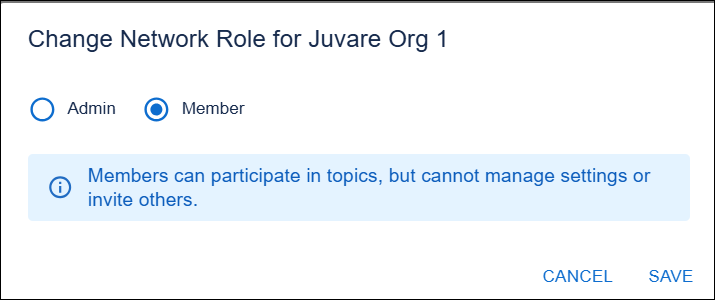
See Assign Network Roles for details.
Board Fields in Alphabetical Order in Data Mapper
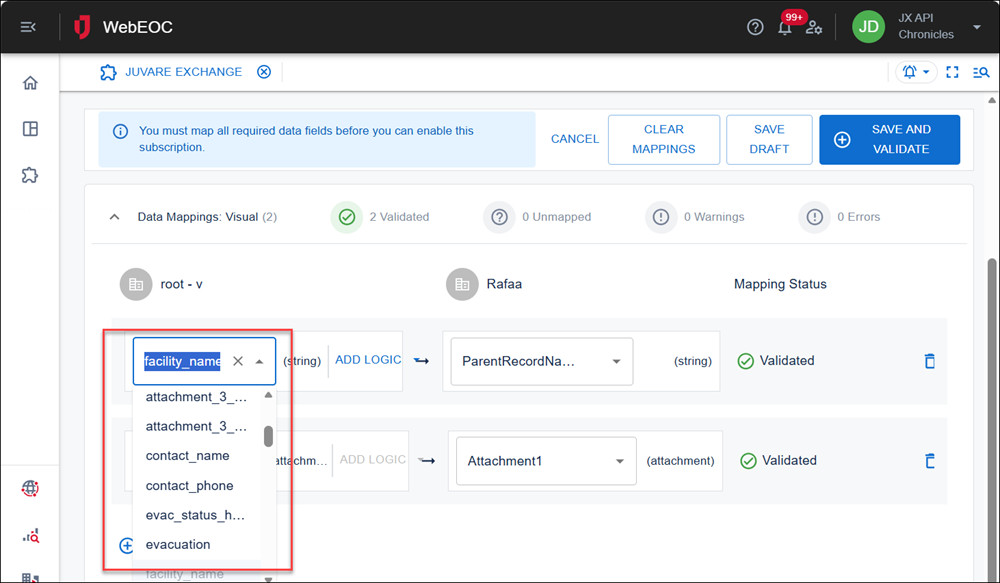
In the Data Mapper, fields now display in the drop-downs in alphabetical order to make them easier to find.
Whole Board: View Name in Owned Boards Section
On the Networks Details page, at the bottom of the Shared Boards tab, the Owned Boards section lists boards, including whole boards and data only, you have created and have published. You can now view which published views are shared to a network for your owned whole published boards.
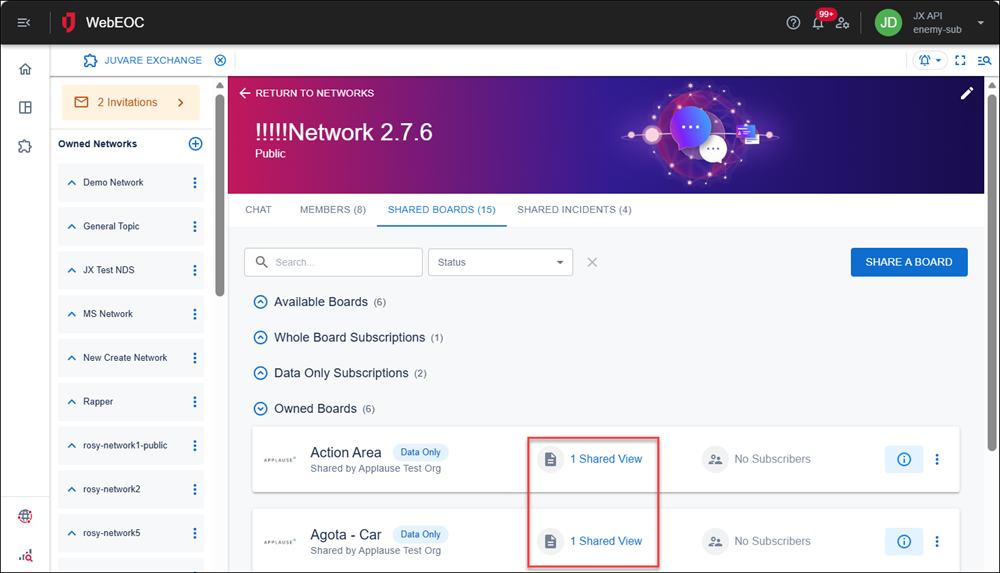
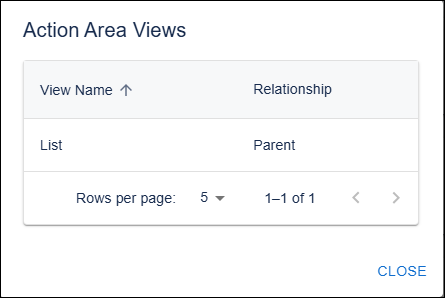
Click the Shared View link to open the Views modal.
Optional Fields Alerts
When a Juvare Exchange (JX) administrator adds new optional fields to a record type on a published board, that board’s subscribers receive an alert letting them know that the optional fields have been added.
Default Permission Type to Empty When Creating Networks
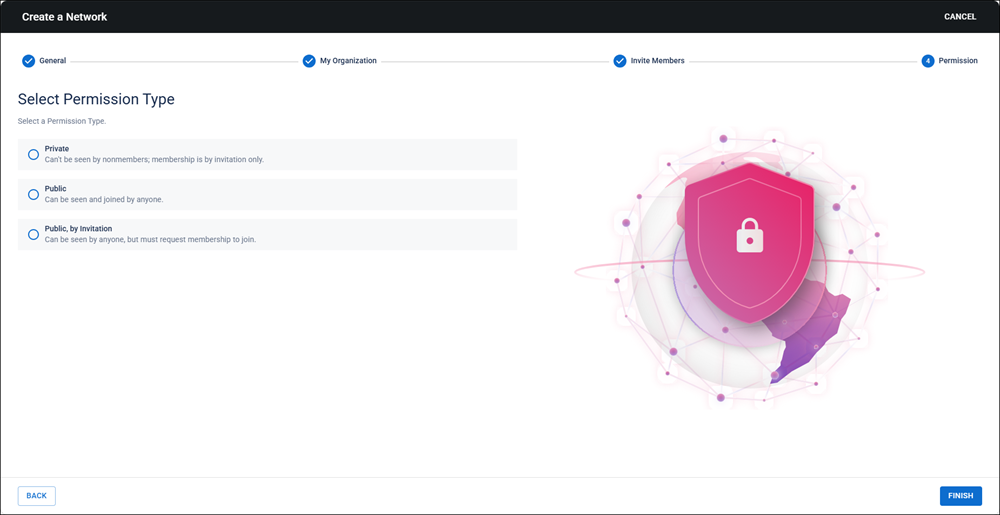
When you are creating a network, the Select Permission Type options now default to empty, preventing unintended private network information from being saved as public automatically.
Previous Versions
Release notes for previous versions are available here.