Entry Forms
The Entry Forms module in Crisis Track provides clients with a centralized view of all form schema that have been uploaded and configured in their environment. This feature is essential for administrators who need visibility into the structure and content of the digital forms used during incident Crisis Track allows you to track damage for several events through the Incidents feature. You can create a new incident, edit incidents, and deactivate or delete old incidents. Each incident keeps the data separate. Information such as equipment, employees, and structures are listed across all incidents. response operations.
What can you do?
-
Browse Form Schema - quickly access a complete list of available entry forms. Each form listed reflects a schema that has been deployed in your organization
Official entities, such as public health authorities, healthcare agencies, and corporations.'s Crisis Track environment. -
Inspect Form Fields - for each form you can view:
-
Field Names: The internal names used by the system.
-
Field Description/Label: Clear explanations of the field's purpose.
-
Field Options: For fields with predefined choices (for example, dropdowns and checkboxes), you'll see the full list of selectable values.
-
Some example form types are:
-
Initial Damage Reports
-
Debris or Disposal Tickets
-
Infrastructure Surveys
-
Evacuation forms
-
Search and Rescue forms
To access the Form Types module
-
Log in to the Crisis Track Console.
-
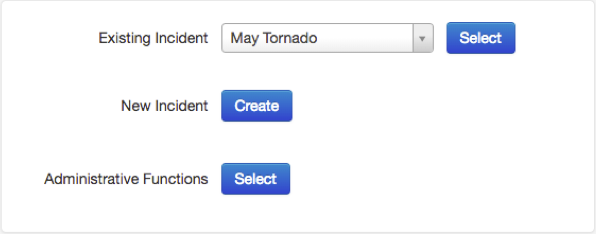
On the home screen, next to Administrative Functions, click Select.
-
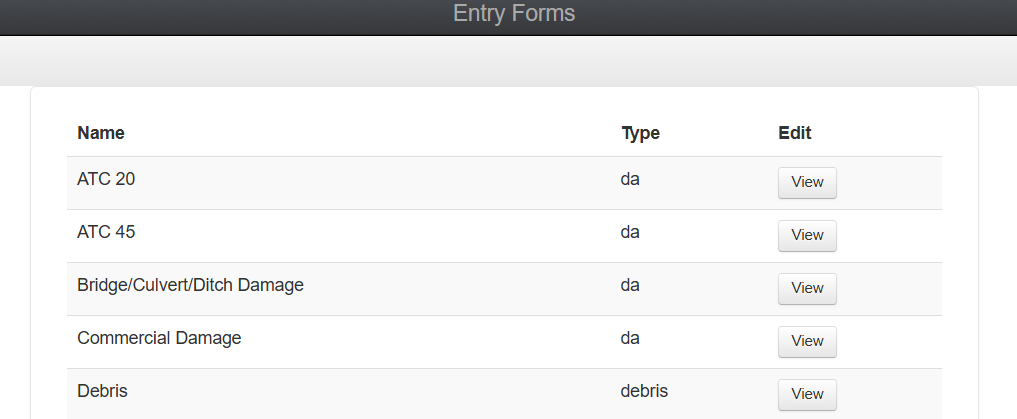
Click the Form Types icon. The Entry Forms module opens, displaying a list of forms.
Related Concepts
Related Tasks
Reference Materials