These notes describe updates in the eICS 5.17 release scheduled for Wednesday, June 17, 2026. More information is available in this help center or by contacting The internal and external people that participate in, might be affected by, or need to be notified about an incident. the Juvare Support Center at +1 (877) 771-0911 or support@juvare.com.
Browser Compatibility
-
Latest Microsoft Edge Version
-
Latest Google Chrome Version
New Features
Admin Reports
The existing reporting capabilities have been expanded and improved by consolidating administrative reports into a new Admin Reports section.
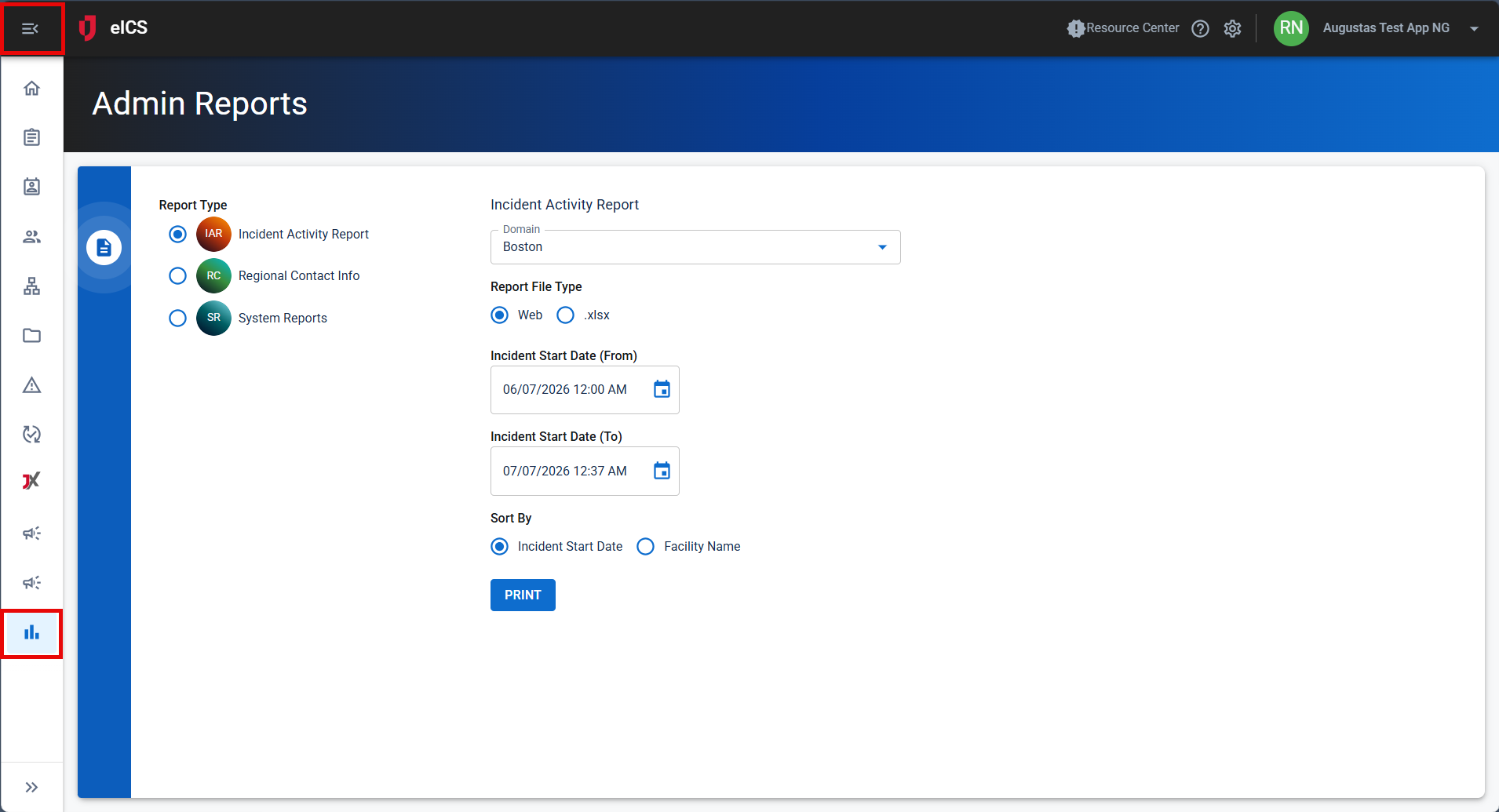
Administrators can now access both the Incident Activity Report and System Reports from a single location. This enhancement provides a more streamlined reporting experience and simplifies access to administrative reporting tools within eICS.
For more information about Admin reports usage, refer to Admin Reports.
System Reports 
The existing reporting capabilities have been expanded and improved by implementing a new System Reports section within eICS.
A Notification An alert, update, advisory, information, drill, or test message that can be sent & received through delivery methods such as email, voice, text, fax, or inbox. Usage report is available for clients who utilize eICS Alerts An alert, update, advisory, information, drill, or test message that can be sent & received through delivery methods such as email, voice, text, fax, or inbox. and can be added upon request through your CSM. The report provides visibility into Alerts notification activity and usage metrics for their organization Official entities, such as public health authorities, healthcare agencies, and corporations., helping administrators review and monitor notification usage within eICS.
If needed, contact your Customer Success Manager (CSM) to request that the Notification Usage Report be added.
This feature was suggested through the Juvare Ideas Portal. We welcome your input to improve our products.
For more information about System reports usage, refer to Admin Reports.
Enhancements
Objectives Tab UI
The existing Objectives capabilities have been expanded and improved by implementing a new user interface using Juvare common components.
Objectives are now displayed in a card-based layout that supports filtering, searching, and reordering. Users can view and update objective details through a slide-out panel while continuing to use the existing objective management capabilities.
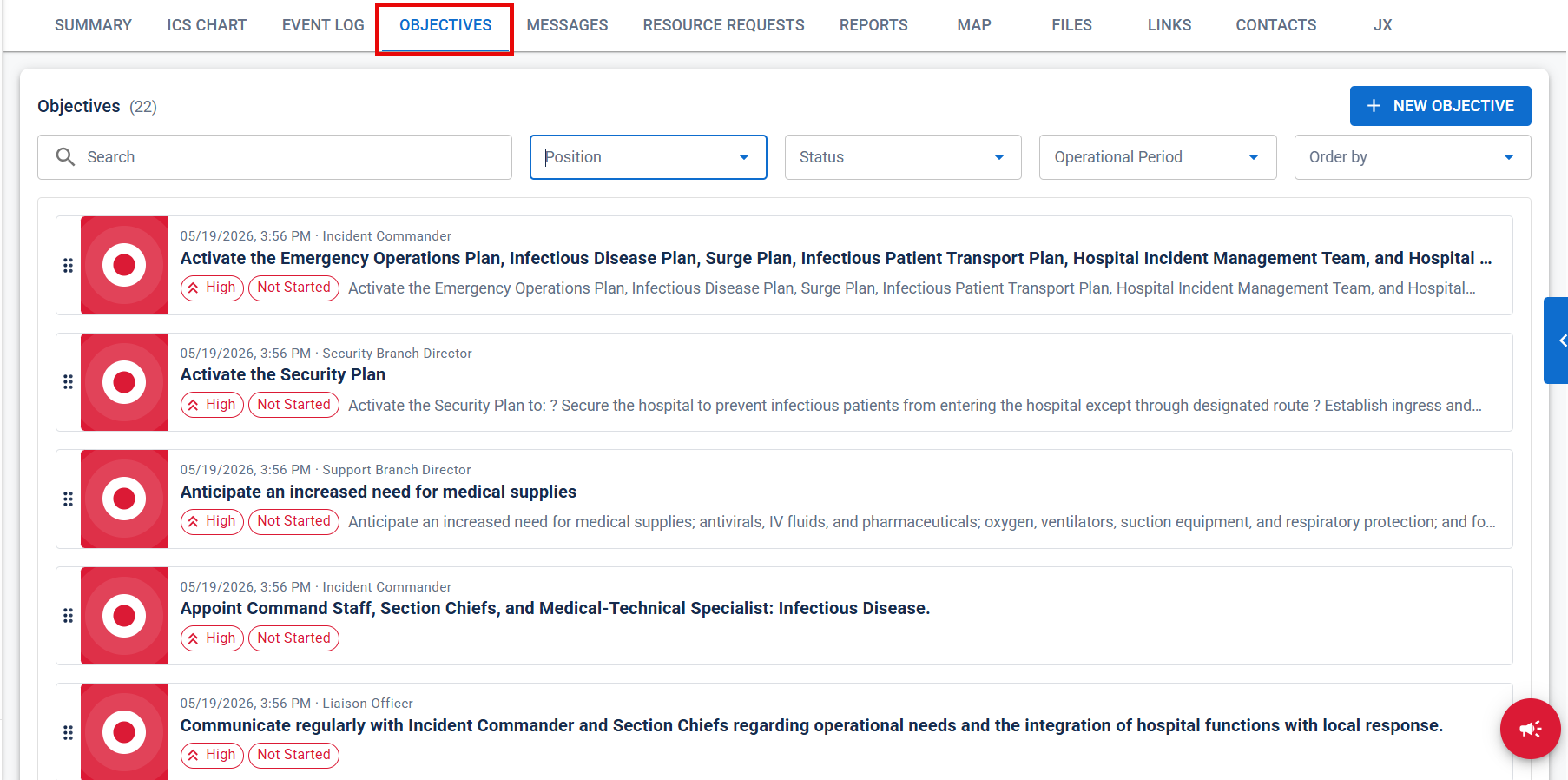
For more information about Objectives tab usage, refer to Incident Dashboard Objectives.
Event Log Label
The existing Event Log capabilities have been expanded and improved by making event log labels optional when creating or updating an event log entry.
Users can now create event log entries without assigning labels and may associate up to five labels with an event log entry when labels are used. This enhancement provides greater flexibility and addresses a commonly requested workflow improvement.
This feature was suggested through the Juvare Ideas Portal. We welcome your input to improve our products.
For more information about Event Log label usage, refer to Incident Dashboard Event Log and Event Log Labels
Incident Dashboard Tab Order
The incident tab layout in the new user interface has been updated to improve navigation and workflow efficiency.
Tabs have been reordered to provide quicker access to commonly used incident information and functions, helping users navigate incidents more efficiently.
For more information about Incident tab usage, refer to Incident Dashboard.
Resolutions
No resolutions are included in this release.
Previous Versions
Release notes for previous versions are available here.