These notes describe updates in the WebEOC Nexus 10.22 release scheduled for September 10, 2026. More information is available in this help center or by contacting the Juvare Support Center at +1 (877) 771-0911 or support@juvare.com.
Enhancements
Unread comment counts in List views
Board builders can now use Boardscript to display unread comment counts for each record in list views. See Boards Comments Functions for details.
Shared comments across views
In previous versions, each view that had a <commentsbutton> maintained its own independent comment thread for a given board/view/incident/record, so comments were siloed per view. Comments were only visible from the view where they were posted. Now, board builders can configure the <commentsbutton> tag with the ignoreview attribute, so that comments for the same record are shared across all views of that board. For example, if a board has multiple Details views, the comments display for a record on all of the Details views. See <commentsbutton> for details.
Refreshed Essential Boards on homepages
Updated the Essential Boards Widget on the homepage providing quick access to frequently-used boards, each with a customizable thumbnail for identification. widget on user homepages The page displayed at login containing company messages, Quick Actions, and essential boards. to improve its design.
Fully clickable Essential Boards cards
Essential Boards cards on the homepage are now fully clickable, consistent with Quick Action cards. In previous versions, users had to click an arrow to access the board.
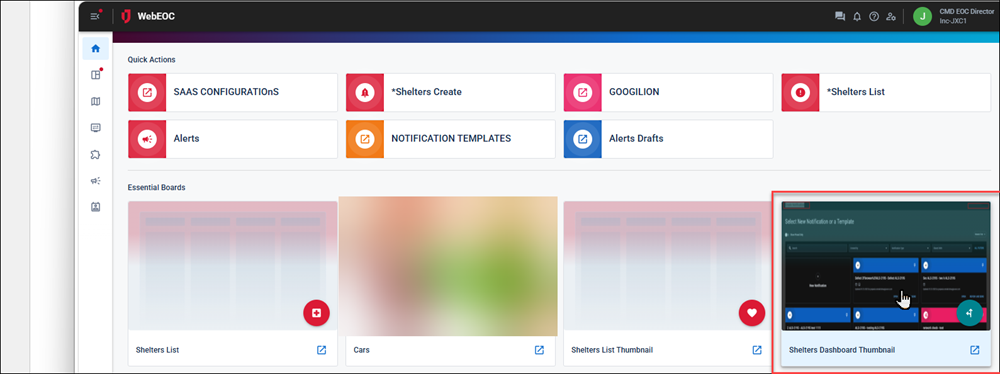
This feature was suggested through the Juvare Ideas Portal. We welcome your input to improve our products.
Juvare Exchange (JX) subscription board indicator
If a board displays on the Boards page because you have subscribed to it through Juvare Exchange (JX), the JX shield displays next to the board. See Subscribe to a Shared Board for details.
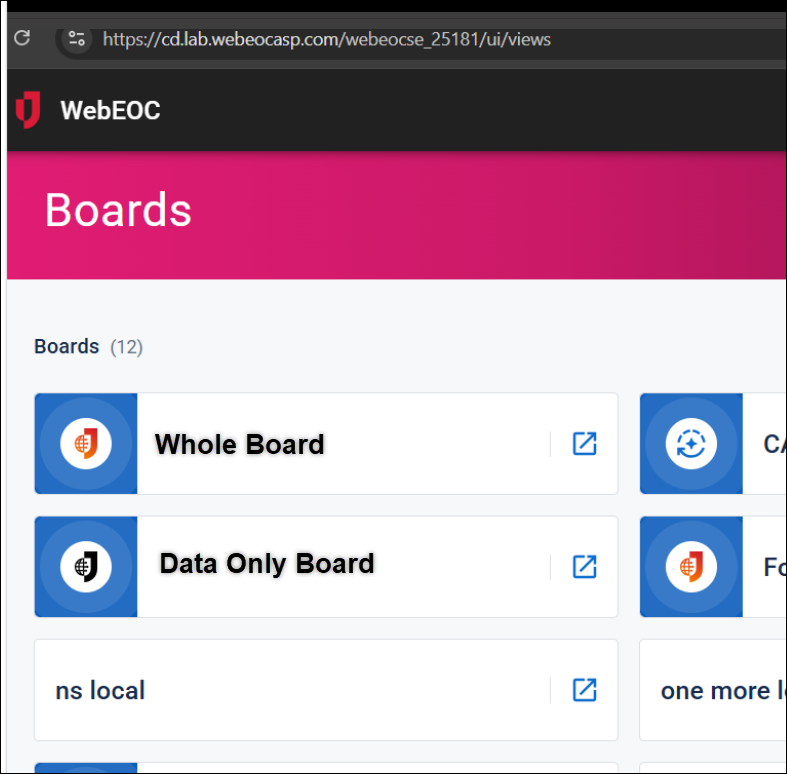
Clearer Juvare Exchange labeling
Updated the "JX Collaborate Loading" message to "Juvare Exchange (JX) Loading."
Faster login
When incident selection is required at login, WebEOC Nexus now populates the Incident drop-down on the Select Position and Incident dialog with your last-used incident.
This feature was suggested through the Juvare Ideas Portal. We welcome your input to improve our products.
Help Update: Glossary
The WebEOC Nexus Help Center now includes in-page glossary terms. Hover over these terms to view a pop-up definition. We welcome your thoughts on this new Help feature; to provide feedback, click the Help Center feedback button  : on any page to generate an email to the Documentation team.
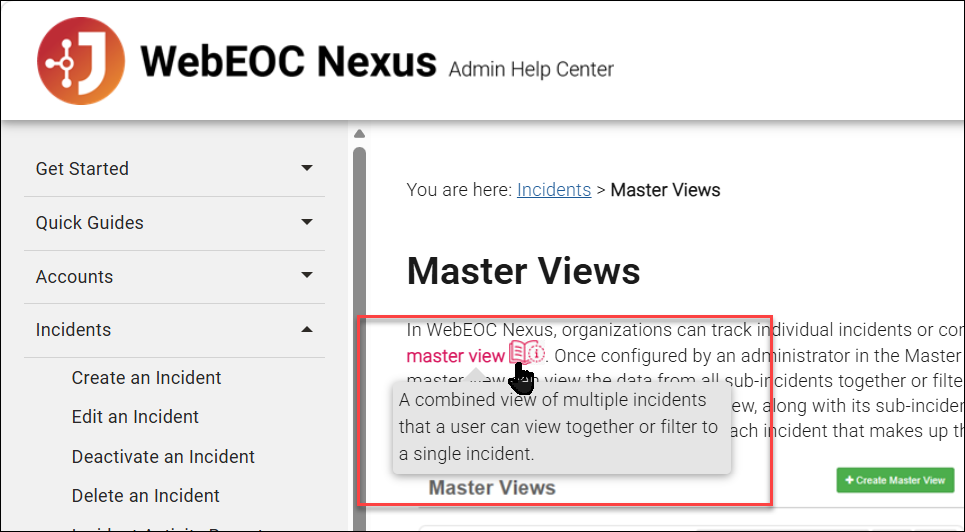
Resolutions
-
Fixed an issue that occurred when printing to PDF using the <pdflink> tag if the content printed over more than one page and there was a page-break before the end of the content. The resulting PDF contained duplicated or hidden content. With the fix, printing from PDF works as expected.
-
Fixed an issue that occurred when a user attempted to add more than nine submenus. Any submenu added after the ninth did not display. With the fix, submenus now display no matter the level.
-
Fixed newly mapped ArcGIS fields being lost when an error occurred.
-
Fixed a case where the return button/link couldn't close a tab opened on a record-less view. In this case, the user clicked Create on a List view, which opened a new, record-less tab through a <viewlink>. After the user input data and saved, the Details tab opened with the data as expected, but the original tab did not close. With the fix, the tab closes as expected.
-
Fixed untranslated text in the Edit Comment dialog and the comment Reply tooltip.
-
Fixed an issue where, if a user entered a comment, selected the Preformatted option, then saved the comment, it was saved empty. To correct this issue, the Preformatted option has been removed as an option when saving a comment.
-
Fixed the labels on various permissions checkboxes on the Add/Edit Admin Manager dialog.
-
Fixed the display of Juvare Exchange (JX) board records timing out after a large processing queue had built up.
-
Fixed an issue that occurred if there was no custom logo on the homepage. The default logo occasionally failed to load under simultaneous requests. With the fix, a homepage that uses the default logo loads as expected.
-
Fixed validations on phone number fields that failed incorrectly, rejecting newer US area codes, such as 686.
-
Fixed an issue that occurred when a user completed the Please complete your information to proceed dialog at login, and WebEOC Nexus was configured to skip this dialog on subsequent logins if this information had been entered. The next time the user logged in, the dialog did not display, but the user's name was not carried over into the new session
Active login period for a user in WebEOC Nexus, visible to administrators who can view and terminate sessions through Sessions Manager.. This caused the Name field to appear blank on the Sessions page, and any board fields that referenced the session originator name (such as originator_name) to display empty values for all records entered in those sessions. With the fix, the Name field is populated with the user's name for every login session, including those where the Please complete your information to proceed dialog was not shown. -
Fixed an error affecting multi-tiered parent/child lists used in the <select> tag. A JavaScript error occurred if a list name or field name contained a space. With the fix, spaces in list and field names do not cause errors.
Updates to Alerts
Updates to archived accounts, notification groups, and organizations
The following updates have been made to accounts:
-
New, draft, and template alerts cannot add an archived account as a recipient.
-
An archived but previously added account does not display in the draft or template.
-
A restored account is added again to any notifications it belonged to before it was archived.
-
Archived accounts are not visible on the map on the Locations tab.
-
If an account was added as a recipient through a map and then archived, the account is not visible in the alert draft or template.
-
After archiving an account, account recipients who receive an alert before they were archived are still visible on the Sent tab.
-
If an account is archived but is in an organization or notification group that is not archived, the archived account is not added as a recipient to an alert draft or template.
-
If an account is in an archived notification group but in an active organization, that account is available as recipient in the organization.
See Archive, Restore, and Delete Accounts for details.
The following updates have been made to notification groups:
-
New, draft, and template alerts cannot add an archived notification group as a recipient.
-
An archived but previously added notification group does not display in the draft or template.
-
A restored notification group is added again to any notifications it belonged to before it was archived.
-
After archiving a notification group, notification group recipients who receive an alert before they were archived are still visible on the Sent tab.
See Archive, Restore, and Delete Notification Groups for details.
The following updates have been made to organizations:
-
New, draft, and template alerts cannot add an archived organization as a recipient.
-
An archived but previously added organization does not display in the draft or template.
-
A restored organization is added again to any notifications it belonged to before it was archived.
-
After archiving an organization, organization recipients who receive an alert before they were archived are still visible on the Sent tab.
-
Archived organization are not visible on the map on the Locations tab.
-
If an organization was added as a recipient through a map and then archived, the organization is not visible in the alert draft or template.
-
An organization admin does not see archived accounts, notification groups, or organizations.
See Archive, Restore, and Delete Organizations for details.
Archive, restore, and delete alert templates
You can archive alert templates to clean up your data display. Archived alert templates are visible on the Archived Notifications page on the Templates tab. See Archive, Restore, and Delete Templates for details.
Previous Versions
Release notes for previous versions are available here.