Available in List views, collapsible embedded maps let you display two-dimensional or three-dimensional maps in a collapsible format. Collapsible embedded maps are very similar to the Embed Map component; however, they allow you to set a default opening state (open or closed). Another difference between the Embed Map component and the Collapsible Embedded Map is that the component is dragged as a component onto the canvas, whereas, a collapsible embedded map Map component for List views supporting 2D or 3D display that collapses or expands with a configurable default state. is added during the process of creating a List view.
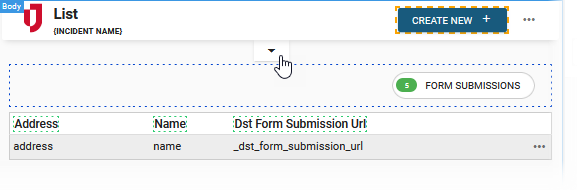
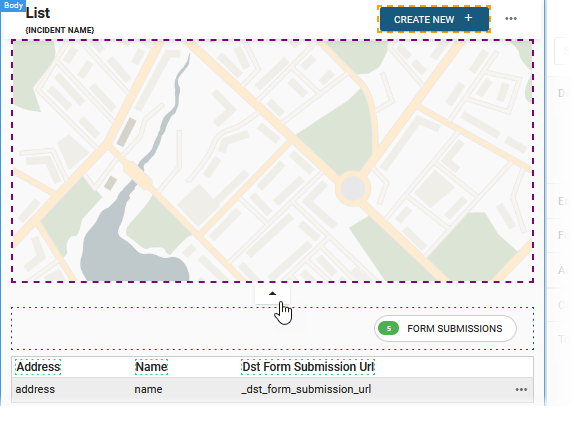
Example of Embedded Maps States
The following examples show an embedded map in a closed and open state.
Add a collapsible embedded map when you:
Related Concepts
Create a List View Classic Styling
Create a List View Nexus Component Styling
Related Tasks
Add a Filter and/or Search Button to a List View Classic Styling
Edit a Collapsible Embedded Map Classic Styling
Assign a Delete View to a List View Classic Styling
Update the View Header for a List View Nexus Component Styling
Table Fields Settings Component Nexus Component Styling
Map Configuration Component Nexus Component Styling