These notes describe updates in the eICS 5.5 release scheduled for Wednesday, February 19, 2025. More information is available through the help in your solution or by contacting The internal and external people that participate in, might be affected by, or need to be notified about an incident. the Juvare Support Center at +1 (877) 771-0911 or support@juvare.com.
New Features
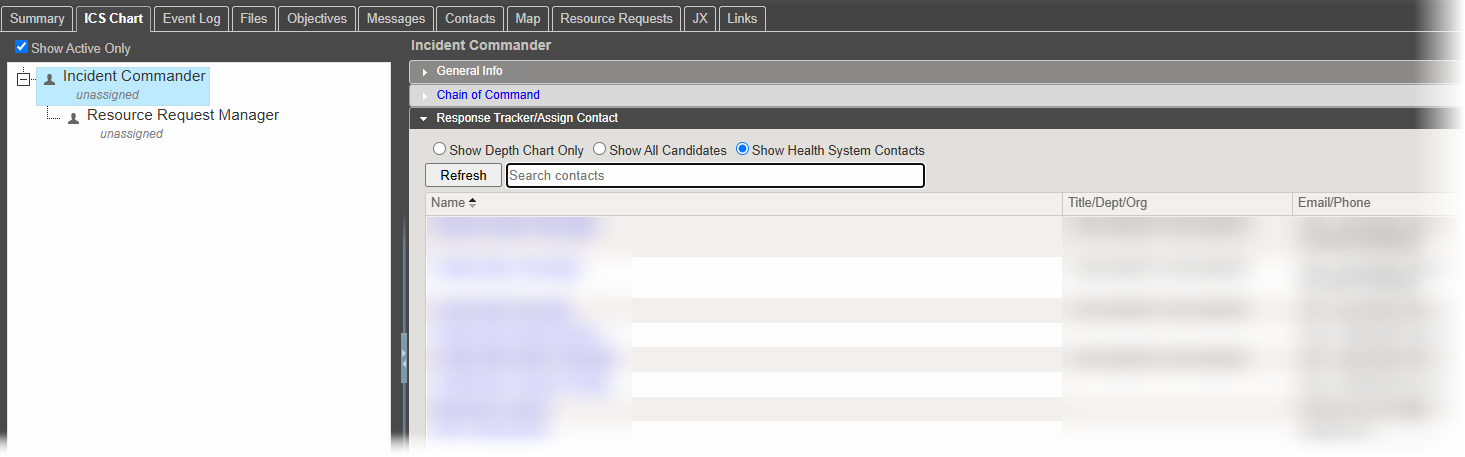
Search for Contacts in ICS Chart
On the ICS Chart of the Incident Dashboard, the new search bar lets you search for contacts by the information in their profile A collection of information that identifies and defines you in the solution. Your profile differs from your account, which is how you log in., including their first name, last name, organization Official entities, such as public health authorities, healthcare agencies, and corporations., title, and department. This helps you quickly assign contacts to positions.
Associate Event Log Labels with IRGs
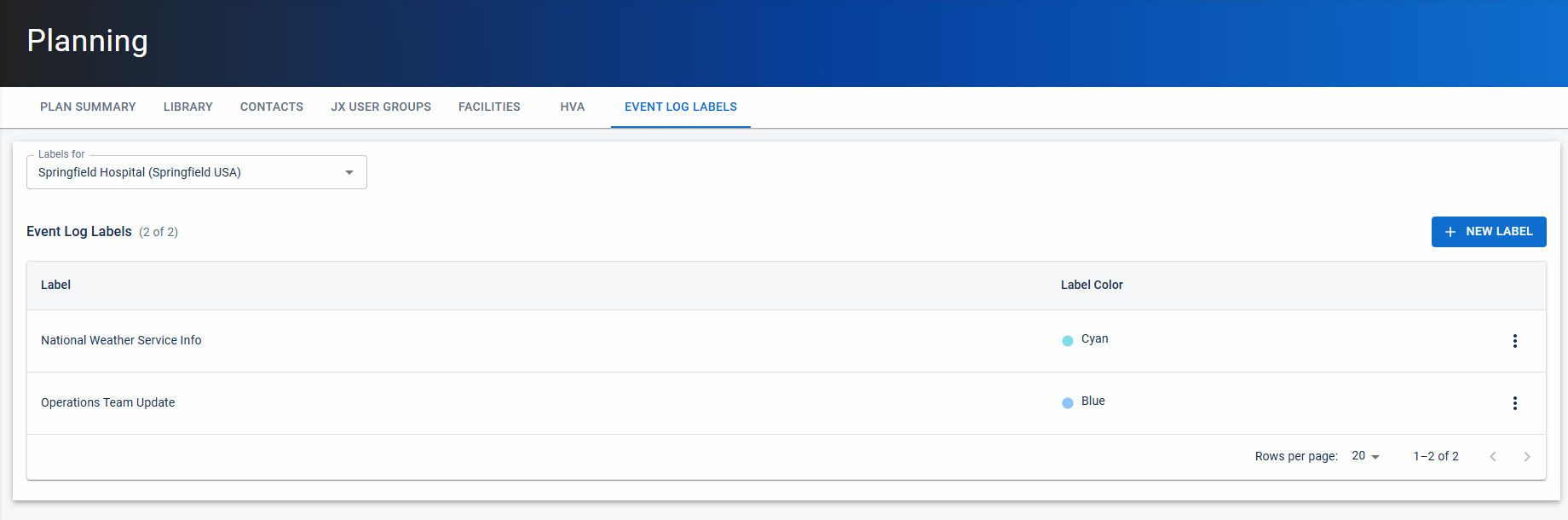
Previously, you could create Event Log Labels to group Comprised of accounts with certain shared characteristics, such as role or location, but not necesarily employer. similar types of event log entries. Now, these event log labels are associated with Incident Response Guides (IRGs) (IRGs). This change lets you configure labels so they only appear in relevant IRGs. When you manually create an event log entry, you can add up to three of the labels associated with the incident's IRG.
Existing event log labels are already associated with a domain or facility. These existing labels will automatically be added to all the IRGs in that domain or facility. After the release, you can edit the labels to further restrict which IRGs they appear in.
For more information about assigning event log labels to IRGs, see Manage Event Log Labels. Note that label management is being moved from the Settings page to the Planning Dashboard.
Opt-In Features
Clients can opt in to enable new features for managing contacts, sharing files, and sending notifications An alert, update, advisory, information, drill, or test message that can be sent & received through delivery methods such as email, voice, text, fax, or inbox.. If you have not opted in, these features are not enabled and do not affect you yet. You may request to opt in at any time as we continue to update these features. For more information, see Opt-In Features.
This release includes the following enhancement to the opt-in features A feature that is not enabled by default for a product. This feature may not be available because it is a premium feature or may not yet be publicly accessible.:
Organizations: On the Organizations page, the performance is improved when you expand an organization with many child organizations.
Previous Versions
Release notes for previous versions are available here.